 offline access
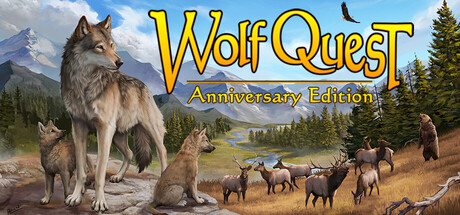
Buy WolfQuest: Anniversary Edition Steam Offline Account
This is a WolfQuest: Anniversary Edition Steam offline account that already owns the game. You pay $9.99 once instead of the full $29.99 Steam price — a 67% saving. After purchase you sign in, switch Steam to Offline Mode, and play the full single-player wildlife simulation. Delivery is instant and automated, payment is crypto only, and it works worldwide with no region lock.
Key facts
- Price on bonege
- $9.99 — one-time
- Full Steam price
- ~$29.99 (save ~67%)
- What it is
- Shared Steam offline account that owns WolfQuest: Anniversary Edition
- How you play
- Steam Offline Mode — full single-player simulation
- Delivery
- Instant & automated
- Payment
- Crypto — USDT (TRC20), BTC, ETH, LTC
- Region
- Worldwide, no region lock
- Guarantee
- Free replacement if access stops
What you get
- Steam account that already owns the game
- Step-by-step offline-mode guide
- Instant automated delivery after payment
- Replacement guarantee if access stops
Buy WolfQuest: Anniversary Edition cheap — offline account
What you get
You get login access to a Steam account that already owns WolfQuest: Anniversary Edition. This is a shared offline account, not a key, not a gift, and not a subscription. Nothing needs to be redeemed or activated — the game is already sitting in the library, ready to install and run. Once you receive the credentials you sign in through the normal Steam client, download WolfQuest, and switch Steam into Offline Mode to play the full game. Your $9.99 covers a one-time, permanent purchase of this access, not a recurring charge.
Everything that comes with the Anniversary Edition is included on the account: the full Yellowstone simulation, the Slough Creek territory with denning and pup-raising, the Amethyst Mountain dispersal map, and the deep wolf-behavior systems the studio rebuilt for this version. You raise a pack, hunt elk and other prey, defend your territory from rival wolves and bears, and survive the changing seasons. Because the account already holds the game, you skip the store page entirely and go straight to installing and playing the simulation you paid for.
This offline account works the same way on any computer that can run the Steam client, so you are not tied to one specific machine or one region. The credentials are delivered to you automatically right after your crypto payment confirms, which means there is no waiting on a manual hand-off. You install once, set Offline Mode, and the game stays playable as a self-contained single-player experience whenever you want to return to your pack.
How a WolfQuest: Anniversary Edition offline account works
The flow is simple and the same every time. After you pay with crypto, bonege sends you the account login details instantly. You enter those details into the official Steam client, let WolfQuest: Anniversary Edition download, and then go to the Steam menu and select Go Offline. From that point on Steam stops checking in with its servers for this session, and you can launch the game and play the full single-player simulation without needing the original account to stay signed in elsewhere.
Offline Mode is a standard, built-in Steam feature — it is exactly how Valve intends single-player games to be played without a constant connection. For a game like WolfQuest, which is entirely about the solo experience of living as a wild wolf, this fits naturally. You raise pups across multiple in-game seasons, track scent trails, and manage hunger, stamina and health, all of which run locally on your machine. There is no online component you need for the core campaign, so Offline Mode gives you everything the game has to offer.
Keep the game on this shared offline account rather than trying to merge it into a personal Steam profile — that is the one rule that keeps your access stable. If access ever stops working for any reason, bonege provides a free replacement, so you are not left stranded. Treat the account as the home for your WolfQuest save and pack, leave Steam set to Offline when you play, and the simulation behaves like any other game you own.
Cheaper than a Steam key
WolfQuest: Anniversary Edition lists for around $29.99 on Steam. Through bonege you pay $9.99 for offline account access — a saving of roughly 67%. That is a meaningful gap for a game many players buy mainly to play solo, since the offline single-player simulation is the entire point of WolfQuest. You get the same Yellowstone world, the same wolf-raising systems and the same content for a third of the standard price.
A Steam key or a gift adds the full game to your own library, which is great if you specifically want ownership on your personal profile, but you pay full price for that. An offline shared account is a different deal: it costs far less because you are sharing access to a copy that already exists, and in exchange you play in Offline Mode rather than on your own account. For a single-player title like this, where you are not relying on Steam achievements being tied to your personal profile or on any online features, the trade-off is easy — you keep the gameplay and drop most of the cost.
The price you see is flat. There are no region surcharges, no card-processing markups and no currency games — $9.99 is $9.99 no matter if you are in the US, the UK, Canada, Australia or the EU. If your priority is the cheapest WolfQuest: Anniversary Edition Steam access that still lets you play the complete game, the offline account route is built exactly for that.
Is it safe?
Being honest about what this is matters more than overselling it. This is a shared offline Steam account, so you are not the sole owner of the profile — you are buying access to play WolfQuest in Offline Mode. That is the model, and it is why the price is low. As long as you keep Steam set to Offline Mode while you play and do not change the account's core details, your access stays steady and the simulation runs exactly as it should.
bonege backs every offline account with a free replacement guarantee. If your access ever stops working, you contact support and get a working replacement so your playtime is protected — you are not gambling on a one-shot login. Payment is handled in crypto (USDT TRC20, BTC, ETH, LTC), which means you never hand over card details, and there is no region lock blocking you based on where you live.
A few practical habits keep things smooth. Always start the game with Steam in Offline Mode, do not try to move WolfQuest onto a separate personal account, and reach out to support rather than improvising if something looks off. Follow those simple steps and a WolfQuest: Anniversary Edition offline account behaves like a normal, reliable way to play the full solo game for far less than the store price.
About WolfQuest: Anniversary Edition
WolfQuest: Anniversary Edition puts you inside the life of a wild gray wolf in a detailed ecological simulation of Yellowstone National Park. Instead of an action game wearing an animal skin, it is a genuine survival and behavior sim: you start as a young wolf learning to hunt, then search for a mate, claim a territory, and ultimately raise a litter of pups while the environment pushes back at every turn. The Anniversary Edition is a ground-up rebuild of the original game with far richer terrain, wildlife and wolf-behavior systems.
The two main areas, Amethyst Mountain and Slough Creek, give you distinct stages of a wolf's life — dispersal and exploration first, then settling down to den and rear pups. You stalk and chase elk, mule deer and other prey, contend with rival wolf packs, bears and other dangers, and manage your wolf's hunger, stamina and health as the seasons shift. The world reacts to you: prey behaves realistically, scent and sound matter, and survival depends on reading the landscape rather than button-mashing through it.
Blending Action, RPG and Simulation elements, WolfQuest appeals to players who want something quieter, smarter and more grounded than a typical game — naturalists, animal lovers and anyone curious about how a real wolf pack lives and hunts. With this offline account you get the complete Anniversary Edition experience for $9.99 instead of $29.99, install it, switch Steam to Offline Mode, and step straight into Yellowstone as a wolf.
// pros
- Save ~67% — $9.99 instead of the full ~$29.99 Steam price
- Instant, automated delivery right after crypto payment confirms
- Play the full single-player wolf simulation in Steam Offline Mode
- Crypto payment (USDT, BTC, ETH, LTC) — no card needed, no region lock
- Free replacement guarantee if access ever stops
// good to know
- · Single-player / offline only — built for the solo Yellowstone campaign
- · You play in Steam Offline Mode on a shared account, not on your own personal profile
Playing WolfQuest: Anniversary Edition offline
Pay with crypto
Checkout in USDT, BTC, ETH or LTC — no card needed.
Get the login
We deliver the account that owns the game, automatically, in minutes.
Play offline
Sign in, switch Steam to Offline Mode with our guide, and enjoy the full game.
WolfQuest: Anniversary Edition — questions
Can you play WolfQuest: Anniversary Edition offline?
Yes. You sign in to the shared account, install the game, and switch Steam to Offline Mode to play the full single-player wolf simulation locally on your machine.
How much is WolfQuest: Anniversary Edition on bonege?
$9.99 as a one-time offline account purchase, versus the full Steam price of about $29.99 — a saving of roughly 67%.
How fast is delivery?
Instant and automated. As soon as your crypto payment confirms, the account login details are sent to you so you can install and play right away.
How do I pay?
Crypto only — USDT (TRC20), BTC, ETH or LTC. There are no cards, and there is no region lock based on where you live.
What's the difference vs a Steam key?
A key adds WolfQuest to your own library at full price. This is a cheaper shared offline account that already owns the game; you play in Offline Mode rather than on your personal profile.
Is it safe?
Yes, when you play in Offline Mode and don't change the account details. It's a shared offline account, and every purchase is covered by a free replacement guarantee if access stops.



