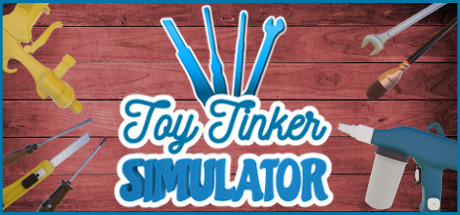
 offline access
Buy Toy Tinker Simulator Steam Offline Account
This is a Toy Tinker Simulator Steam offline account that already owns the game. You pay a flat $9.99, log in, set Steam to Offline Mode, and play the full single-player repair simulation. Delivery is instant and automated, payment is crypto only (USDT, BTC, ETH, LTC), and it works worldwide with no region lock. If access ever stops, you get a free replacement.
Key facts
- Price on bonege
- $9.99 — one-time
- What it is
- Steam account that owns Toy Tinker Simulator
- How you play
- Steam Offline Mode — full single-player game
- Delivery
- Instant & automated
- Payment
- Crypto — USDT (TRC20), BTC, ETH, LTC
- Region
- Worldwide, no region lock
- Guarantee
- Free replacement if access stops
What you get
- Steam account that already owns the game
- Step-by-step offline-mode guide
- Instant automated delivery after payment
- Replacement guarantee if access stops
Buy Toy Tinker Simulator cheap — offline account
What you get
You get login access to a Steam account that already owns Toy Tinker Simulator, sent to you the moment your crypto payment clears. There is no manual processing on our end, no queue, and no waiting on support to hand anything over. The account is ready, the game already sits in its library, and you can start the download within minutes of checkout. This is a flat $9.99 one-time purchase, not a subscription and not a recurring fee. You will not own the game on Steam's side, but you keep working access to play it.
What arrives is the account credentials plus a short note on how to put Steam into Offline Mode. That is the entire product: a direct path to playing this cozy repair sim without the key-buying hassle yourself. You are not buying a code to redeem, a gift to accept, or a license tied to your own profile. You receive a ready account that already holds Toy Tinker Simulator, so the only thing left to do is log in, install, and start fixing toys.
How a Toy Tinker Simulator offline account works
Once the credentials reach you, install the Steam client, sign in with the details we provide, and let Toy Tinker Simulator download in full. After it finishes, open the Steam menu and choose Go Offline to switch the client into Offline Mode. From there the game launches and runs locally, with no need to stay connected to Steam's servers. Because this is a single-player simulation, Offline Mode covers everything the game has to offer — there is no online side to leave behind.
This setup fits Toy Tinker Simulator perfectly. Disassembling and reassembling toys, cleaning, painting, sandblasting, sanding, sewing and stuffing, then snapping before-and-after photos all happen locally on your PC. Designing your office and workshop, buying tools and furniture, and building out your toy-museums are all stored in your own save files. Keep Steam in Offline Mode while you play and the whole loop of repairing, decorating and leveling up runs smoothly from the first toy to your fully stocked museum.
Cheaper than chasing a Steam key
Tracking down a Toy Tinker Simulator key on grey marketplaces usually means comparing sellers, sorting through dead listings, and hoping the code activates when it shows up. An offline account avoids all of that, since it already owns the game and there is nothing to redeem and nothing to fail at activation. You pay $9.99, the credentials arrive automatically, and you can be playing the same day. It is a simpler route with a more predictable result.
Crypto payment keeps the whole thing fast and hands-off. There is no card form to fill in, no billing details, and no regional store deciding no matter if you are eligible to buy. You send USDT, BTC, ETH, or LTC, the payment confirms on its own, and delivery happens without anyone in the loop. If you are outside the usual supported regions or just prefer paying in crypto, this is a clean way into the game that skips the friction a key purchase often brings.
Is it safe?
Here is the honest version: this is a shared offline account, not your personal Steam profile, and that is exactly how we describe it. You log into an account we provide and play in Offline Mode, so the game is not linked to your own library or achievements. We do not claim this is an official Steam purchase or a personal license, because it is not. It is simply a practical way to play Toy Tinker Simulator for $9.99, and being upfront about that matters.
What you do get is our free replacement guarantee. If access to the account ever stops working, get in touch and we will replace it so you can keep playing. Since the game runs offline once installed, ordinary play is stable and self-contained on your own machine. Treat the credentials as the access tool they are, follow the short Offline Mode steps, and you steer clear of the common issues people run into when they try to share an account while staying online.
About Toy Tinker Simulator
Toy Tinker Simulator is a relaxed first-person simulation about restoring broken toys and building a small repair empire. You take toys apart, work through processes like cleaning, painting, sandblasting, coating, sanding, sewing and stuffing, then put them back together good as new. Every successful repair earns money and experience, and the before-and-after photos let you see how far each piece has come. The pace is gentle and satisfying, which is a big part of why it sits at a Very Positive rating with players.
The game grows well beyond the workbench. You decorate your office and workshop with furniture, carpets, paintings, plants and flowers, and you buy new tools and equipment to expand what you can take on. Eventually you open your own toy-museums, hunting down unique toys, restoring them, and acquiring new buildings to display your collection. As you level up you become a master and get to play with the master-toys after successful deliveries. It is a cozy, low-stress sim with a clear sense of progression, and this offline account gets you into it for $9.99.
// pros
- Flat $9.99 one-time price
- Instant, automated delivery
- Full single-player simulation, playable in Offline Mode
- Crypto payment — no card, no region lock
- Free replacement if access stops
// good to know
- · Single-player offline game only — no online features
- · You play in Steam Offline Mode on an account we provide, not your own profile
Playing Toy Tinker Simulator offline
Pay with crypto
Checkout in USDT, BTC, ETH or LTC — no card needed.
Get the login
We deliver the account that owns the game, automatically, in minutes.
Play offline
Sign in, switch Steam to Offline Mode with our guide, and enjoy the full game.
Toy Tinker Simulator — questions
Can you play Toy Tinker Simulator offline?
Yes. Toy Tinker Simulator is a single-player simulation, so it runs in Steam Offline Mode once installed. Log into the account, download the game, switch Steam to Offline Mode, and play.
How much is Toy Tinker Simulator on bonege?
It is a flat $9.99, one-time, for the offline account. No subscription and no recurring charge.
How fast is delivery?
Instant. The credentials are sent automatically as soon as your crypto payment confirms, usually within minutes.
How do I pay?
Crypto only — USDT (TRC20), BTC, ETH, or LTC. There is no card payment and no region restriction.
What's the difference vs a Steam key?
A key is a code you redeem on your own account. This is an account that already owns the game, so there is nothing to redeem — you log in and play in Offline Mode.
Is it safe?
It is a shared offline account, not your personal profile, and we say so plainly. The game runs offline once installed, and if access ever stops you get a free replacement.



