 offline access
Buy To the Moon Steam Offline Account
A To the Moon Steam offline account is a ready Steam account that already owns the game, priced at a flat $9.99. You log in, switch Steam to Offline Mode, and play the full story from start to finish. Delivery is instant and automated, you pay with crypto, and it works worldwide with no region lock.
Key facts
- Price on bonege
- $9.99 — one-time
- What it is
- Shared Steam offline account that owns To the Moon
- How you play
- Steam Offline Mode — full single-player story
- Delivery
- Instant & automated
- Payment
- Crypto — USDT (TRC20), BTC, ETH, LTC
- Region
- Worldwide, no region lock
- Guarantee
- Free replacement if access stops
What you get
- Steam account that already owns the game
- Step-by-step offline-mode guide
- Instant automated delivery after payment
- Replacement guarantee if access stops
Buy To the Moon cheap — offline account
What you get
You get login access to a shared Steam account that already owns To the Moon, delivered for a flat $9.99. This is not a Steam key, not a gift, and not a subscription. There is nothing to redeem or activate on your own profile. Once you receive the credentials, you sign in to Steam, find To the Moon in the account's library, install it, and start playing the complete story exactly as the developer Freebird Games shipped it. Every chapter, every memory the doctors travel through, and the full soundtrack are present, because you are using an account that genuinely holds the title.
The intended way to use this offline account is Steam Offline Mode. After the game finishes downloading, you set Steam to Offline Mode and play To the Moon without any further sign-in checks. Because the entire game is a single-player, narrative experience with no competitive or live-service component, Offline Mode is a natural fit and nothing about the story is lost. You move through Johnny's memories, solve the small environmental puzzles, and reach the ending at your own pace, on your own schedule.
Everything here is sold for what it is: a shared offline account, not your personal Steam account. We do not claim it is official resale, and we do not pretend it behaves like a key you own forever. What you are paying $9.99 for is fast, simple access to play To the Moon today, with a free replacement available if access ever stops working. That honesty is the whole point of how bonege lists this account.
How a To the Moon offline account works
The process is short. After checkout you receive the account login details automatically, usually within moments of your crypto payment confirming. You open the Steam client, enter the username and password we provide, and let Steam authenticate the session. To the Moon will already be sitting in the library, so you click install, wait for the download, and you are ready. There is no key entry screen, no waiting for a gift invite, and no regional storefront barrier to work around.
Once the game is installed, the recommended step is to switch Steam into Offline Mode before you play. In Offline Mode the client stops reaching out for online sign-in, which keeps your To the Moon session stable and lets you enjoy the full story uninterrupted. To the Moon is a roughly four-hour, dialogue-driven adventure, so most players comfortably reach the credits across an evening or two, all within Offline Mode. You can replay it later the same way whenever you want to revisit the ending.
Because this is a To the Moon shared account, the sensible habit is to treat it as a play-only login: install, set Offline Mode, and enjoy the game rather than changing account settings. If anything interrupts your access down the line, you contact us and we issue a free replacement so you can keep playing. That replacement guarantee is what makes a To the Moon offline account a low-risk way to experience the game for $9.99 instead of going through a key or gift route.
Why buy this offline account
The appeal is straightforward access without the usual friction. You skip the card-payment step entirely and pay with crypto, which means no bank declines, no chargebacks to worry about, and no card details to hand over. USDT on TRC20, BTC, ETH, and LTC are all accepted, so you can use whatever wallet you already hold. The moment your payment confirms, the To the Moon account details are released automatically, so there is no manual waiting for a human to email you.
It is also genuinely worldwide. To the Moon does not have heavy regional restrictions, and the offline account itself carries no region lock, so the experience is the same no matter if you are in the United States, the United Kingdom, Canada, Australia, or across the EU. For a quiet, story-first game like this, that universal availability matters, because plenty of people simply want to sit down and finish Johnny's story without fighting a storefront. With a cheap To the Moon Steam offline account, the path from payment to playing is short and predictable.
Finally, the flat $9.99 price is exactly what you see. There are no upsells layered on top, no mandatory add-ons, and no subscription that keeps billing you. You pay once, you get the offline account, and the replacement guarantee stands behind it. For anyone searching for the cheapest price on a To the Moon offline account, the value is in that simplicity: one payment, instant delivery, and a clear promise to keep your access working.
Is it safe?
We are upfront about the model so you can make an informed choice. This is a shared offline account, which means you do not own the underlying Steam profile and you should not rely on it the way you would rely on a game you bought on your personal account. The safe and intended use is to log in, install To the Moon, switch to Offline Mode, and play. Avoid changing the account email, password, or security settings, since those belong to the shared login and altering them can break access for everyone using it.
Used as intended, a To the Moon offline account is a low-stress way to play. Offline Mode keeps the session quiet and stable, and because To the Moon is a purely single-player story, there is no multiplayer or anti-cheat layer that could complicate things. If your access ever stops for any reason, our free replacement covers you: reach out and we provide working credentials again so you can pick the story back up. That guarantee is the practical safety net behind the $9.99 price.
We do not market this as official, as a personal key, or as a substitute for owning the game outright, because that would not be true. What we can honestly promise is instant delivery, crypto payment with no card required, worldwide access, and a replacement if access drops. Knowing exactly what you are buying — a shared offline account meant for single-player play — is what keeps the purchase straightforward and safe to use.
About To the Moon
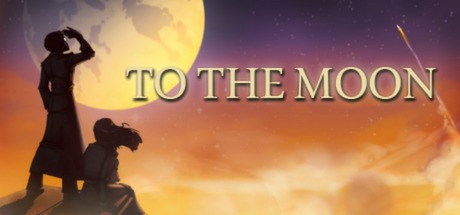
To the Moon is a short, story-driven adventure from Freebird Games, built more like an interactive novel than a traditional RPG even though it uses a retro top-down RPG presentation. You follow two doctors, Eva Rosalene and Neil Watts, who work for a company that grants the dying their final wish — not in reality, but by rewriting their memories so they pass away believing the wish came true. Their patient is an old man named Johnny, whose last request is simple and strange: he wants to go to the moon, though he cannot explain why.
The doctors travel backwards through Johnny's life, hopping from memory to memory toward his childhood to understand and reshape his desire. As they move further back, the reason behind his wish slowly surfaces, and the game's emotional weight builds with it. Gameplay is light on purpose: you explore each memory, gather memento objects, and solve small tile puzzles to unlock the link to the next, keeping the focus firmly on the writing, the characters, and the unfolding story rather than on combat or stats.
What gives To the Moon its lasting reputation is the combination of that tender, carefully paced narrative and a memorable piano-led soundtrack that many players remember long after finishing. It is widely regarded as one of the most affecting indie stories on Steam, and it sits comfortably in the Adventure, Indie, and RPG categories. With this offline account you can experience the whole journey through Johnny's memories for a flat $9.99, played at your own pace in Steam Offline Mode.
// pros
- Flat $9.99 one-time price with no upsells or subscription
- Instant, automated delivery right after payment confirms
- Full single-player story playable in Steam Offline Mode
- Crypto payment — USDT (TRC20), BTC, ETH, LTC, no card needed
- Worldwide access with no region lock, plus free replacement if access stops
// good to know
- · Single-player and offline only — no multiplayer or online features
- · You play in Steam Offline Mode on a shared account, not your own personal account
Playing To the Moon offline
Pay with crypto
Checkout in USDT, BTC, ETH or LTC — no card needed.
Get the login
We deliver the account that owns the game, automatically, in minutes.
Play offline
Sign in, switch Steam to Offline Mode with our guide, and enjoy the full game.
To the Moon — questions
Can you play To the Moon offline?
Yes. To the Moon is a single-player story, so after you install it on the account you switch Steam to Offline Mode and play the whole game start to finish without any online sign-in checks.
How much is To the Moon on bonege?
It is a flat $9.99, one-time, for the offline account. There are no add-ons or recurring charges — you pay once and get instant access.
How fast is delivery?
Delivery is instant and automated. As soon as your crypto payment confirms, the account login details are released to you so you can sign in and install To the Moon right away.
How do I pay?
Payment is crypto only — USDT (TRC20), BTC, ETH, or LTC. There is no card option, which means no declines and no card details to share.
What's the difference vs a Steam key?
A key activates the game on your own account. This is a shared offline account that already owns To the Moon — you log in and play in Offline Mode rather than redeeming anything on your own profile.
Is it safe?
Used as intended — log in, install, set Offline Mode, and play — it is low-risk. Don't change the account's settings. If access ever stops, we provide a free replacement.



