 offline access
Buy Tech Support: Error Unknown Steam Offline Account
This is a Tech Support: Error Unknown Steam offline account that already owns the game. You pay $9.99 once, sign in, switch Steam to Offline Mode, and play the full single-player story. Delivery is instant and automated, payment is crypto (USDT, BTC, ETH, LTC), and it works worldwide with no region lock.
Key facts
- Price on bonege
- $9.99 — one-time
- What it is
- A shared Steam offline account that owns Tech Support: Error Unknown
- How you play
- Steam Offline Mode — full single-player campaign
- Delivery
- Instant & automated
- Payment
- Crypto — USDT (TRC20), BTC, ETH, LTC
- Region
- Worldwide, no region lock
- Guarantee
- Free replacement if access stops
What you get
- Steam account that already owns the game
- Step-by-step offline-mode guide
- Instant automated delivery after payment
- Replacement guarantee if access stops
Buy Tech Support: Error Unknown cheap — offline account
What you get
You get login access to a Steam account that already owns Tech Support: Error Unknown. After you pay the one-time $9.99, our system sends the credentials to you automatically. You sign in on your own computer, let the game download, and run the full single-player experience. Nothing is locked behind extra purchases on our side, and there is no monthly fee — you pay once and the game is yours to play.
This is a shared offline account, not a Steam key, not a gift, and not a subscription. The game is already in the library, so you skip the activation step entirely. You launch the Steam client, switch it to Offline Mode, and start the story. Because everything happens locally on your machine, you do not need to stay connected once the download finishes, which suits a slow-paced narrative game like this one.
Every order is backed by a free replacement guarantee. If access to the account ever stops working, message support and we issue a fresh account at no extra cost. The point is simple: you should be able to finish your playthrough of Tech Support: Error Unknown without worrying that the door closes on you halfway through the conspiracy.
How a Tech Support: Error Unknown offline account works
The flow is short. Buy the Tech Support: Error Unknown offline account, get the login by automated delivery, and sign in to the Steam client with the credentials we send. Once Steam is logged in, open the menu, choose Go Offline, and confirm. From that point your client runs without phoning home, and you launch the game like any other title in the library.
Offline Mode is exactly what this game needs. Tech Support: Error Unknown is a single-player desk simulator where you read customer tickets, dig through a faux operating system, and slowly uncover a story. None of that needs a live connection or another player, so playing on a shared offline account changes nothing about the experience — you still get the full inbox, the full investigation, and the full set of endings.
A practical note: keep Steam in Offline Mode while you play, and treat this as a dedicated game account rather than your personal one. You are signing in to play the campaign, not to use it as your main profile. Follow that and your sessions stay clean, your save data stays local, and you can return to your own Steam account whenever you are done with a session.
Why buy the offline account
The biggest reason people pick this up is convenience plus payment freedom. The Tech Support: Error Unknown offline account ships instantly through an automated system, so there is no waiting for a human to process the order and no time-zone delay. You can buy at 3am and be reading your first customer ticket a few minutes later, once the game finishes downloading.
Payment is crypto only — USDT (TRC20), BTC, ETH, and LTC — which means no card details, no bank declines, and no regional payment walls. Plenty of buyers want a clean, private checkout, and crypto delivers that. There is also no region lock on the account, so it does not matter no matter if you are in the US, UK, Canada, Australia, or the EU; the offline account behaves the same everywhere.
On top of that you get a ready-to-play account and a replacement safety net. You are not gambling on a key that might already be redeemed, and you are not stuck if something goes sideways. For a one-time $9.99, you get a working entry into the game, a fast hand-off, and support that stands behind the order.
Is it safe?
Yes, when you use it the way it is meant to be used. This is a shared offline account, and we are upfront about that — it is not your personal Steam profile and it is not an official key. You sign in, play Tech Support: Error Unknown in Offline Mode, and keep your own main account separate. Used that way, your playthrough stays self-contained and your save files live on your own machine.
Because the game is single-player and you run it offline, there is no online matchmaking, no leaderboards, and no live service that could interfere with a shared login. That simplicity is part of why the offline-account model fits this title so well. You are not competing for a session slot with anyone in real time; you are just reading tickets and following the mystery at your own pace.
If access ever stops — say the account state changes for any reason — that is exactly what the free replacement guarantee covers. Reach out to support with your order, and we set you up again. The honest summary: it is a shared offline account, you treat it like a dedicated game login, and you have a guarantee behind you if anything breaks.
About Tech Support: Error Unknown
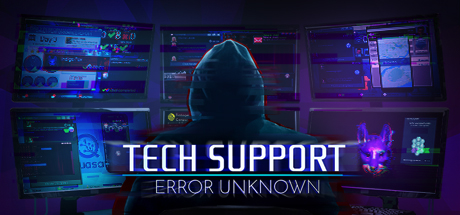
Tech Support: Error Unknown drops you into a job that looks ordinary on day one. You are the new tech support specialist at a company, and your work is to answer customer messages, troubleshoot their problems, and close out tickets through a simulated operating system. The early hours feel like a quirky workplace sim — until the cases start pointing somewhere stranger.
As you keep working, the routine cracks open. The complaints you read and the systems you poke at begin to reveal a conspiracy, and the choices you make about which side to help start to matter. The game blends adventure, casual, indie, and simulation in a way that rewards curiosity: snooping through files, reading between the lines of a message, and deciding who deserves your assistance and who does not.
The result is a narrative simulation where your screen is your whole world — an inbox, a fake desktop, and the people on the other end of it. It is a single-player experience built for one focused player, which is precisely why it plays cleanly on a Steam offline account. Sign in, go offline, and work the cases from the first innocent ticket to the last decision.
// pros
- Instant automated delivery — playing within minutes
- Full single-player story playable in Steam Offline Mode
- Crypto payment (USDT, BTC, ETH, LTC) — no card needed
- Worldwide access with no region lock
- Free replacement guarantee if access stops
// good to know
- · Single-player / offline only — no online multiplayer
- · You play in Steam Offline Mode on a shared account, not your own profile
Playing Tech Support: Error Unknown offline
Pay with crypto
Checkout in USDT, BTC, ETH or LTC — no card needed.
Get the login
We deliver the account that owns the game, automatically, in minutes.
Play offline
Sign in, switch Steam to Offline Mode with our guide, and enjoy the full game.
Tech Support: Error Unknown — questions
Can you play Tech Support: Error Unknown offline?
Yes. The game is single-player, so you sign in, switch Steam to Offline Mode, and play the full campaign without staying connected.
How much is Tech Support: Error Unknown on bonege?
It is $9.99 as a one-time payment for the offline account. No subscription and no recurring fees.
How fast is delivery?
Delivery is instant and automated. After payment you receive the account login right away, then just download the game.
How do I pay?
Crypto only — USDT (TRC20), BTC, ETH, or LTC. No cards and no region-based payment blocks.
What's the difference vs a Steam key?
A key is a code you activate on your own account. This is a shared offline account that already owns the game — you sign in and play in Offline Mode instead of activating anything.
Is it safe?
Yes, when used as intended: it is a shared offline account, you play in Offline Mode and keep your own profile separate. Every order has a free replacement guarantee.



