 offline access
Buy Swords of Gurrah Steam Offline Account
A Swords of Gurrah Steam offline account is a shared account that already owns the VR sword-fighting game, ready for you to sign in and play in Steam Offline Mode. It costs $9.99 here versus the full Steam price of about $14.99, so you save roughly 33%. Delivery is instant and automated, payment is crypto only, and it works worldwide with no region lock. If access ever stops, you get a free replacement.
Key facts
- Price on bonege
- $9.99 — one-time
- Full Steam price
- ~$14.99 (save ~33%)
- What it is
- Shared Steam account that already owns Swords of Gurrah
- How you play
- Steam Offline Mode — practice, sandbox and local VR combat
- Delivery
- Instant & automated
- Payment
- Crypto — USDT (TRC20), BTC, ETH, LTC
- Region
- Worldwide, no region lock
- Guarantee
- Free replacement if access stops
What you get
- Steam account that already owns the game
- Step-by-step offline-mode guide
- Instant automated delivery after payment
- Replacement guarantee if access stops
Buy Swords of Gurrah cheap — offline account
What you get
You get login access to a Swords of Gurrah Steam offline account — a shared Steam account that already has the VR sword-fighting game sitting in its library, fully installed-ready and licensed. After checkout you receive the account credentials automatically, sign in to the Steam client on your PC, switch Steam to Offline Mode, and launch the game with your VR headset. There is nothing to redeem, no key to type, and no waiting for a code to arrive. The license is already on the account, so the game just opens.
This is a Swords of Gurrah offline account, not a Steam key, not a gift, and not a subscription. Because it is a shared account, you are not buying ownership of a brand-new personal account — you are buying access to one that already owns the title. That access costs $9.99 here against the regular Steam price of around $14.99, which works out to roughly 33% off. For a VR title you might only want to try, swing around in, and practice with, paying the cheaper Swords of Gurrah Steam price up front is an easy call.
Every order is backed by a free replacement guarantee. If the account stops letting you in for any reason connected to the access we sold, message support and we will swap you onto a working Swords of Gurrah account. You are not left stuck with dead credentials, which is the main worry people have when they buy a shared account cheap online.
How a Swords of Gurrah offline account works
The flow is short. Install Steam if you do not have it, then log in with the Swords of Gurrah account details we send you. Once you are signed in, open the Steam menu and click Go Offline — this puts the client into Offline Mode so it does not phone home or interrupt your session. From there you launch Swords of Gurrah, put on your VR headset, and start slicing. Everything happens locally on your machine through Steam, exactly the way you would run any other game you own.
Offline Mode is the heart of how a shared account stays usable. By keeping Steam offline you avoid clashing with other sessions and you keep your play self-contained. What you get in offline play is the single-player side of Swords of Gurrah: the practice arena, the sandbox where you test the huge variety of blades and weapons, and local combat you can mess around with at your own pace. It is the part of the game you can enjoy solo without needing a live server or other players in your lobby.
Keep in mind that Swords of Gurrah is built around real-time multiplayer VR battles of up to twelve players, and that online side needs you to be signed in online, which a shared offline account is not meant for. So treat this as your way to own and explore the game cheaply in Offline Mode — try the weapons, learn the movement, swing the swords — rather than a route into ranked online lobbies.
Cheaper than a Steam key
A normal Steam key or a Steam store purchase of Swords of Gurrah runs about $14.99. The Swords of Gurrah offline account here is $9.99 — a flat one-time price, no card needed, no region tax, and no currency conversion games. That difference is roughly 33%, and you get the same game on the same platform, just accessed through a shared account in Offline Mode instead of through a fresh license on your own account.
The other thing keys and store pages tend to make awkward is payment. We take crypto only — USDT (TRC20), Bitcoin, Ethereum and Litecoin — which means there is no card form, no bank decline, and no geo-block stopping the sale. Pick a coin, send the amount, and the Swords of Gurrah account is delivered automatically. For anyone hunting the cheapest Swords of Gurrah price who also wants to pay privately with crypto, this is a cleaner path than chasing a discounted key from a regional reseller and hoping it activates.
So the value is simple to state: you pay $9.99 instead of about $14.99, you get the game instantly, and you are covered by a replacement guarantee if access drops. That is a cheap Swords of Gurrah Steam experience without the usual key-store friction.
Is it safe?
We are upfront about what this is: a shared offline account, not an official Steam key and not your own personal account. You log into credentials we provide and you play in Offline Mode. We do not claim it is an official Steam product or pretend it is something it is not — being clear about that is part of buying with confidence. Use the account for offline single-player play, do not change the account email or password, and keep Steam in Offline Mode while you play.
Because the license already lives on the account, you are not relying on a key that might already be used or might fail to activate in your region. Delivery is automated, so the account arrives the moment your crypto payment confirms, and you can be playing Swords of Gurrah in VR within minutes. If anything about the access we sold stops working, the free replacement guarantee is there — you contact support and we move you to a fresh working account rather than leaving you out of pocket.
The honest trade-off is that a shared offline account is for offline, single-player use. You should not expect to take it into Swords of Gurrah's live multiplayer arenas, and you do not own the underlying account outright. Within those limits, an offline account is a low-cost, low-hassle way to get hands-on with the game.
About Swords of Gurrah
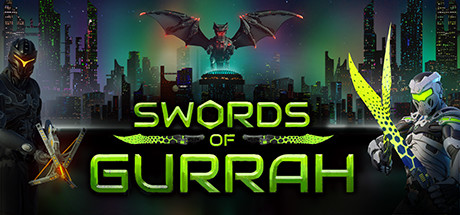
Swords of Gurrah is a virtual-reality sword-fighting game where the whole point is the blades. You wield a huge variety of weapons — different swords, lengths, weights and styles — and the combat is physics-driven, so swings, parries and clashes feel like they connect with real momentum rather than canned animations. It is an Early Access Action title, which means it is still growing and getting new content, but the core melee feel is already its strongest draw.
At full strength the game is a real-time multiplayer experience: you fight with or against friends in VR battles that scale up to twelve players, turning a calm sword test into a chaotic free-for-all of clashing steel. That social, competitive layer is what gives Swords of Gurrah its reputation among VR players who want fast, tactile melee instead of point-and-shoot. On a shared offline account you focus on the solo side — the sandbox and practice combat — to get comfortable with the weapons and movement before the swords really start flying.
If you want a VR melee playground to swing through and you would rather pay $9.99 than $14.99, the Swords of Gurrah offline account gives you a quick, cheap, crypto-friendly way to load it up and start fighting in Offline Mode, anywhere in the world, the same day you buy.
// pros
- Save about 33% — $9.99 instead of the ~$14.99 full Steam price
- Instant, automated delivery the moment your crypto payment confirms
- Play the single-player practice and sandbox offline in full VR
- Crypto payment (USDT, BTC, ETH, LTC) — no card, no region lock, worldwide
- Free replacement guarantee if account access stops
// good to know
- · Single-player / offline use only — not for the live multiplayer VR arenas
- · You play in Steam Offline Mode on a shared account, not on your own personal account
Playing Swords of Gurrah offline
Pay with crypto
Checkout in USDT, BTC, ETH or LTC — no card needed.
Get the login
We deliver the account that owns the game, automatically, in minutes.
Play offline
Sign in, switch Steam to Offline Mode with our guide, and enjoy the full game.
Swords of Gurrah — questions
Can you play Swords of Gurrah offline?
Yes. You sign into the shared account, switch Steam to Offline Mode, and play the single-player side in VR — the practice arena and weapon sandbox. The real-time multiplayer battles need an online session, so the offline account is for solo play.
How much is Swords of Gurrah on bonege?
$9.99 as a one-time price, versus the full Steam price of about $14.99 — roughly 33% off for the offline account.
How fast is delivery?
Instant and automated. As soon as your crypto payment confirms, the account credentials are delivered, so you can be playing within minutes.
How do I pay?
Crypto only — USDT (TRC20), Bitcoin, Ethereum or Litecoin. No cards, no bank details, and no region restrictions.
What's the difference vs a Steam key?
A key adds the game to your own account; this is a shared account that already owns Swords of Gurrah, played in Offline Mode. It is cheaper ($9.99 vs ~$14.99), pays via crypto, and has no activation or region risk.
Is it safe?
It is a shared offline account, sold honestly as such — not an official key. Use it in Offline Mode for single-player, don't change the login, and if access ever stops you get a free replacement.



