 offline access
Buy Survive the Fall Steam Offline Account
A Survive the Fall offline account costs $9.99 on bonege, compared to ~$24.99 on the Steam store, so you save around 60%. You receive login details for a Steam account that already owns the game, sign in, switch Steam to Offline Mode, and play the full single-player campaign. Delivery is instant and automated, payment is by crypto, and access works worldwide with no region lock.
Key facts
- Price on bonege
- $9.99 — one-time
- Full Steam price
- ~$24.99 (save ~60%)
- What it is
- Shared Steam account that already owns Survive the Fall
- How you play
- Steam Offline Mode — full single-player campaign
- Delivery
- Instant & automated
- Payment
- Crypto — USDT (TRC20), BTC, ETH, LTC
- Region
- Worldwide, no region lock
- Guarantee
- Free replacement if access stops
What you get
- Steam account that already owns the game
- Step-by-step offline-mode guide
- Instant automated delivery after payment
- Replacement guarantee if access stops
Buy Survive the Fall cheap — offline account
What you get
You get login credentials for a Steam account that already owns Survive the Fall. After payment clears, the details arrive automatically — usually within a minute — so there is no waiting on a manual handover. You log into that account through the normal Steam client, set Steam to Offline Mode, and the game is ready to launch from the library. There is no key to redeem, no gift invite to accept, and nothing tied to your home region.
This is a Survive the Fall offline account, not a Steam key and not a subscription. The single-player experience is fully intact: you explore the open world, scavenge, build up your settlement, manage your survivors, and play through the campaign exactly as the developers shipped it. Game updates and patches that Steam applies to the owned copy are present too, so you are not stuck on an old build.
Because the price is a flat $9.99 instead of the ~$24.99 Steam asking price, you are paying about 60% less for the same content. Everything is handled automatically at checkout — pick the product, pay with crypto, and the account details land in your inbox or order page. If you ever lose access, the free replacement guarantee covers you, which is the practical difference between a cheap offline account and a sketchy one-off login.
How a Survive the Fall offline account works
The mechanism is simple and relies on a built-in Steam feature. You sign into the account we provide, let Steam cache the game files once while online, then choose Steam > Go Offline from the menu. In Offline Mode the client stops checking ownership against Steam's servers for that session, so you can keep playing Survive the Fall on your own machine without needing the account to be live online at the same moment.
Survive the Fall is a single-player survival RPG, which is exactly the kind of title that suits this model. There is no competitive matchmaking or always-online requirement to work around — the campaign, the open post-apocalyptic map, the base management and the squad combat all run locally. Once the game is installed and you have switched to Offline Mode, you can play the survive the fall offline campaign for as long as you like between sessions.
A few practical notes keep things smooth. Install the game and run it at least once while connected so Steam finishes writing all the files, then flip to Offline Mode before you settle in for a long session. Keep your saves where Survive the Fall writes them by default. This is a shared account, so treat the login as you would a borrowed key: don't change the email or password, and play in Offline Mode rather than trying to take the account online as if it were your own.
Cheaper than a Steam key
On the Steam store Survive the Fall sells for about $24.99. A bonege offline account is a flat $9.99, so you are spending roughly 60% less to play the same game. That gap is the whole point of buying cheap Survive the Fall steam access this way: the offline-account route skips the markup attached to a fresh license and hands you a copy that is already owned and ready.
A Steam key gives you a brand-new license that becomes yours forever and can go online freely. An offline account does not transfer ownership — instead you are playing through a copy that already exists on a shared account, in Offline Mode. For a single-player game like this one, the day-to-day experience is the same campaign, the same world, the same content, just at the cheapest price rather than full retail. If permanent online ownership matters to you, a key is the right call; if you mainly want to play the game and pay less, the offline account wins on cost.
There is also a payment angle. Keys from grey markets often still want a card or a regional storefront, and some are region-locked. The survive the fall steam account cheap option here is paid in crypto, carries no region lock, and arrives instantly, which removes the usual friction of hunting for the lowest-priced key and then fighting an activation error at the end.
Is it safe?
Let's be straight about what this is: a shared, offline Steam account, not an official Steam purchase and not your own permanent license. We don't claim otherwise. What makes it dependable is the process around it — delivery is automated so you get verified, working credentials, and every order is backed by a free replacement if access to the game stops for any reason on our side.
The safest way to use a Survive the Fall offline account is to follow the Offline Mode workflow. Sign in, cache the game, switch to offline, and play. Don't alter the account's email or password, don't add the login to a device you also use for sensitive accounts, and keep the session offline rather than trying to run it online alongside other people. Following those steps keeps the account stable and keeps your own Steam profile completely separate.
Crypto payment adds a layer of privacy on your end — there is no card detail to leave behind and nothing tied to a billing region. Combined with instant automated delivery, that means the only thing you actually share to complete the purchase is your wallet transaction. If anything goes wrong with access later, the replacement guarantee is there so a single dead login doesn't cost you the game.
About Survive the Fall
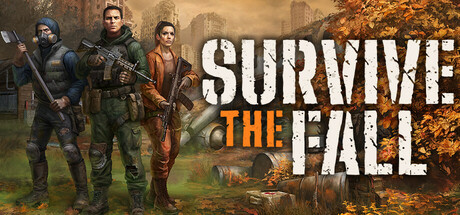
Survive the Fall is an open-world action RPG set in a post-apocalyptic future, after a devastating meteor strike has wrecked the old world. You build and lead a small group of survivors rather than playing a lone hero, sending team members out to explore, loot ruins, and fight off the threats that now roam the wasteland. The blend of survival, exploration and squad-based combat sits across several genres — it carries Action, Adventure, Indie, RPG and Strategy tags on Steam.
Much of the game revolves around your base and the people in it. You scavenge for resources, craft and upgrade gear, manage the needs of your survivors, and gradually turn a fragile camp into a settlement that can hold its own. Decisions about who goes out, what you bring back and how you spend limited supplies feed the strategy layer, while real-time combat and exploration of the irradiated open world give it the moment-to-moment feel of an action RPG.
If that mix appeals to you, the survive the fall cheapest price route here lets you jump in for $9.99 instead of the ~$24.99 store cost. You get the complete single-player game on a Survive the Fall shared account, delivered instantly, paid in crypto, and playable worldwide in Steam Offline Mode — a low-cost way to spend dozens of hours rebuilding civilization one survivor at a time.
// pros
- Save about 60% — $9.99 instead of the ~$24.99 Steam price
- Instant, automated delivery of the account details
- Full single-player campaign playable in Steam Offline Mode
- Pay with crypto — no card and no region lock
- Free replacement if access to the game stops
// good to know
- · Single-player / offline only — no online multiplayer
- · You play in Steam Offline Mode on a shared account, not your own permanent license
Playing Survive the Fall offline
Pay with crypto
Checkout in USDT, BTC, ETH or LTC — no card needed.
Get the login
We deliver the account that owns the game, automatically, in minutes.
Play offline
Sign in, switch Steam to Offline Mode with our guide, and enjoy the full game.
Survive the Fall — questions
Can you play Survive the Fall offline?
Yes. Sign into the account, install and run the game once online, then switch Steam to Offline Mode and play the full single-player campaign locally.
How much is Survive the Fall on bonege?
It's a flat $9.99 on a Steam offline account, versus about $24.99 on the Steam store — roughly 60% less.
How fast is delivery?
Instant and automated. Once your crypto payment is confirmed, the account login details are sent to you automatically, usually within a minute.
How do I pay?
By crypto only — USDT (TRC20), BTC, ETH or LTC. There's no card payment and no region lock.
What's the difference vs a Steam key?
A key gives you a new license you own and can take online. An offline account is a shared, already-owned copy you play in Offline Mode — same single-player game, lower price, no transfer of ownership.
Is it safe?
It's a shared offline account, not an official Steam purchase. Used in Offline Mode without changing the login, it's stable, and every order has a free replacement guarantee if access stops.



