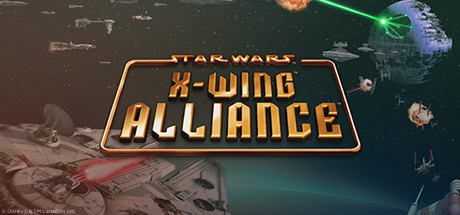
 offline access
Buy STAR WARS - X-Wing Alliance Steam Offline Account
This is a STAR WARS - X-Wing Alliance Steam offline account on bonege for $9.99, one-time. The account already owns the game; you log in, switch Steam to Offline Mode, and fly the full single-player campaign of fifty missions. Delivery is instant and automated, you pay with crypto, and it works worldwide with no region lock. If access ever stops, we replace it for free.
Key facts
- Price on bonege
- $9.99 — one-time
- What it is
- Steam offline account that already owns X-Wing Alliance
- How you play
- Steam Offline Mode — 50-mission single-player campaign
- Delivery
- Instant & automated
- Payment
- Crypto — USDT (TRC20), BTC, ETH, LTC
- Region
- Worldwide, no region lock
- Guarantee
- Free replacement if access stops
What you get
- Steam account that already owns the game
- Step-by-step offline-mode guide
- Instant automated delivery after payment
- Replacement guarantee if access stops
Buy STAR WARS™ - X-Wing Alliance™ cheap — offline account
What you get
You get login access to a Steam account that already owns STAR WARS - X-Wing Alliance, ready to play for a flat $9.99. There is no code to redeem, no gift invite to accept, and no subscription attached to the price. After checkout you receive the credentials, sign in to Steam on your own PC, and set the client to Offline Mode. From there X-Wing Alliance sits in the library exactly as it would on any account that bought it. The purchase work is already done, so you go straight to flying the campaign.
This is a STAR WARS X-Wing Alliance offline account aimed at the single-player content. The game ships with fifty story-driven missions plus a customizable skirmish mode, and all of that plays fully in Offline Mode. The game also lists flexible multiplayer options, but online play is not included with an offline account; the campaign and skirmish content, however, are entirely solo-friendly. For anyone comparing the cheapest price across stores, this is a clean way to own a flight-sim classic on PC without juggling resellers.
How a STAR WARS X-Wing Alliance offline account works
The flow is simple. You buy, you get the X-Wing Alliance account details, you log in to the Steam client, then you click Steam in the top menu and choose Go Offline. Steam stops checking in for that session, the library loads locally, and the game launches like any installed title. You do not need to stay connected to fly the campaign, which is exactly why it is sold as an offline account. Install once while online, then run the fifty-mission story and the single-player skirmish mode offline whenever you want.
Because this is a shared offline account rather than your personal Steam profile, you play in Offline Mode instead of moving the game onto an account you own. That trade-off keeps the price at a flat $9.99. Your saves live on your own machine, so progress through the campaign — from the family trading-company plot to the Battle of Endor — stays put between sessions. The skirmish mode lets you set your own parameters for solo dogfights too. If access ever drops, message us and we issue a free replacement at no cost.
Cheaper than chasing a Steam key
Looking for a STAR WARS X-Wing Alliance cheap key usually means bouncing between gray marketplaces, comparing the cheapest price one listing at a time, and hoping the code activates in your region. An offline account removes that hassle. The price here is a flat $9.99, you pay in crypto, and there is no region lock to block activation. You are paying for certainty and convenience rather than gambling on a random code that might not work.
A traditional key has to be redeemed onto your own library and can simply fail if it is region-restricted. An offline account avoids that entire problem: the game is already owned, ready to install, and cleared for offline play anywhere in the world. For a deep single-player flight sim like this, where you mainly want to load the campaign and start flying the Millennium Falcon, the offline route is the most direct path. You get the game on PC, keep the crypto-only checkout, and avoid the usual key-activation headaches.
Is it safe?
We will be honest about what this is: a shared offline Steam account, not your own profile and not an official store key. You log in, switch to Offline Mode, and play the single-player campaign and skirmish content. We do not claim this is an official Steam purchase, and we will not promise the online multiplayer options the offline setup does not include. What we do stand behind is plain: the account owns X-Wing Alliance, delivery is automated, and the credentials work as described at the moment of sale.
The safety net is the free replacement guarantee. If access to the X-Wing Alliance account stops working, contact us and we provide a working replacement at no extra cost. Playing in Offline Mode is the intended way to use the account and keeps each session self-contained on your own PC. Stick to the offline instructions, keep the client set to Go Offline while you play, and the experience runs smoothly. For $9.99 it is a low-risk way to own this flight-sim classic on PC.
About STAR WARS - X-Wing Alliance
X-Wing Alliance opens with a personal stake rather than a galactic one: a neutral family fights to keep its trading business alive while a ruthless rival family tries to destroy it. As the Empire tightens its grip, you are drawn into the larger conflict and eventually join the Rebel Alliance for a string of covert assignments. Those missions slowly uncover intelligence about the Empire's second Death Star, building toward one of the most famous battles in the saga. It is a story-driven space sim that ties a family drama into the broader war.
The finale puts you at the controls of the Millennium Falcon, flying against the massive Imperial fleet in the Battle of Endor, and the hangar also includes X-wings, A-wings, B-wings, Y-wings, and Corellian transports. Fifty story-driven single-player missions form the backbone, while a skirmish mode lets you set your own parameters — ship counts, ship types, targets, and more — to build custom solo battles. With a Very Positive Steam rating, it is widely held up as one of the best classic Star Wars space sims. On a bonege offline account you get all of it for a flat $9.99, ready to play in Offline Mode.
// pros
- Flat $9.99 one-time price, paid in crypto with no card needed
- Instant, automated delivery after checkout
- 50-mission single-player campaign and skirmish mode in Steam Offline Mode
- Worldwide access with no region lock at activation
- Free replacement if account access ever stops
// good to know
- · Single-player offline only — the game's online multiplayer options are not included
- · You play in Steam Offline Mode on a shared account, not your own profile
Playing STAR WARS™ - X-Wing Alliance™ offline
Pay with crypto
Checkout in USDT, BTC, ETH or LTC — no card needed.
Get the login
We deliver the account that owns the game, automatically, in minutes.
Play offline
Sign in, switch Steam to Offline Mode with our guide, and enjoy the full game.
STAR WARS™ - X-Wing Alliance™ — questions
Can you play STAR WARS X-Wing Alliance offline?
Yes. You log in, set Steam to Offline Mode, and fly the full fifty-mission campaign plus single-player skirmish without staying connected. Online multiplayer is not included.
How much is STAR WARS X-Wing Alliance on bonege?
It is a flat $9.99, one-time, for the offline account. There is no subscription and no extra fees at checkout.
How fast is delivery?
Delivery is instant and automated. The account credentials are issued right after your crypto payment is confirmed.
How do I pay?
Payment is crypto only — USDT (TRC20), BTC, ETH, or LTC. No cards are accepted and there is no region lock.
What's the difference vs a Steam key?
A key is redeemed onto your own account and can fail on region locks. This is a ready offline account that already owns the game, so you just log in and play in Offline Mode.
Is it safe?
It is a shared offline account, not an official key or your own profile. The credentials work as described and come with a free replacement guarantee if access stops.



