 offline access
Buy Spaceflight Simulator Steam Offline Account
A Spaceflight Simulator Steam offline account on bonege costs $9.99 — about 33% less than the full Steam price of ~$14.99. You get login details for a Steam account that already owns the game; you sign in, switch Steam to Offline Mode, and play the full sandbox build. Delivery is instant and automated, payment is crypto only (no card needed), and it works worldwide with no region lock.
Key facts
- Price on bonege
- $9.99 — one-time
- Full Steam price
- ~$14.99 (save ~33%)
- What it is
- Login for a Steam account that already owns Spaceflight Simulator
- How you play
- Steam Offline Mode — single-player sandbox, no internet needed once loaded
- Delivery
- Instant & automated
- Payment
- Crypto — USDT (TRC20), BTC, ETH, LTC
- Region
- Worldwide, no region lock
- Guarantee
- Free replacement if access stops
What you get
- Steam account that already owns the game
- Step-by-step offline-mode guide
- Instant automated delivery after payment
- Replacement guarantee if access stops
Buy Spaceflight Simulator cheap — offline account
What you get
You get a ready-to-use Steam account that already owns Spaceflight Simulator, delivered as login credentials right after your crypto payment clears. There is nothing to redeem, no key to type, and no waiting in a queue. You sign in with the details we send, set Steam to Offline Mode, and launch the game. The full build is there: the part-by-part rocket editor, the fuel and stage planning, the launch sequence, and the whole sandbox solar system to fly to and land on.
This is a shared offline account, not a Steam key and not a subscription. The $9.99 you pay on bonege is a one-time charge for offline access — roughly 33% under the ~$14.99 listed on the Steam store. Because the game lives on the account rather than on a key tied to your own library, you skip the regional pricing and payment hurdles that often come with buying directly. The account arrives already activated and tested, so the rocket builder and physics sandbox are ready the moment you log in.
What you are buying is convenience and price: a cheap Spaceflight Simulator Steam account that lets you build, launch and explore offline without setting up anything on the publisher's side. If access ever stops working, the free replacement covers you, so a single payment keeps you flying.
How a Spaceflight Simulator offline account works
The mechanics are simple. After payment you receive the account login. You enter those credentials into the Steam client, let it sync once while online so the game files register, then click your name in the top-left corner and choose Go Offline. From that point Steam stays in Offline Mode and you can play Spaceflight Simulator without an internet connection. The rocket editor, the launchpad, the orbital map and the landing physics all run locally, so building a multi-stage booster or planning a transfer burn to another planet works exactly the same as a normal install.
Spaceflight Simulator is a single-player sandbox, which makes it an ideal fit for offline play. You design rockets piece by piece, stack engines and fuel tanks, plan your launch, fire the stages, and try to reach orbit, land on the Moon, or push out to the other worlds in the system. None of that needs a server or a live connection — the simulation is entirely on your machine. That is why the spaceflight simulator offline mode setup is the whole point of this account: log in once, go offline, and keep flying.
Use the account as the shared offline account it is. Keep it in Offline Mode, don't change the password, email or security settings, and don't try to use it for online features. Treat it as a playable copy of the game rather than a personal account, and the experience stays smooth across long building-and-launching sessions.
Cheaper than a Steam key
A Steam key for Spaceflight Simulator ties the game permanently to your own account, but you pay the full ~$14.99 store price, and depending on where you live the regional cost and card-payment requirements can push that higher or block the purchase entirely. The bonege offline account skips all of that. You pay a flat $9.99 — about 33% less — in crypto, with no card and no region check, and the access lands in your inbox instantly.
The trade is straightforward and worth being clear about. A key gives you the game on your personal library forever; the offline account gives you the same single-player game to play in Offline Mode at a lower price and with no payment barriers. For a sandbox builder like Spaceflight Simulator, where you spend your time designing rockets and flying missions solo, that distinction rarely matters in practice. You still get the full editor, the physics, and every planet to explore.
If your priority is the cheapest Spaceflight Simulator Steam price and an instant, card-free purchase, the offline account is the practical choice. If you specifically need the game on your own named account or want online and Workshop features, a key is the better route. For everyone who just wants to build and launch rockets without overpaying, the $9.99 account delivers.
Is it safe?
Yes, with realistic expectations. This is genuinely a shared offline account: the credentials are real, the game is already owned on it, and you play it offline. We don't claim it is your own personal account or that it unlocks online play — being upfront about that is how the model stays reliable for everyone. As long as you keep Steam in Offline Mode and leave the account's login, email and password untouched, your sessions stay stable.
Every account is checked before delivery, and the free replacement guarantee is the safety net: if access stops working at any point, message support and we replace it at no extra cost. That keeps your one-time $9.99 protected. Paying in crypto adds another layer of simplicity — USDT (TRC20), BTC, ETH or LTC means no card details change hands and no chargeback friction, just a clean instant purchase.
The honest boundaries are the same as with any offline account: it's for single-player use, you play through Offline Mode rather than on a personal profile, and online or multiplayer features are not part of the deal. Within those lines, a Spaceflight Simulator shared account is a safe, low-cost way to get the full sandbox running on your PC.
About Spaceflight Simulator
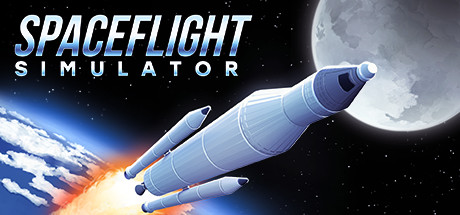
Spaceflight Simulator is an indie space sandbox where you build your own rockets from individual parts, plan the launch, and try to fly real missions under physics that actually punish a bad design. You bolt together command pods, fuel tanks and engines, balance weight against thrust, and time your staging so the spent boosters drop away cleanly. Get it right and you climb into orbit; get it wrong and you watch your craft tumble back down — and learning from that loop is most of the fun.
From there the goals open up. You plan flights and transfer burns, attempt landings on the Moon and other worlds, deploy payloads, and explore the wider solar system the simulation models. It carries an Early Access tag and sits in the Indie and Simulation genres, so it leans toward hands-on experimentation rather than a scripted campaign: the depth comes from your own ambitions, whether that's a tidy two-stage hop or a fuel-tight mission to a distant planet.
Because everything centers on building, launching and exploring on your own, it plays perfectly as an offline single-player title — which is exactly what this account gives you. Buy the Spaceflight Simulator Steam offline account for $9.99, log in, go offline, and start engineering rockets that actually have to reach space.
// pros
- Save ~33% — $9.99 instead of the ~$14.99 full Steam price
- Instant, automated delivery right after payment
- Full single-player sandbox plays in Steam Offline Mode
- Crypto payment (USDT, BTC, ETH, LTC) — no card, no region lock
- Free replacement if access ever stops working
// good to know
- · Single-player / offline only — no online or multiplayer features
- · You play in Steam Offline Mode on a shared account, not your own personal account
Playing Spaceflight Simulator offline
Pay with crypto
Checkout in USDT, BTC, ETH or LTC — no card needed.
Get the login
We deliver the account that owns the game, automatically, in minutes.
Play offline
Sign in, switch Steam to Offline Mode with our guide, and enjoy the full game.
Spaceflight Simulator — questions
Can you play Spaceflight Simulator offline?
Yes. After logging in you switch Steam to Offline Mode and play the full single-player sandbox — building rockets, planning launches and exploring — with no internet connection needed.
How much is Spaceflight Simulator on bonege?
It's $9.99 as a one-time offline-account purchase, about 33% below the ~$14.99 full Steam price.
How fast is delivery?
Instant and automated. As soon as your crypto payment confirms, the account login is delivered so you can log in and play.
How do I pay?
Crypto only — USDT (TRC20), BTC, ETH or LTC. No card is required and there's no region lock.
What's the difference vs a Steam key?
A key adds the game to your own account at full price. This is a shared account that already owns the game, which you play in Offline Mode for $9.99 — cheaper and card-free, but single-player only.
Is it safe?
Yes. Each account is tested before delivery, and a free replacement covers you if access ever stops. Keep Steam in Offline Mode and don't change the account settings.



