 offline access
Buy Smart Factory Tycoon Steam Offline Account
Smart Factory Tycoon offline account gives you the full single-player factory builder for $9.99 instead of the ~$14.99 Steam price — that's 33% off. You log into a shared Steam account that already owns the game, switch Steam to Offline Mode, and play the entire campaign solo. Delivery is instant and automated, payment is crypto only, and it works worldwide with no region lock.
Key facts
- Price on bonege
- $9.99 — one-time
- Full Steam price
- ~$14.99 (save ~33%)
- What it is
- Shared Steam account that already owns Smart Factory Tycoon
- How you play
- Steam Offline Mode — full single-player factory sim
- Delivery
- Instant & automated
- Payment
- Crypto — USDT (TRC20), BTC, ETH, LTC
- Region
- Worldwide, no region lock
- Guarantee
- Free replacement if access stops
What you get
- Steam account that already owns the game
- Step-by-step offline-mode guide
- Instant automated delivery after payment
- Replacement guarantee if access stops
Buy Smart Factory Tycoon cheap — offline account
What you get
You get login access to a Steam account that already owns Smart Factory Tycoon, plus a short set-up guide that walks you through logging in and switching Steam to Offline Mode. Once you're in Offline Mode, the game is yours to play start to finish: building production lines, hiring and assigning workers, researching new machines, and scaling a tiny garage operation into a humming automated plant run by robots. This is the complete game, not a stripped trial or a time-limited demo — every recipe, every contract, and every upgrade tree is available exactly as it is on a normally purchased copy.
The price is $9.99 as a one-time payment. On Steam the game normally costs about $14.99, so this offline account saves you roughly 33%. There's no subscription, no recurring fee, and nothing extra to buy later to unlock the base game. You pay once with crypto, your access details arrive instantly through our automated system, and you can start designing your first factory floor within minutes. If access ever stops working, the free replacement guarantee covers you, so you're not stuck with a dead login.
Because this is a shared offline account rather than a key you redeem, you don't add the game to your own Steam library — you play it on the account we provide. That distinction matters for how you launch and what you can do online, and we explain it plainly below so there are no surprises. For a single-player tycoon game like this one, where you build and optimise at your own pace, the offline approach fits the way most people actually play it.
How a Smart Factory Tycoon offline account works
The process is short. After payment clears you receive the account credentials and a quick guide. You sign into Steam with those details, let it sync the library once, then flip Steam into Offline Mode from the menu. From that point you can launch Smart Factory Tycoon whenever you like and play the full campaign without needing to stay connected or interact with the account online. Offline Mode is a standard built-in Steam feature, so nothing unusual or hacked is involved — you're simply choosing to run the client without an active connection.
Playing in Offline Mode keeps things stable and avoids conflicts. You won't be juggling notifications, friend invites, or sync prompts while you're balancing assembly lines and order deadlines. Your factory progress, blueprints, and research are saved locally on the machine you play on, so you can pick up exactly where you left off each session. Because Smart Factory Tycoon is a single-player simulation with no competitive multiplayer to speak of, this offline setup covers the entire experience the game is designed around.
A few practical notes keep everything smooth. Stay in Offline Mode while you play this account, don't change the account's stored password or email, and treat the login as shared rather than personal. Following the short guide takes only a couple of minutes the first time and you won't need to repeat it. If you ever run into a snag launching the game or entering Offline Mode, support and the replacement guarantee are there to sort it out quickly so you're back to building.
Cheaper than a Steam key
At $9.99, this offline account undercuts what you'd usually pay for a Smart Factory Tycoon Steam key, which tracks close to the ~$14.99 store price — a saving of about 33%. The catch with a cheap key is that the price still tends to follow the storefront and your region, and you often need a card or regional account to redeem it. Here the price is flat, the same for everyone, and you pay in crypto, so there's no card requirement and no regional pricing games to work around.
The trade-off is simple and worth understanding before you buy. A key adds the game permanently to your own Steam library; an offline account lets you play the same full single-player game on a shared login at a lower price. If your goal is to actually play Smart Factory Tycoon — build the factory, automate it, complete the contracts — rather than to collect it in your personal library or grind online achievements, the offline account delivers the same gameplay for less money. For a relaxed solo tycoon sim, that's usually exactly what people want.
Many shoppers searching for the cheapest Smart Factory Tycoon price land on inflated or region-locked listings. This is a straightforward alternative: one fixed $9.99 price, instant automated delivery, worldwide availability, and crypto checkout. You know the cost up front, you know what you're getting, and you know you're saving compared to the standard Steam price.
Is it safe?
We're upfront about what this is: a shared offline Steam account, not a key, a gift, or an official resale. We don't claim it's an official Steam product or make legal guarantees it isn't ours to make. What we do promise is that the account already owns Smart Factory Tycoon and that you'll get working access on delivery, backed by a free replacement if that access ever stops. If a login goes down, you contact us and we replace it — you don't lose your $9.99.
To keep your access stable, the rules are easy: play in Offline Mode as the guide describes, don't attempt to change the account's password, email, or other security settings, and don't try to use it for online features it isn't meant for. These steps protect both you and the shared account so it keeps working session after session. Because you're playing a single-player game offline, you're not exposing anything personal — you simply launch, build your factory, and close the game when you're done.
Think of it as a low-cost, low-friction way to play a game you want without a card, without a regional account, and without storefront pricing. Delivery is automated so there's no waiting around, payment in crypto keeps checkout simple and private, and the replacement guarantee means a rare hiccup is a quick fix rather than a lost purchase. For a casual factory sim you intend to play solo, that's a sensible and honest setup.
About Smart Factory Tycoon
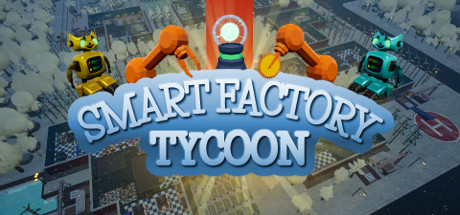
Smart Factory Tycoon is a management and simulation game about building and running your own automated factory with robots, in the spirit of workshop-management sims like Little Big Workshop. You start small and grow a fully functioning production operation: laying out the floor, placing machines, routing materials, and turning raw inputs into finished products that fill incoming orders. The appeal is the satisfying loop of designing a layout, watching it run, spotting the bottleneck, and redesigning it to be faster and more profitable.
As you progress you research new technology, unlock smarter machines, and hand more of the work to automation so your factory can keep up with bigger and more demanding contracts. Managing your workforce, keeping production efficient, and reinvesting profits into upgrades are at the heart of the experience. It sits firmly in the casual, indie, simulation, and strategy space — easy to pick up for a relaxing session, but with enough optimisation depth to keep planners and tinkerers engaged for hours.
Because it's a single-player game focused on building and efficiency rather than competition, it's a natural fit for an offline account. You set your own pace, experiment with factory designs freely, and chase that perfectly optimised line without any online pressure. If you enjoy tycoon and automation games where the reward is a smooth, self-running operation you engineered yourself, Smart Factory Tycoon delivers that creative, methodical loop — and at $9.99 it's an easy one to dig into.
// pros
- Save ~33% — $9.99 vs the ~$14.99 Steam price
- Instant, automated delivery — start building within minutes
- Full single-player campaign playable in Steam Offline Mode
- Crypto payment (USDT TRC20, BTC, ETH, LTC) — no card, no region lock
- Free replacement guarantee if access ever stops
// good to know
- · Single-player / offline only — not for online features or your own library
- · You play in Steam Offline Mode on a shared account, not on your own personal account
Playing Smart Factory Tycoon offline
Pay with crypto
Checkout in USDT, BTC, ETH or LTC — no card needed.
Get the login
We deliver the account that owns the game, automatically, in minutes.
Play offline
Sign in, switch Steam to Offline Mode with our guide, and enjoy the full game.
Smart Factory Tycoon — questions
Can you play Smart Factory Tycoon offline?
Yes. You log into the shared account, switch Steam to Offline Mode, and play the full single-player factory builder from start to finish without staying connected.
How much is Smart Factory Tycoon on bonege?
It's $9.99 as a one-time payment versus the ~$14.99 Steam price — a saving of about 33%.
How fast is delivery?
Instant. Delivery is fully automated, so your account details arrive right after your crypto payment clears and you can start playing within minutes.
How do I pay?
Crypto only — USDT (TRC20), BTC, ETH, or LTC. No cards are needed and there's no region lock, so it works worldwide.
What's the difference vs a Steam key?
A key adds the game to your own library. This is a shared offline account you play in Offline Mode — the same full single-player game at a lower, fixed price.
Is it safe?
It's a shared offline account, sold honestly as such. Access works on delivery and is backed by a free replacement guarantee; just play in Offline Mode and don't change the account's settings.



