 offline access
Buy Sledding Game Steam Offline Account
A Sledding Game Steam offline account costs $7.99 on bonege — a one-time payment, not a subscription. You receive a Steam account that already owns Sledding Game, sign in, switch Steam to Offline Mode, and play the single-player content. Delivery is instant and automated, payment is in crypto (USDT, BTC, ETH, LTC), and it works worldwide with no region lock.
Key facts
- Price on bonege
- $7.99 — one-time
- What it is
- Steam offline account that owns Sledding Game
- How you play
- Steam Offline Mode — single-player only
- Delivery
- Instant & automated
- Payment
- Crypto — USDT (TRC20), BTC, ETH, LTC
- Region
- Worldwide, no region lock
- Guarantee
- Free replacement if access stops
What you get
- Steam account that already owns the game
- Step-by-step offline-mode guide
- Instant automated delivery after payment
- Replacement guarantee if access stops
Buy Sledding Game cheap — offline account
What you get
You get a ready-to-use Steam offline account that already owns Sledding Game, plus the login details to sign in. There is nothing to redeem, no key to activate and no waiting on a marketplace seller. After payment clears, the credentials land in your account automatically, so most buyers are in the game within a couple of minutes. The account is delivered as a shared offline account, which means you log in, put Steam into Offline Mode, and run the game from a copy that is already in the library.
This is not a Steam key, a gift link or a monthly pass. A key has to be activated on your own Steam account and a gift has to be accepted before it appears anywhere. With a Sledding Game offline account, the game is already installed-ready in the library on day one. You download Sledding Game through Steam exactly like any normal install, then start it offline. The $7.99 price is a one-time charge for that access — no recurring billing, no card on file and no surprise renewals later.
Because the game is currently in Early Access, you are getting access to the build that is live on Steam today, with whatever maps, sleds and features the developers have shipped so far. As the build updates over time, the version on the account updates with it through Steam, so you are not stuck on an old patch. If access to the account ever stops working, the free replacement guarantee covers you with a fresh working account.
How a Sledding Game offline account works
The flow is simple and the same every time. You buy the Sledding Game offline account, receive the login, and sign in to the Steam client on your PC. Once you are logged in, open the Steam menu and choose Go Offline — Steam restarts into Offline Mode and stops checking in with its servers for that session. From there you launch Sledding Game and play the single-player content without needing to stay connected.
Offline Mode is a normal, built-in Steam feature, not a workaround. It exists so people can play their owned games without a live connection — on a laptop, on a flaky network, or on a shared account like this one. The first time you set it up, log in while online so Steam can cache the credentials, install Sledding Game, then flip to Offline Mode. After that the game runs locally and you can carry on sledding around the maps, messing about with the physics and clearing the casual challenges whenever you want.
Keep the account in Offline Mode while you play and avoid changing the password, email or other login settings — those belong to the account and changing them is what breaks shared access. Treat it as a play-only login and it stays stable. If you ever do hit a sign-in problem, contact support and the replacement guarantee kicks in. None of this requires technical skill; it is a few clicks in the standard Steam client.
Why buy the offline account
The honest pitch for a Sledding Game offline account is convenience and how you pay. Delivery is instant and fully automated, so you are not waiting on a human seller to wake up and hand over a code. You pay in crypto — USDT on TRC20, plus BTC, ETH and LTC — which means no card details, no bank checks and no payment getting declined because of where you live. There is no region lock either, so the same $7.99 account works the same no matter if you are in the US, the UK, Canada, Australia or the EU.
For a low-cost Early Access title like this, that frictionless setup matters. Sledding Game is a casual, pick-up-and-play kind of experience — you want to be sliding down a hill, not filling out billing forms. An offline account gets you straight to that with a single one-time payment and no account-creation hoops on a storefront. If you have been searching for a cheap way into Sledding Game on Steam, this is a clean, fast route that does not depend on regional pricing or sales timing.
It is also worth being clear about what this is best for. The offline account is built for the single-player side of Sledding Game — exploring the maps, learning the sled handling and having a relaxed solo session. If the developers add online or shared-session features later, those would normally need a live connection and your own account, so this offering focuses on the offline, single-player experience that works reliably today.
Is it safe?
It is safe as long as you use it the way it is meant to be used: log in, switch to Offline Mode, and play. You should not change the password, email, or any recovery settings on the account, and you should not try to make purchases on it — that is what keeps a shared offline account stable for everyone using it. Stick to playing Sledding Game and you will not run into problems.
We are upfront that this is a shared offline account, not your own personal Steam account and not an official resale. That honesty is the point: you know exactly what you are buying, which is offline single-player access to Sledding Game at a flat $7.99. If access ever stops — for example if a login stops working — the free replacement guarantee means you get a working account at no extra cost. If something feels off during setup, reach out to support before changing anything yourself.
About Sledding Game
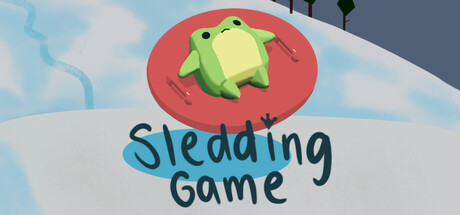
Sledding Game is a lighthearted winter sports and physics title that is exactly what the name promises: you grab a sled and go careening down snowy slopes. It sits across several genres — Action, Adventure, Casual, Indie, Simulation and Sports — which says a lot about its tone. It is not trying to be a hardcore simulator or a punishing skill check; it leans casual and playful, built around the simple joy of momentum, jumps and the occasional spectacular wipeout on the way down a hill.
The game describes itself as being about sledding and hanging out with friends, and that relaxed, social spirit comes through in the design. Expect open snowy environments to roam, sled handling that rewards a bit of practice without ever feeling harsh, and the kind of sandbox freedom where half the fun is just messing around with the physics. As an Early Access project, it is still growing, with the developers adding to it over time rather than shipping it all at once.
If you enjoy low-key winter games, casual sports titles, or just want a chill way to unwind on a snowy map, Sledding Game fits the bill. Buying the Steam offline account here gives you access to that experience for a one-time $7.99 — delivered instantly, paid in crypto, and playable worldwide in Steam Offline Mode.
// pros
- Flat $7.99 one-time price — no subscription, no recurring billing
- Instant, automated delivery — usually playable within minutes
- Full single-player content playable in Steam Offline Mode
- Pay in crypto (USDT, BTC, ETH, LTC) — no card, no region lock
- Free replacement guarantee if access ever stops
// good to know
- · Single-player / offline only — not for online or multiplayer features
- · You play in Steam Offline Mode on a shared account, not your own Steam account
Playing Sledding Game offline
Pay with crypto
Checkout in USDT, BTC, ETH or LTC — no card needed.
Get the login
We deliver the account that owns the game, automatically, in minutes.
Play offline
Sign in, switch Steam to Offline Mode with our guide, and enjoy the full game.
Sledding Game — questions
Can you play Sledding Game offline?
Yes. You sign in to the account, switch Steam to Offline Mode, and play the single-player content with no live connection needed for the session.
How much is Sledding Game on bonege?
It is a flat $7.99 — a one-time payment for the offline account, not a subscription or recurring charge.
How fast is delivery?
Delivery is instant and automated. After your crypto payment confirms, the login details are issued right away, so most buyers are playing within minutes.
How do I pay?
Payment is in crypto only — USDT (TRC20), BTC, ETH or LTC. There are no cards and no region restrictions.
What's the difference vs a Steam key?
A key activates on your own account; this is a ready offline account that already owns Sledding Game. You log in and play in Offline Mode instead of redeeming anything.
Is it safe?
Yes, if you only log in and play in Offline Mode and don't change the password or email. If access ever stops, the free replacement guarantee covers you.



