 offline access
Buy RUSSIAPHOBIA Steam Offline Account
A RUSSIAPHOBIA Steam offline account gives you a ready Steam login that already owns the game. The price on bonege is $0.99, one-time. You sign in, switch Steam to Offline Mode, and play the single-player content. Delivery is instant and automated, you pay with crypto, and access works worldwide with no region lock.
Key facts
- Price on bonege
- $0.99 — one-time
- What it is
- Shared Steam offline account that already owns RUSSIAPHOBIA
- How you play
- Steam Offline Mode — sign in, go offline, play single-player
- Delivery
- Instant & automated
- Payment
- Crypto — USDT (TRC20), BTC, ETH, LTC
- Region
- Worldwide, no region lock
- Guarantee
- Free replacement if access stops
What you get
- Steam account that already owns the game
- Step-by-step offline-mode guide
- Instant automated delivery after payment
- Replacement guarantee if access stops
Buy RUSSIAPHOBIA cheap — offline account
What you get
You get login access to a shared Steam account that already owns RUSSIAPHOBIA. After you pay, the account credentials arrive automatically, so there is no waiting for a human to send anything. You sign in to that account on your own computer, set Steam to Offline Mode, and the game is already in the library ready to install and launch. There is no separate key to redeem, no activation window to chase, and nothing tied to your own Steam profile.
This is a RUSSIAPHOBIA offline account, not a Steam key, not a gift, and not a subscription. It is meant for offline single-player play. RUSSIAPHOBIA is a satirical action-adventure indie title where you take on Foreign Agents inside an exaggerated version of Russian reality, working through the campaign content the game ships with. The genre tags stretch across action, adventure, casual, RPG, strategy and simulation, which gives you a strange mix of mechanics in one cheap package.
The $0.99 price on bonege is a flat, one-time charge for the offline account. You are not signing up for anything recurring, and you are not paying per launch. Once you have the credentials, the offline access is yours to use, and if anything stops working we replace it for free under our guarantee. For a budget indie game, this is a low-friction way to get it running without a card or a regional store.
How a RUSSIAPHOBIA offline account works
The flow is simple. You receive the account login, open the Steam client, and sign in with the details we send. Steam may ask for a confirmation the first time, which is normal for any new device. Once you are in, you click the top-left Steam menu and choose Go Offline. From that point Steam runs in Offline Mode and does not need a live connection to the account servers to launch RUSSIAPHOBIA.
Offline Mode is the core of how a russiaphobia offline account is used. After the game has been installed and launched once while connected, Steam caches what it needs, and you can keep playing the single-player content offline indefinitely. You do not change the account password or email, because the login is shared, and that shared model is exactly what lets us sell offline access at $0.99 instead of a full retail copy. Treat it as a play-only login rather than a profile you customise.
Because this is a shared account, you focus on the offline single-player experience and leave the account settings alone. You do not link it to your own profile, you do not buy other items on it, and you do not need it online to enjoy what you came for. If access ever drops, you contact support and we hand you a replacement account that owns the same game, so your purchase stays usable.
Why buy a RUSSIAPHOBIA offline account from bonege
The honest pitch is convenience and access, not a discount gimmick. RUSSIAPHOBIA already sits at a budget price of $0.99 here, and what you actually gain is a clean, ready-to-play account with no card required and no region wall. A lot of buyers pick the offline-account route because they pay with crypto, live in a region where store checkout is awkward, or simply want the game running in minutes without account hoops.
Delivery being instant and automated matters more than people expect. You are not waiting on a marketplace seller to wake up, manually generate something, and message you. The system hands over the russiaphobia steam account immediately after payment clears, so you can install and start playing the same evening. For a small indie title you are buying on impulse, that speed is most of the value.
Then there is the guarantee. Shared offline accounts can occasionally need swapping, and we cover that. If the access you bought stops working, we replace the account for free with another one that owns RUSSIAPHOBIA. You are not gambling on a single login with no backup. Between instant delivery, crypto payment, worldwide reach, and free replacement, the offline account is a low-risk way to own this game's single-player content.
Is it safe?
We will be straight about what this is. A RUSSIAPHOBIA offline account is a shared Steam login, used in Offline Mode for single-player. It is not an official Steam purchase on your own profile, and we do not claim otherwise. The safe way to use it is exactly as intended: sign in, go offline, play, and do not change the account credentials or attach payment methods to it.
Keep your own data separate. Because the account is shared, never store personal payment details on it, never link it to your main Steam profile, and treat the login purely as a vehicle for offline play. Used this way, there is nothing for you to lose if the shared account is later rotated, and your own Steam library and wallet are completely untouched by the russiaphobia shared account you bought here.
If something does go wrong, support is the backstop. The free replacement guarantee exists precisely because shared access is not guaranteed forever. You reach out, we verify your order, and we provide a working replacement that owns the same game. That keeps your $0.99 purchase meaningful even if the original login needs to be swapped down the line.
About RUSSIAPHOBIA
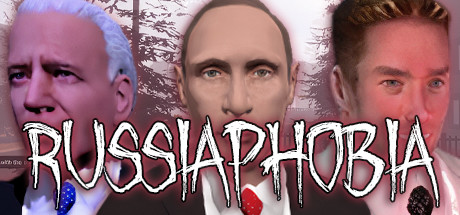
RUSSIAPHOBIA is a satirical indie game that drops you into an over-the-top caricature of Russian reality, casting you as a Foreign Agent on a mission to, as the game jokingly frames it, help the Presidents Make Russia Great Again. The tone is deliberately absurd, leaning into political parody, exaggerated stereotypes, and tongue-in-cheek scenarios rather than serious commentary, which is part of why it carries such a low price tag.
Mechanically it is a grab-bag. Steam tags the title across action, adventure, casual, indie, RPG, strategy, simulation and more, so you get a loose mix of systems wrapped around its central theme of foreign agents, an evil Russia, and a world-government storyline. It is the kind of cheap, chaotic indie experience people pick up for the novelty and the meme value as much as for any single polished mechanic.
On bonege you play this through an offline account in Steam Offline Mode, focused on the single-player side of the game. The store listing references cooperative multiplayer features, but the offline account is meant for solo play, so set your expectations around the campaign-style content rather than online sessions. If you want a quirky, low-cost indie oddity to mess around with, RUSSIAPHOBIA fits, and the offline account gets you into it fast.
// pros
- Instant, automated delivery — get the login right after payment clears
- Full single-player content playable in Steam Offline Mode
- Pay with crypto — no card and no region lock required
- Worldwide access, ready-to-play account already owns the game
- Free replacement if access ever stops working
// good to know
- · Single-player / offline use only — the offline account is not for online multiplayer
- · You play in Steam Offline Mode on a shared account, not on your own Steam profile
Playing RUSSIAPHOBIA offline
Pay with crypto
Checkout in USDT, BTC, ETH or LTC — no card needed.
Get the login
We deliver the account that owns the game, automatically, in minutes.
Play offline
Sign in, switch Steam to Offline Mode with our guide, and enjoy the full game.
RUSSIAPHOBIA — questions
Can you play RUSSIAPHOBIA offline?
Yes. You sign in to the shared account, switch Steam to Offline Mode, and play the single-player content. After the game is installed and launched once, it runs offline without needing a live connection.
How much is RUSSIAPHOBIA on bonege?
It is $0.99 as a one-time charge for the offline account. There is nothing recurring and no per-launch fee.
How fast is delivery?
Delivery is instant and automated. The account login is sent right after your crypto payment is confirmed, so you can install and start playing within minutes.
How do I pay?
Payment is in crypto only — USDT (TRC20), BTC, ETH or LTC. There are no card payments, and there is no region lock, so it works worldwide.
What's the difference vs a Steam key?
A key activates the game on your own Steam profile. This is a shared offline account that already owns RUSSIAPHOBIA — you log in and play in Offline Mode rather than redeeming anything to your own account.
Is it safe?
It is a shared offline account used in Offline Mode for single-player. Don't change its credentials or link your own profile or payment details. If access ever stops, we replace the account for free.



