 offline access
Buy Rover Builder Steam Offline Account
A Rover Builder Steam offline account is a ready-made Steam account that already owns the game, priced at $9.99 as a one-time purchase. You sign in, switch Steam to Offline Mode, and play the full single-player engineering sim. Delivery is instant and automated, payment is crypto only, and there is no region lock anywhere in the world.
Key facts
- Price on bonege
- $9.99 — one-time
- What it is
- Shared Steam offline account that already owns Rover Builder
- How you play
- Steam Offline Mode — full single-player garage and missions
- Delivery
- Instant & automated
- Payment
- Crypto — USDT (TRC20), BTC, ETH, LTC
- Region
- Worldwide, no region lock
- Guarantee
- Free replacement if access stops
What you get
- Steam account that already owns the game
- Step-by-step offline-mode guide
- Instant automated delivery after payment
- Replacement guarantee if access stops
Buy Rover Builder cheap — offline account
What you get
You get login access to a Steam account that already owns Rover Builder, delivered for a one-time $9.99. This is not a key you redeem, not a gift invite, and not a monthly subscription. The game is already installed in the account's library, so there is nothing to activate or unlock. After payment you receive the credentials, sign in to Steam, and the title is sitting there ready to download and run. The whole point is to skip the usual purchase friction and get straight into the garage.
Because Rover Builder is a single-player engineering sim, an offline account is a clean fit for it. You get the full creative sandbox: the garage where you bolt together chassis, wheels, motors and suspension, plus the missions and terrain challenges that test whether your design actually works. Nothing is trimmed or locked behind a separate purchase. You are buying access to the complete game as the account owns it, not a demo or a partial build.
This product suits players who want to try Rover Builder without dealing with cards, regional store pricing or store-account restrictions. You pay in crypto, the access lands in minutes, and you play offline at your own pace. If the access ever stops working, the free replacement covers you, so the $9.99 buys both the account and the safety net behind it.
How a Rover Builder offline account works
The flow is straightforward. After your crypto payment confirms, bonege sends you the account login for the shared Steam account that owns Rover Builder. You enter those details into the Steam client on your PC, let the game download, and then switch Steam into Offline Mode from the Steam menu. Once you are in Offline Mode, the client stops trying to sync with Steam's servers and you simply launch Rover Builder and play. This is the intended way to use the account.
Offline Mode matters here because the account is shared. By going offline before you play, you keep your session self-contained and avoid clashing with the account's online state. Rover Builder is built around solo design work, so it runs perfectly this way. You do all your building, testing and mission progress locally; the engineering sim never needs an online connection to function. Your rover designs, runs and unlocks happen on your machine.
A few practical notes. Use the supplied login exactly as delivered and treat it as a shared offline account rather than your personal Steam profile. Do your building and missions offline, and if Steam ever logs you out or asks you back online, just reconnect, re-enter the credentials and return to Offline Mode. If something goes wrong with access, contact support and the replacement guarantee applies. None of this requires technical skill beyond installing Steam and clicking Offline Mode.
Why an offline account instead of a key
A Steam key locks the game to whatever account redeems it, and keys are tied to regional pricing, card payments and sometimes activation regions. A Rover Builder offline account from bonege skips all of that. There is no redemption step and nothing to activate; the game already lives in the account's library. You sign in and play. For people who do not want to use a card or who hit regional walls at checkout, this is a more direct route to the same single-player game.
The trade-off is honest and worth stating plainly. With a key, the game becomes permanently yours on your own profile and you can play online. With an offline account, you are playing on a shared account in Offline Mode, single-player only. For a creative engineering sim like Rover Builder, where the whole experience is you, the garage and the terrain, that trade-off costs you nothing in terms of the actual gameplay. You still build every rover and run every mission.
Payment is the other clear difference. bonege takes crypto only — USDT (TRC20), BTC, ETH and LTC — with no card details, no billing region and no store account requirements. Delivery is instant and automated, so the account arrives within minutes of your payment confirming rather than after a manual review. For a $9.99 one-time purchase, that combination of no region lock, no card and immediate access is the practical reason to choose an offline account over hunting down a key.
Is it safe?
We are upfront about what this is: a shared, offline Steam account, not your own personal profile and not an official store transaction. Knowing that, the safest way to use it is exactly as intended. Play Rover Builder in Steam Offline Mode, keep your session local, and do not attach personal payment methods, your real email or any sensitive data to the shared account. Treat it as a play-access account for one specific game, which is what it is.
bonege backs the access with a free replacement guarantee. If the account stops letting you in and you were using it correctly in Offline Mode, support issues a replacement so you keep your access to Rover Builder. The delivery system is automated, so there is no waiting on a person to hand over credentials, and the crypto-only payment means you never expose card numbers during the purchase itself.
To keep things smooth, stick to single-player Offline Mode and avoid changing the account's settings, password or recovery details. The account is shared, so altering it would break it for its intended use and void the support path. Follow the simple steps — sign in, download, go offline, build rovers — and the experience stays stable. If anything interrupts your access, the replacement guarantee is there to put you back in the game.
About Rover Builder
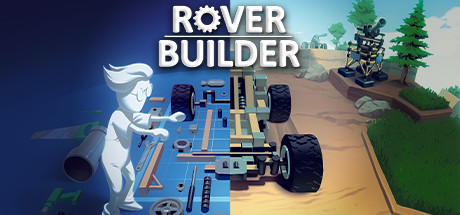
Rover Builder is a 3D engineering sim that hands you a garage and a job: design the right rover for the task in front of you. It sits across the Indie, Simulation and Strategy genres, and the appeal is in the problem-solving. You are not just driving a pre-made vehicle — you are deciding how it should be built. Wheel count, motor placement, chassis shape, suspension and balance all matter, and a careless design will flip, stall or fail to climb where a thoughtful one rolls through.
The core loop is build, test, adjust, repeat. You assemble a vehicle from parts in the garage, then take it onto the terrain to see how it handles slopes, obstacles and the specific challenge of each job. When it struggles, you head back to rework the design — maybe more torque, a lower center of gravity, or a different wheel layout. That iterative engineering rhythm is what makes the sim satisfying; success feels earned because the machine is genuinely your creation rather than a stock model.
Because it is a solo, creativity-driven simulation, Rover Builder plays exactly as it should on an offline account. There is no competitive online element you would miss in Offline Mode — the satisfaction comes from your own designs conquering tougher terrain over time. If you enjoy vehicle-building sandboxes where physics decides whether your idea actually works, Rover Builder gives you a focused, tinker-friendly playground, and the $9.99 offline account gets you straight into the garage.
// pros
- Instant, automated delivery — access lands within minutes of payment
- Full single-player engineering sim playable in Steam Offline Mode
- Crypto payment (USDT, BTC, ETH, LTC) — no card, no billing region
- Worldwide access with no region lock
- Free replacement guarantee if access ever stops
// good to know
- · Single-player / offline only — no online multiplayer
- · You play in Steam Offline Mode on a shared account, not your own personal profile
Playing Rover Builder offline
Pay with crypto
Checkout in USDT, BTC, ETH or LTC — no card needed.
Get the login
We deliver the account that owns the game, automatically, in minutes.
Play offline
Sign in, switch Steam to Offline Mode with our guide, and enjoy the full game.
Rover Builder — questions
Can you play Rover Builder offline?
Yes. The account already owns Rover Builder, so you sign in, switch Steam to Offline Mode, and play the full single-player engineering sim — garage building and terrain missions — without an online connection.
How much is Rover Builder on bonege?
It's $9.99 as a one-time purchase for the Steam offline account. There is no subscription and no recurring fee — you pay once and get access to the account that owns the game.
How fast is delivery?
Delivery is instant and automated. As soon as your crypto payment confirms, the account login is sent to you, usually within minutes — no manual review or waiting.
How do I pay?
Payment is crypto only: USDT (TRC20), BTC, ETH or LTC. There are no card payments, no billing region and no store-account requirements.
What's the difference vs a Steam key?
A key activates the game on your own account; here you get a shared account that already owns Rover Builder and play it in Offline Mode. No redemption, no region lock, but single-player only on a shared offline account.
Is it safe?
It's a shared offline account, and we say so plainly. Play in Offline Mode, don't attach personal data to it, and you're covered by a free replacement guarantee if access ever stops working.



