 offline access
Buy Plants vs. Zombies: Battle for Neighborville Steam Offline Account
This is a Steam offline account that already owns Plants vs. Zombies: Battle for Neighborville (Deluxe content included), priced at $9.99 instead of the usual $50 on Steam — about 80% less. You sign in, switch Steam to Offline Mode, and play the game's single-player and solo-against-AI content on PC. Important honesty note: this is an offline account, so the main online 24-player multiplayer and PvP modes are NOT included — buy this only if you want the offline/solo side of the game. Delivery is instant and automated, payment is crypto, and it works worldwide with no region lock.
Key facts
- Price on bonege
- $9.99 — one-time
- Full Steam price
- ~$50 (save ~80%)
- What it is
- Steam offline account that owns Battle for Neighborville Deluxe
- How you play
- Steam Offline Mode — solo / vs-AI content only
- Online multiplayer
- NOT included (the main online PvP needs a live online account)
- Delivery
- Instant & automated
- Payment
- Crypto — USDT (TRC20), BTC, ETH, LTC
- Region
- Worldwide, no region lock
- Guarantee
- Free replacement if access stops
What you get
- Steam account that already owns the game
- Step-by-step offline-mode guide
- Instant automated delivery after payment
- Replacement guarantee if access stops
Screenshots


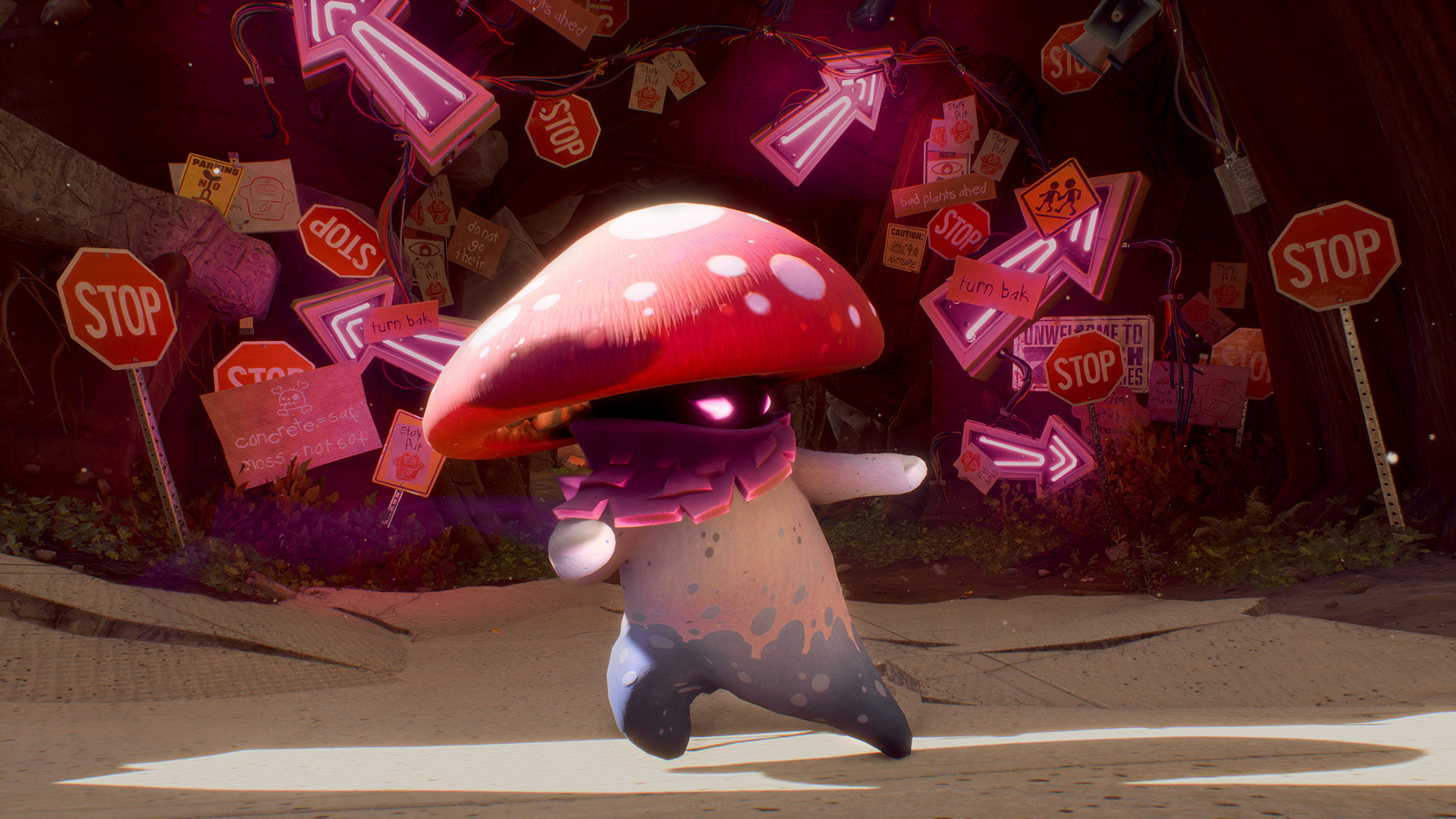

Buy Plants vs. Zombies: Battle for Neighborville™ cheap — offline account
What you get
You get login access to a Steam account that already owns Plants vs. Zombies: Battle for Neighborville, including the Deluxe Edition extras such as the Legendary Chickpea costume for Peashooter, the Judge Z costume for the 80s Action Hero, the digital comic and the emoji set. The account is ready to use the moment it lands in your inbox, so there is no key to redeem, no waiting on a regional store and no card details to enter anywhere. You install the game through Steam exactly as you normally would, then put the client into Offline Mode and start playing on your own PC. The price is a flat $9.99, which is roughly 80% below the usual $50 Steam asks for the same edition. For players who mostly care about poking around Neighborville and battling zombies against the AI, that is a very cheap way to get into the game.
Be clear-eyed about what this product is, because Battle for Neighborville was built around online play. The headline mode is a 24-player online skirmish across six PvP modes including Battle Arena, plus shared free-roam regions where you squad up with friends — and that online side is NOT part of an offline account. What you can do offline is the solo and against-the-AI content: practice your character classes, customize your 20 launch classes with wacky looks and weapons, and play the parts of the game that do not require a live online session. If your plan is to grind ranked online matches with strangers, this account will not give you that, and we would rather tell you now than have you disappointed after paying.
How a Plants vs. Zombies: Battle for Neighborville offline account works
The flow is simple and the same one we use for every offline account on bonege. After checkout you receive the Steam login for an account that owns Battle for Neighborville, you sign in on your PC, let Steam install the game, and then switch the client to Offline Mode from the Steam menu. From that point the game runs from your local machine and you play the solo and vs-AI content without needing to stay tied to a live connection. Because you are using an existing account rather than your own, you keep your personal Steam profile separate and only use this one to launch the game. This is the standard offline-mode setup that thousands of single-player PC players already rely on.
A few practical points keep things smooth. Treat the account as a play-only login: do not change the password, email or other security settings, since that is what lets us keep access stable and offer free replacements. Offline Mode means you launch the game from this account in offline state — it is not a copy added to your own Steam library, and it is not the online-account experience. If access to the game ever stops, contact support and we replace it free of charge. Keep your expectations matched to the offline framing above and the setup takes only a few minutes from payment to playing.
Cheaper than a Steam key
A Steam key or a full digital copy of Battle for Neighborville Deluxe sits around $50 at full price, and even discounted keys for the Deluxe edition tend to land well above what we charge. Our offline account is a flat $9.99, so you are saving roughly 80% versus buying the edition outright on Steam. People search for the cheapest price, a cheap key or the lowest price on PC for this game precisely because the Deluxe edition is not cheap, and an offline account is one of the most affordable routes if the offline content is what you actually want. That is the trade we are honest about: you pay a fraction of the price, in exchange for the offline-only scope.
The difference versus a key is not just the number on the receipt. A key has to be redeemed, can be region-locked, and usually wants a card or a regional payment method to buy in the first place. Our account skips all of that — it arrives ready, it is not tied to a region, and you pay in crypto. So when you compare a cheap Steam key against this offline account, weigh the full picture: the account is cheaper and more convenient to buy, while a key gives you a permanent copy on your own profile with full online access. Pick the one that matches how you intend to play.
Is it safe?
Yes, with the obvious caveat that this is an offline shared account and not your own personal copy, and we say that plainly rather than dressing it up as something official. You play in Steam Offline Mode using a login we provide, which keeps your main Steam profile, your friends list and your other games completely separate from this account. Because you never enter card details — payment is crypto only — there is no card data floating around to worry about, and there is no regional store to argue with. The single biggest thing you can do to keep access stable is to leave the account's credentials alone and just use it to launch the game.
Every offline account on bonege comes with a free replacement guarantee. If the game stops launching or access drops for any reason on our side, you message support and we sort out a replacement at no extra cost. We do not claim this is a license you own, we do not promise online multiplayer, and we do not pretend it is anything other than what it is — an affordable offline route into the solo content. That straightforwardness is the point: you know exactly what you are buying for $9.99, and you know what it does and does not cover before you pay.
About Plants vs. Zombies: Battle for Neighborville
Battle for Neighborville is the wacky third-person shooter that pits brain-hungry zombies against an army of customizable plants across the suburb of Neighborville and the strange regions beyond it. It carries the goofy humor the series is known for — peashooters, chickpea costumes and a tone that never takes itself seriously — wrapped around character classes you kit out with ludicrous looks and weapons. The Deluxe Edition on this account adds extra costumes, a digital comic and an emoji pack on top of the standard game, so you get the fuller version of the package. With a Very Positive Steam rating, it is a well-liked entry that fans of the franchise's shooter spin-offs tend to enjoy.
The game is at its biggest online, where up to 24 players fight across PvP modes and free-roam zones built for groups, and that is genuinely the heart of what it offers. Since an offline account cannot reach those online modes, the value here is for players who want to mess around with the classes, learn the characters and play the solo and vs-AI content at a very low price. If that fits how you want to spend time in Neighborville, $9.99 gets you in; if you specifically want the online crowd-vs-crowd battles, this is not the right product and a full online account or key would serve you better. We would rather you choose correctly than regret the purchase.
// pros
- Flat $9.99 — about 80% below the ~$50 Steam Deluxe price
- Instant, automated delivery — no key to redeem, no waiting
- Pay in crypto — no card and no region lock anywhere
- Deluxe extras included (costumes, comic, emojis)
- Free replacement guarantee if access ever stops
// good to know
- · Offline/solo and vs-AI content only — the main online 24-player multiplayer is NOT included
- · You play in Steam Offline Mode on a shared account, not on your own personal Steam profile
Playing Plants vs. Zombies: Battle for Neighborville™ offline
Pay with crypto
Checkout in USDT, BTC, ETH or LTC — no card needed.
Get the login
We deliver the account that owns the game, automatically, in minutes.
Play offline
Sign in, switch Steam to Offline Mode with our guide, and enjoy the full game.
Plants vs. Zombies: Battle for Neighborville™ — questions
Can you play Plants vs. Zombies: Battle for Neighborville offline?
Yes — you sign in and switch Steam to Offline Mode to play the solo and vs-AI content. But the game's main online 24-player multiplayer and PvP modes are NOT included with an offline account; buy this only for the offline side.
How much is Plants vs. Zombies: Battle for Neighborville on bonege?
It is $9.99 as a one-time payment for the offline account, versus around $50 for the Deluxe edition on Steam — roughly 80% cheaper.
How fast is delivery?
Delivery is instant and automated. The account login is sent right after your crypto payment confirms, so you can install and start playing within minutes.
How do I pay?
Crypto only — USDT (TRC20), BTC, ETH or LTC. There is no card payment, which also means no region restrictions at checkout.
What's the difference vs a Steam key?
A key adds a permanent, full-access copy (including online) to your own Steam profile but costs more, may be region-locked and usually needs a card. This offline account is cheaper and ready instantly, but covers offline/solo content only and runs in Offline Mode.
Is it safe?
Yes — you play in Offline Mode on a login we provide, keeping your own Steam profile separate, and you never enter card details. Leave the account credentials unchanged, and if access ever stops we replace it free.



