 offline access
Buy OUTBRK Steam Offline Account
An OUTBRK Steam offline account gives you the full storm-chasing simulator for $9.99 instead of the ~$34.99 Steam price — a 71% saving. You log into a shared Steam account that already owns OUTBRK, switch Steam to Offline Mode, and chase storms in the single-player experience. Delivery is instant and automated, payment is crypto only (no card needed), and it works worldwide with no region lock.
Key facts
- Price on bonege
- $9.99 — one-time
- Full Steam price
- ~$34.99 (save ~71%)
- What it is
- Shared Steam offline account that already owns OUTBRK
- How you play
- Steam Offline Mode — single-player storm chasing
- Delivery
- Instant & automated
- Payment
- Crypto — USDT (TRC20), BTC, ETH, LTC
- Region
- Worldwide, no region lock
- Guarantee
- Free replacement if access stops
What you get
- Steam account that already owns the game
- Step-by-step offline-mode guide
- Instant automated delivery after payment
- Replacement guarantee if access stops
Buy OUTBRK cheap — offline account
What you get
You get login access to a shared Steam account that already owns OUTBRK, the storm-chasing simulator. After purchase you receive the credentials, sign in to Steam, set the client to Offline Mode, and launch the game. The full OUTBRK install is right there in the library — no extra purchase, no waiting for a download key to validate, and no separate launcher to deal with. This is the standard $9.99 OUTBRK offline account on bonege, the same flat price across our catalog, against a Steam list price of around $34.99. That works out to roughly a 71% saving for the same game files.
It is worth being precise about what this is, because it is not a Steam key, not a gift, and not a subscription. A key has to be redeemed once and ties the game to your own account; a gift transfers ownership. Here the OUTBRK shared account keeps the license, and you ride along in Offline Mode. That distinction is exactly why the price can sit at $9.99 instead of full retail. You play the complete OUTBRK content — every storm setup, every chase, the full vehicle and equipment loadout — purely as a single-player experience.
Everything is automated on our side. The moment your crypto payment confirms, the system hands over the account details without any manual step or back-and-forth. There is no region gate, so no matter if you are in the US, UK, Canada, Australia or anywhere in the EU, the OUTBRK offline account behaves the same. If access ever stops working, the free replacement guarantee covers you and we issue a fresh account.
How an OUTBRK offline account works
The mechanism is simple once you have done it once. You install the Steam client if you do not already have it, log in with the credentials from your OUTBRK offline account, and let Steam verify the session a single time while connected. Once that first sign-in succeeds, you open the Steam menu and choose Go Offline. From that point Steam stops talking to its servers for that session, and OUTBRK launches straight from the local library whenever you want to chase the next supercell.
Offline Mode is the heart of how this product is meant to be used. Steam is built to let an owned game run without an active connection, and OUTBRK's storm-chasing campaign is fully playable that way — you forecast, deploy probes, position your vehicle, and survive the chase without any online dependency. Because the simulator is single-player at its core, nothing important is lost by staying offline. You keep your saves locally, and your progress through different storm scenarios carries between sessions on that machine.
A few practical habits keep things smooth. Use the OUTBRK shared account only in Offline Mode rather than treating it as your own online profile, do not change the password or recovery details, and avoid signing into multiple machines at the same time. Treat it as a dedicated game library you borrow for OUTBRK. Following those steps means the account stays stable, and if anything does go sideways the replacement guarantee is there as a backstop.
Cheaper than a Steam key
A standard OUTBRK Steam key, even from a discount marketplace, is usually priced against the ~$34.99 retail value, and during Early Access that number can hold firm for long stretches. The offline account route on bonege lands at $9.99 flat, which is where the roughly 71% saving comes from. You are paying for offline access to a copy that already exists in a shared library rather than for a brand-new license attached to your own account, and that difference in model is what pulls the price down so far.
The trade-off is straightforward and we would rather state it plainly than dress it up. With a key, the game is permanently yours and tied to your personal Steam account; with the OUTBRK offline account, you play in Offline Mode on a shared account you do not own. If you specifically want OUTBRK to live on your own profile with achievements and cloud saves synced to you, a key is the right call. If you mainly want to play the storm-chasing simulator now, for as little as possible, the offline account makes far more sense.
For a single-player Early Access title like OUTBRK, that trade-off usually tips toward the cheaper option. You are not chasing online leaderboards or co-op sessions that would need your own account; you want to drive into the storm and watch the simulation do its thing. At $9.99 versus ~$34.99, the offline account lets you do exactly that for a fraction of the usual cost, and the replacement guarantee removes most of the risk that normally comes with cheap accounts.
Is it safe?
We will not pretend this is an official Steam product or claim it is 100% risk-free, because honesty matters more than a sales line. It is a shared offline account, and we describe it exactly as that. What we do provide is a working, tested OUTBRK account at delivery and a free replacement if access ever stops, so you are never left with a dead login and nothing to show for it. That guarantee is the practical safety net behind every purchase.
Paying in crypto adds a layer of protection on your side too. USDT (TRC20), BTC, ETH and LTC all keep your card and banking details out of the transaction entirely, which is one reason a lot of buyers prefer this method for accounts like these. There is no region lock to trip over and no payment processor that might block a foreign purchase. You send the crypto, the OUTBRK offline account arrives automatically, and that is the whole loop.
To keep your access healthy, stick to Offline Mode after the first verification, leave the account's credentials and recovery settings untouched, and do not share the login around. These are the same common-sense habits that keep any shared account stable. If a problem does come up despite that, reach out and the replacement covers you — that combination of crypto payment, instant delivery and a real guarantee is what makes the OUTBRK shared account a sensible cheap way to play.
About OUTBRK
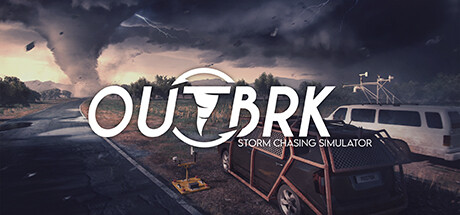
OUTBRK is a storm-chasing simulator that puts you in the driver's seat of severe-weather pursuit. Instead of watching tornadoes from a safe distance, you read the forecast, pick your target, and drive toward the developing storm, balancing the thrill of getting close against the very real danger of getting caught in it. It blends action, adventure, simulation and strategy elements, which is a wide spread for a focused premise, and the result is a game that asks you to plan as much as react.
The simulation leans into detail. You study atmospheric conditions, anticipate where a supercell will spin up, deploy instruments and probes, and reposition constantly as the storm shifts. Every chase is a small strategic problem: get close enough to capture the moment without ending up directly in the path of destruction. Because the weather is dynamic, no two chases play out identically, and learning to read the developing system is a big part of the appeal for fans of the genre.
OUTBRK is an Early Access title, which means it is still growing through updates while already being playable, and the storm-chasing core is what most people come for. On a bonege offline account you get that full single-player simulator for $9.99 instead of around $34.99 — a 71% saving — delivered instantly and payable in crypto. If chasing tornadoes through a detailed weather model sounds like your kind of evening, this is an inexpensive way to get into the storm.
// pros
- Save about 71% — $9.99 instead of the ~$34.99 Steam price
- Instant, automated delivery the moment your crypto payment confirms
- Full OUTBRK single-player storm-chasing experience, playable in Offline Mode
- Crypto payment (USDT TRC20, BTC, ETH, LTC) — no card, no region lock, worldwide
- Free replacement guarantee if access ever stops working
// good to know
- · Single-player / offline only — no online or co-op features
- · You play in Steam Offline Mode on a shared account, not on your own personal account
Playing OUTBRK offline
Pay with crypto
Checkout in USDT, BTC, ETH or LTC — no card needed.
Get the login
We deliver the account that owns the game, automatically, in minutes.
Play offline
Sign in, switch Steam to Offline Mode with our guide, and enjoy the full game.
OUTBRK — questions
Can you play OUTBRK offline?
Yes. You sign into the offline account once while connected, set Steam to Offline Mode, and play the full OUTBRK storm-chasing simulator without an active connection. It is a single-player game, so offline play covers everything.
How much is OUTBRK on bonege?
$9.99 as a one-time payment, versus the ~$34.99 Steam list price — a saving of about 71% for the same game files via an offline account.
How fast is delivery?
Instant and automated. As soon as your crypto payment confirms, the OUTBRK offline account credentials are delivered to you with no manual step.
How do I pay?
Crypto only — USDT (TRC20), BTC, ETH or LTC. There are no card payments, which keeps your banking details out of the transaction, and there is no region lock.
What's the difference vs a Steam key?
A key adds OUTBRK to your own account permanently. This is a shared offline account that already owns the game, which you play in Offline Mode — that model is why it costs $9.99 instead of ~$34.99.
Is it safe?
It is a shared offline account, delivered tested and working, and backed by a free replacement guarantee if access ever stops. Stick to Offline Mode and don't change the credentials to keep it stable.



