 offline access
Buy Out of Space Steam Offline Account
An Out of Space Steam offline account is a ready Steam account that already owns the game. You log in, switch Steam to Offline Mode, and play the full campaign solo or in local same-screen co-op. It costs $9.99 here versus about $14.99 on Steam, so you save roughly 33%. Delivery is instant and automated, payment is crypto only, and it works worldwide with no region lock.
Key facts
- Price on bonege
- $9.99 — one-time
- Full Steam price
- ~$14.99 (save ~33%)
- What it is
- Shared Steam account that already owns Out of Space
- How you play
- Steam Offline Mode — solo and local same-screen co-op
- Delivery
- Instant & automated
- Payment
- Crypto — USDT (TRC20), BTC, ETH, LTC
- Region
- Worldwide, no region lock
- Guarantee
- Free replacement if access stops
What you get
- Steam account that already owns the game
- Step-by-step offline-mode guide
- Instant automated delivery after payment
- Replacement guarantee if access stops
Buy Out of Space cheap — offline account
What you get
You get login details for a Steam account that already owns Out of Space. As soon as your crypto payment confirms, the credentials land in your account automatically, so there is no waiting on a human to hand anything over. You sign in to Steam with those details, set the client to Offline Mode, and the game is right there in the library ready to install and run. There is nothing to redeem, no key to paste into a box, and no gift invite to accept inside a time window.
This is an offline account purchase, not a Steam key and not a subscription. The difference matters: a key activates the game permanently onto your own Steam profile, while this account is shared, so you play through it in Offline Mode rather than on your personal profile. For a co-op chaos game like Out of Space, that still gives you the whole experience that lives outside online matchmaking — the full campaign progression, every station blueprint, the upgrades, and local couch play on one screen with friends or family using extra controllers.
Because the price is flat at $9.99 against the usual $14.99 on Steam, you pocket about 33% on a game that is already cheap to begin with. The replacement guarantee is part of the deal too: if access to the account ever stops working, we swap you onto a fresh working account at no cost, so you are not left stranded after a one-time purchase.
How an Out of Space offline account works
The flow is short and it is the same every time. After checkout you receive a Steam username and password. Open the Steam client, log in once while you are online so the client can cache your authorization, let the game files finish downloading, and then flip Steam into Offline Mode from the menu. From that point on Out of Space launches without needing to talk to Steam servers, and you can play the single-player run and local same-screen co-op as much as you like.
Offline Mode is a normal, built-in Steam feature — it exists precisely so people can keep playing without a live connection. Using it here keeps the shared account quiet and stable, which is exactly what you want with an account that other buyers also use over time. You manage your own ships, your own resource economy, and your own save progress on your machine; nothing about your local game depends on staying signed in to the wider Steam network once the files are down.
A few practical notes specific to this title. Out of Space is built around teamwork, so if you want the best of it, plug in a second controller and play the local co-op mode where two of you scramble around the same station screen. The solo path works fine too if you prefer to micromanage cleaning, cooking, and fighting the alien infestation by yourself. Keep Steam in Offline Mode while you play through this account and avoid changing the account's settings, and your sessions will stay smooth.
Cheaper than a Steam key
At $9.99 this offline account comes in under the roughly $14.99 Steam normally charges, which works out to about 33% off the standard price. A Steam key would buy you the same game but at full price and tied permanently to your own profile; the offline-account route trades that permanent ownership for a lower cost and instant, crypto-friendly delivery. If you mainly want to actually play Out of Space — solo or on the couch — rather than collect it on your own library badge, the math is in your favor.
The savings also line up with how you pay. There are no cards involved and no regional pricing games to navigate, which can otherwise inflate what a key costs in some countries. You pay once in crypto, you get the account instantly, and the listed $9.99 is the whole price with nothing bolted on at the end. For a quick, light strategy game you might pick up on a whim, paying less and getting in within minutes is the practical win.
Is it safe?
Yes, when you stick to the simple instructions. The single most important habit is keeping Steam in Offline Mode while you play on this account. That stops sign-in conflicts with other people who use the same shared account and keeps your sessions undisturbed. Do not change the account password, the email, or any security settings — those belong to the account and altering them is what causes access to break.
We are upfront about what this is: a shared offline Steam account, not an official key, not a personal license, and not anything we would dress up as something it isn't. There is no region lock and no card data passing hands since payment is crypto. If your access ever stops for any reason, the free replacement guarantee kicks in and we move you to another working account. Follow the offline-mode steps, treat the credentials as read-only, and you'll have a clean, low-risk way to play Out of Space for $9.99.
About Out of Space
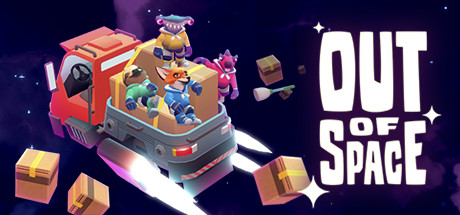
Out of Space is a casual strategy and co-op game about surviving life aboard a cramped spaceship with your roommates. Your crew has to keep the station running while a creeping alien infestation tries to take it over, so every session turns into a frantic juggling act: you generate resources, build and rearrange rooms, cook, clean up the mess, recycle waste into something useful, and fight back the spreading slime before it overruns you. It leans into friendly chaos rather than heavy menus, which makes it easy to pick up and hard to put down.
The heart of the game is teamwork under pressure. Tasks pile up faster than one person can handle, so coordinating who grabs resources, who fends off the infestation, and who keeps the life-support systems fed is what separates a thriving ship from a doomed one. As you progress you unlock new station modules and upgrades that let you redesign your layout and take on tougher runs, giving the loop real staying power across multiple playthroughs.
On an offline account you get the parts of Out of Space that shine without online matchmaking: the full single-player run and the local same-screen co-op, where two players share one display and scramble together to keep the ship alive. With its bright art, quick rounds, and roommate-from-hell premise, it's an easy recommendation for anyone who likes light strategy with a chaotic streak — and at $9.99 it's an inexpensive way to find out if station life is for you.
// pros
- Save about 33% — $9.99 instead of the usual ~$14.99 on Steam
- Instant, automated delivery the moment crypto payment confirms
- Full single-player campaign plus local same-screen co-op in Offline Mode
- Pay in crypto — no card, no regional pricing, no region lock worldwide
- Free replacement guarantee if account access ever stops
// good to know
- · Single-player and local same-screen co-op only — online multiplayer needs your own account
- · You play in Steam Offline Mode on a shared account, not on your own personal profile
Playing Out of Space offline
Pay with crypto
Checkout in USDT, BTC, ETH or LTC — no card needed.
Get the login
We deliver the account that owns the game, automatically, in minutes.
Play offline
Sign in, switch Steam to Offline Mode with our guide, and enjoy the full game.
Out of Space — questions
Can you play Out of Space offline?
Yes. Log in to the Steam account, set the client to Offline Mode, and play the single-player run and local same-screen co-op without an online connection.
How much is Out of Space on bonege?
$9.99 as a one-time payment, versus about $14.99 on Steam — roughly 33% off. The price is flat with nothing added at checkout.
How fast is delivery?
Instant and automated. As soon as your crypto payment confirms, the account login details appear in your account with no manual wait.
How do I pay?
Crypto only — USDT (TRC20), BTC, ETH, or LTC. There are no cards and no regional restrictions, so it works worldwide.
What's the difference vs a Steam key?
A key activates the game permanently onto your own profile at full price. This is a cheaper shared offline account you play through in Steam Offline Mode rather than on your personal profile.
Is it safe?
Yes, if you keep Steam in Offline Mode and don't change the account's password or settings. If access ever stops, we replace the account for free.



