 offline access
Buy NavalArt Steam Offline Account
A NavalArt Steam offline account gives you full access to the ship-design sandbox for $9.99, versus the regular Steam price of about $18.99 — a saving of roughly 47%. You log into a ready Steam account that already owns NavalArt, switch Steam to Offline Mode, and build and sail your warships solo. Delivery is instant and automated, payment is crypto only (USDT, BTC, ETH, LTC), and it works worldwide with no region lock.
Key facts
- Price on bonege
- $9.99 — one-time
- Full Steam price
- ~$18.99 (save ~47%)
- What it is
- A shared Steam account that already owns NavalArt
- How you play
- Steam Offline Mode — single-player sandbox
- Delivery
- Instant & automated
- Payment
- Crypto — USDT (TRC20), BTC, ETH, LTC
- Region
- Worldwide, no region lock
- Guarantee
- Free replacement if access stops
What you get
- Steam account that already owns the game
- Step-by-step offline-mode guide
- Instant automated delivery after payment
- Replacement guarantee if access stops
Buy NavalArt cheap — offline account
What you get
You get login access to a Steam account that already owns NavalArt, ready to use the moment your payment confirms. Instead of paying the full Steam price of about $18.99, you pay a flat $9.99 — around 47% less — and the account is delivered automatically, with no waiting on a person to hand it over. This is a NavalArt offline account, not a key and not a gift. There is nothing to activate, no code to redeem, and no separate purchase to make on the Steam store; the game is already in the account's library when you sign in.
Once you log in, you have the complete NavalArt experience as it ships today: the full hull editor, the block-by-block construction system, the armament and module catalog, and the open ocean to test your designs. Because NavalArt is in Early Access, the account stays current with whatever build the developers have pushed, so you are working with the same version a full-price buyer would see. You can spend hours shaping a battleship's bow, fitting turrets and superstructure, then sail it out and watch how it actually handles the water — all without paying retail.
How a NavalArt offline account works
The model is simple. After checkout you receive the account credentials for a shared Steam account that owns NavalArt. You sign in to the Steam client, let it sync the library once, and then set Steam to Offline Mode from the top-left menu. From that point you launch NavalArt and play your single-player sandbox without needing to stay connected, and without interfering with anyone else who may use the same shared account at a different time. Offline Mode is the core of how a NavalArt offline account is meant to be used.
Using offline mode matters for NavalArt specifically because the heart of the game is the design workshop and the physics sandbox, both of which run entirely on your own machine. You can lay down hull sections, balance weight and buoyancy, mount guns and armor, and run sea trials on your creations without any online component getting in the way. Save your ship blueprints locally, iterate on a design across several sessions, and reload your hulls whenever you want. The account is the vehicle; Offline Mode is how you keep your play stable and self-contained.
Because this is a shared account rather than your personal one, treat it as a dedicated way to play NavalArt rather than a place to store your own purchases or friends list. You sign in, build ships, sail them, and sign out — clean and contained. If you ever lose access for any reason, the replacement guarantee covers you, so a single account hiccup never costs you the game you paid for.
Cheaper than a Steam key
At $9.99, a NavalArt offline account is meaningfully cheaper than buying the game outright, where the full Steam price sits near $18.99. That is roughly 47% off, and it is the same playable NavalArt either way — the same shipyard, the same parts, the same ocean. The difference is the route: you reach the game through a ready shared account instead of through a key you redeem on your own profile. For a single-player builder like NavalArt, where you are mostly designing and testing ships on your own, that route gets you the cheapest practical price on the game.
People search for a cheap NavalArt steam deal or the NavalArt cheapest price and end up choosing between a discounted key and an offline account. A key ties the game to your personal library permanently, but you pay more for that, and key prices fluctuate with sales. An offline account here is a flat, predictable $9.99 with no region lock and no card needed, which is why a NavalArt steam account cheap option appeals to players who just want to build battleships without overpaying. You are buying access, plainly described, at a lower number.
Is it safe?
Yes, with the right expectations. This is an honest offline account: a shared Steam login that already owns NavalArt, used in Offline Mode for single-player. It is not advertised as your own permanent account, it is not a Steam key, and it is not an official store gift — we say that plainly so you know exactly what you are paying for. There are no fake guarantees, no claims of being official, and no online multiplayer promises that NavalArt's offline use cannot keep.
Delivery is instant and automated, so there is no manual middle step where things go wrong, and every purchase is backed by a free replacement if access ever stops working. Payment is handled entirely in crypto — USDT (TRC20), BTC, ETH, or LTC — which means no card details change hands and there is no region gate to clear. If your access ever drops, you contact support and we replace it. The safest way to use a NavalArt shared account is the straightforward way: log in, switch to Offline Mode, build your ships, and keep the credentials private.
About NavalArt
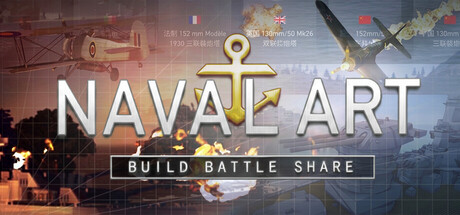
NavalArt is an indie warship design and simulation game where you build your own naval vessels from the keel up and then take them out onto the open sea. You start with a blank hull and shape it block by block, sculpting the bow, deck, and superstructure before fitting it out with guns, armor, and other equipment. The appeal is the combination of creative freedom and grounded physics: a ship you design has to actually float, balance, and behave when it hits the water, so every choice about weight, layout, and armament has consequences you can watch play out.
Tagged as Indie, Simulation, and Strategy and currently in Early Access, NavalArt rewards patience and experimentation. You can recreate historical battleships, invent fictional dreadnoughts, or just tinker with hull shapes to see what sails best, then run them through sea trials and combat scenarios. It is a sandbox for anyone who has ever wanted to be a naval architect without the spreadsheets — a place to turn ideas about armor schemes and turret placement into ships you can command. With a NavalArt offline account you get the whole shipyard for $9.99 and can start drafting your fleet as soon as you log in.
// pros
- Save about 47% — $9.99 instead of ~$18.99
- Instant, automated delivery the moment payment confirms
- Full NavalArt ship-design sandbox playable in Offline Mode
- Pay with crypto — no card, no region lock, worldwide
- Free replacement guarantee if access ever stops
// good to know
- · Single-player / offline use only — no online multiplayer
- · You play in Steam Offline Mode on a shared account, not your own personal account
Playing NavalArt offline
Pay with crypto
Checkout in USDT, BTC, ETH or LTC — no card needed.
Get the login
We deliver the account that owns the game, automatically, in minutes.
Play offline
Sign in, switch Steam to Offline Mode with our guide, and enjoy the full game.
NavalArt — questions
Can you play NavalArt offline?
Yes. You log into the shared account, set Steam to Offline Mode, and play the full NavalArt single-player sandbox — building and sailing your ships — without staying connected.
How much is NavalArt on bonege?
It is a flat $9.99 as an offline account, versus the regular Steam price of about $18.99 — a saving of roughly 47%.
How fast is delivery?
Delivery is instant and automated. As soon as your crypto payment confirms, the account credentials are sent to you so you can log in right away.
How do I pay?
Payment is crypto only — USDT (TRC20), BTC, ETH, or LTC. No cards are accepted, and there is no region lock.
What's the difference vs a Steam key?
A key adds NavalArt to your own library and costs more. An offline account is a ready shared account that already owns the game, used in Offline Mode — same game, lower flat price of $9.99.
Is it safe?
Yes, used as intended: it's a shared offline account for single-player play, delivered instantly and backed by a free replacement if access ever stops. Keep the credentials private.



