 offline access
Buy Natural Locomotion Steam Offline Account
This is a ready Natural Locomotion Steam offline account that already owns the app, priced at a flat $9.99 — one payment, no subscription. You sign in, switch Steam to Offline Mode, and use Natural Locomotion locally with your SteamVR games. Delivery is instant and automated, you pay with crypto (USDT, BTC, ETH, LTC), and it works worldwide with no region lock.
Key facts
- Price on bonege
- $9.99 — one-time
- What it is
- Steam offline account that already owns Natural Locomotion
- How you play
- Steam Offline Mode — run it locally with your SteamVR games
- Delivery
- Instant & automated
- Payment
- Crypto — USDT (TRC20), BTC, ETH, LTC
- Region
- Worldwide, no region lock
- Guarantee
- Free replacement if access stops
What you get
- Steam account that already owns the game
- Step-by-step offline-mode guide
- Instant automated delivery after payment
- Replacement guarantee if access stops
Buy Natural Locomotion cheap — offline account
What you get
You get login access to a Steam offline account that already owns Natural Locomotion. The app is installed and ready from the account library — there is no key to redeem, no gift to accept, and nothing to wait on. After checkout you receive the account credentials automatically, sign in to the Steam client, set Steam to Offline Mode, and Natural Locomotion is right there in your library to install and run. The flat price is $9.99, paid once, with no recurring charge and no extra fees stacked on at the end.
Natural Locomotion is a SteamVR utility, so this account is built for VR use specifically. Once you are signed in offline, it runs alongside your SteamVR setup and feeds smooth, arm-swing style movement into other VR titles that support trackpad or stick locomotion. The account itself is the thing that owns the software — that ownership is what you are paying for. Everything you need to start using it ships in the delivery message, including the exact steps to enter Offline Mode so you are not left guessing how to launch it for the first time.
How a Natural Locomotion offline account works
Natural Locomotion is not a game you finish — it is a movement layer that sits between you and your VR headset. With the offline account you sign into Steam, switch the client to Offline Mode, and launch Natural Locomotion before you start a supported SteamVR title. It reads your arm motion and converts that natural swinging into in-game movement, which is why people use it to cut down on the disorientation that comes from pure stick or trackpad walking. Because the whole point is local VR use, Offline Mode fits it well — you do not need to be online to drive locomotion in your own VR sessions.
Practically, the flow looks like this: receive the account, log in on your machine, set Steam to Offline Mode, install Natural Locomotion from the library, then open it and pair it with the SteamVR game you want to move through more comfortably. The app supports trackpad and stick locomotion games, so it slots into a wide range of VR titles rather than being tied to one. You are using a shared offline account here, not your personal Steam profile, so you keep your own library separate and just hop onto this one when you want Natural Locomotion running.
There is nothing exotic about the setup. If you have ever toggled Steam into Offline Mode to play without an internet check, you already know the routine. The delivery includes the credentials and the short sequence to follow, and from there it behaves like any installed SteamVR utility on the account it belongs to.
Why an offline account instead of buying separately
The straightforward reason people choose this route is convenience paired with how you pay. At $9.99 you get an account that already owns Natural Locomotion, delivered the moment your crypto payment confirms, with no card required and no region wall in the way. If your usual store blocks your country, asks for a card you would rather not use, or makes you create yet another billing profile, the offline account sidesteps all of that. You pay in USDT, BTC, ETH, or LTC and the credentials land in your inbox automatically.
It also means zero waiting and zero manual steps from a seller. The handoff is automated, so it does not matter what hour you buy — the account is issued on the spot. For a VR utility like Natural Locomotion, where you usually just want it installed and running with your headset, that immediacy is the main draw. You are not chasing a key, not coordinating a gift, and not depending on someone to manually fulfill the order. Sign in, go offline, run it.
And because this is an offline account rather than a personal entitlement, the worldwide, no-region-lock setup is consistent for everyone. no matter if you are in the US, the UK, Canada, Australia, or across the EU, the access and the price are the same flat $9.99.
Is it safe?
Let's be direct about what this is: a shared Steam offline account that already owns Natural Locomotion, used in Offline Mode. It is not a key tied to your own profile and it is not an official resale of an entitlement, and we say so plainly. You use the supplied credentials to sign in, switch to Offline Mode, and run the app locally — that is the intended way to use it. Keep your own personal Steam account separate and treat this as a dedicated login for Natural Locomotion.
Every order is backed by a free replacement guarantee. If access to the account stops working, we replace it — that is the commitment that makes a shared-account purchase reasonable rather than a gamble. Because Natural Locomotion is a single-user VR utility you run on your own hardware, normal offline use is low-friction: you are not competing for an online slot or relying on live servers. Stick to Offline Mode as instructed, and reach out if anything changes with access so we can sort out a replacement quickly.
We don't dress this up with claims it isn't. There are no fake reviews, no "100% official" badges, and no promises of online multiplayer that don't apply to a VR locomotion tool. You get an offline account, a clear setup, instant delivery, and a replacement if access drops.
About Natural Locomotion
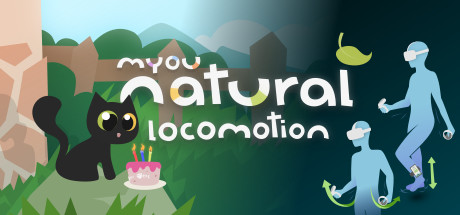
Natural Locomotion is a SteamVR tool designed to make moving around in virtual reality feel more natural and more comfortable. Instead of pushing a stick or sliding a thumb across a trackpad to glide forward, it tracks the swing of your arms and turns that motion into movement inside the VR game you are playing. The goal is more immersion with less of the queasy, floaty feeling that artificial locomotion can cause for a lot of people in headsets.
It works across any SteamVR game that supports trackpad or stick locomotion, which makes it a flexible add-on rather than a one-game gimmick. By mapping real arm-swinging to in-game walking and running, it gives a sense of physical involvement that pure controller input can't, and for many users that translates into longer, more comfortable VR sessions. Filed under Simulation and Utilities on Steam, it sits firmly in the toolbox category — something you set up once and then lean on across your VR library whenever you want movement to feel grounded in your own body rather than your thumbs.
If you spend real time in SteamVR and motion comfort matters to you, Natural Locomotion is the kind of utility that quietly improves a lot of titles at once. This offline account gives you access to it at a flat $9.99 with instant delivery.
// pros
- Flat $9.99, one-time payment with no subscription
- Instant, automated delivery right after checkout
- Crypto payment (USDT, BTC, ETH, LTC) — no card needed
- Worldwide access with no region lock
- Free replacement if account access stops
// good to know
- · VR utility for SteamVR — you need a VR headset and supported games
- · Used in Steam Offline Mode on a shared account, not your own personal profile
Playing Natural Locomotion offline
Pay with crypto
Checkout in USDT, BTC, ETH or LTC — no card needed.
Get the login
We deliver the account that owns the game, automatically, in minutes.
Play offline
Sign in, switch Steam to Offline Mode with our guide, and enjoy the full game.
Natural Locomotion — questions
Can you use Natural Locomotion offline?
Yes. You sign into the supplied Steam account, switch the client to Offline Mode, install Natural Locomotion, and run it locally with your SteamVR games — no online connection required to drive locomotion.
How much is Natural Locomotion on bonege?
It is a flat $9.99 — one payment, no subscription and no extra fees.
How fast is delivery?
Delivery is instant and automated. As soon as your crypto payment confirms, the account credentials and setup steps are sent to you, any time of day.
How do I pay?
Payment is in crypto only — USDT (TRC20), BTC, ETH, or LTC. No cards are accepted and there is no region lock.
What's the difference vs a Steam key?
A key activates on your own Steam profile. This is a shared offline account that already owns Natural Locomotion — you sign in, go to Offline Mode, and use it there rather than redeeming anything to your personal account.
Is it safe?
It is a shared offline account used in Offline Mode, and every order includes a free replacement if access stops. Keep your own Steam account separate and follow the supplied Offline Mode steps.



