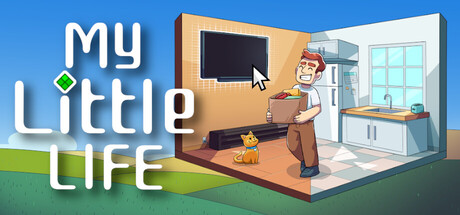
 offline access
Buy My Little Life Steam Offline Account
This is a ready-to-use Steam offline account that already owns My Little Life, the desktop life-sim that runs along the bottom of your screen. You pay $5.99 once, log in, switch Steam to Offline Mode, and play. Delivery is instant and automated, payment is crypto only (USDT, BTC, ETH, LTC), and access works worldwide with no region lock. If access ever stops, you get a free replacement.
Key facts
- Price on bonege
- $5.99 — one-time
- What it is
- Ready Steam account that already owns My Little Life
- How you play
- Steam Offline Mode — the sim runs at the bottom of your screen
- Delivery
- Instant & automated
- Payment
- Crypto — USDT (TRC20), BTC, ETH, LTC
- Region
- Worldwide, no region lock
- Guarantee
- Free replacement if access stops
What you get
- Steam account that already owns the game
- Step-by-step offline-mode guide
- Instant automated delivery after payment
- Replacement guarantee if access stops
Buy My Little Life cheap — offline account
What you get
You get login access to a Steam account that already has My Little Life in its library, plus a short set of instructions for switching Steam into Offline Mode. There is nothing to redeem, no key to activate, and no waiting for a code to land in your inbox. The game is already attached to the account, so once you sign in and download it, you can start your little desktop companion right away. The price is $5.99, paid once, and that is the full cost for this account.
After checkout the credentials arrive automatically, usually within a couple of minutes. You install the Steam client if you do not already have it, log in with the details we send, let My Little Life download, and then flip Steam to Offline Mode before you play. From that point the sim sits quietly along the bottom edge of your monitor while you browse, work, or game in another window. This is a ready My Little Life offline account, so the heavy lifting of buying and attaching the title is already done for you.
Because My Little Life is a single-player, always-running desktop toy rather than a competitive title, this offline setup fits it naturally. You are not queuing into matches or syncing a leaderboard. You raise your tiny character, watch them eat, sleep, work, and react to your activity, and you do all of that locally on your own machine without needing to stay connected.
How a My Little Life offline account works
The model is simple. The account already owns My Little Life, you log into the Steam client with the supplied details, and you set the client to Offline Mode from the Steam menu. In Offline Mode the client stops phoning home for live status, which keeps your session stable and means the little character keeps living at the bottom of your screen without interruption. This is the same Offline Mode that Steam ships for everyone; you are just using it on a shared account that already paid for the game.
A My Little Life shared account means the license lives on an account that more than one buyer may use, which is exactly why the price stays low. You do not get an account you can rename, change the email on, or treat as your personal profile. You get reliable offline access to this one specific title. For a relaxing background sim that you dip into while doing other things, that trade is an easy one, since you rarely need the social or online side of Steam to enjoy it.
Setup takes a few minutes. Sign in, download, go offline, and let the character settle onto your desktop. If you have used Steam before, none of this will feel unfamiliar. The only extra step compared with a normal install is the deliberate switch into Offline Mode, and our instructions walk you through exactly where that toggle lives so you are not hunting through menus.
Why buy My Little Life this way
Buying a My Little Life offline account skips a few of the usual hurdles. There is no card required at checkout, so you do not hand over bank details to a small storefront. There is no region lock, so it does not matter no matter if you are in the US, the UK, Canada, Australia or anywhere in the EU. And there is no manual approval queue: the credentials are issued automatically the moment your crypto payment confirms, which keeps the whole thing fast.
For a game like My Little Life, where the appeal is a low-key, always-on companion that reacts to what you do, the offline account format is a clean match. You install it once, leave it running, and forget about updates, key activation, or account management. The character keeps eating, sleeping and working in the corner of your screen while you get on with everything else, which is the entire point of the experience.
It is also a tidy way to try the game without committing your main Steam profile to it. Some people prefer to keep their personal library uncluttered, and a separate offline account lets you keep this little desktop pet entirely contained. You play it where you want, on the machine you want, and your own profile stays exactly as it was.
Is it safe?
We are upfront about what this is: a shared, offline Steam account, not a personal profile and not an official resale from the publisher. You should treat it that way. Do not change the password, email, or any account settings, because doing so breaks access for everyone using the account and voids the replacement guarantee. Play in Offline Mode as instructed and the experience stays stable.
To keep your purchase protected, we back every My Little Life offline account with a free replacement if access ever stops working. If something changes on the account and you can no longer get into the game, contact us and we will sort out a working replacement. That guarantee is the reason the Offline Mode instructions matter: following them keeps your session healthy and means you spend your time enjoying the sim rather than troubleshooting.
Crypto payment adds a layer of privacy on your side as well, since you are not exposing card numbers to checkout. Combine that with no region lock and instant delivery and the process is straightforward from start to finish. As long as you stick to Offline Mode and leave the account credentials untouched, there is very little that can go wrong.
About My Little Life
My Little Life is a relaxing life-sim built to live along the bottom edge of your screen while you do other things. Instead of demanding your full attention, it gives you a tiny character to look after in the background. They go about their day, eating, sleeping, working and reacting, and you check in on them between your other tasks rather than sitting down for a dedicated session. It is a casual, gentle take on the simulation genre with light RPG and indie flavours.
The charm is in how unobtrusive it is. Most life-sims ask you to open a window and commit time; this one folds itself into the space you already have on screen, turning idle moments into little check-ins with your character. It blends casual and simulation sensibilities with a soft RPG layer, so there is a sense of progress and care without any of the pressure you would find in a heavier management game.
If you like the idea of a small, persistent companion that grows and lives alongside your everyday computer use, My Little Life delivers exactly that. There is no rush, no failure state breathing down your neck, just a tiny life ticking away in the corner. On this offline account you get to enjoy all of that for $5.99, with the game already owned and ready to download.
// pros
- One-time $5.99 — pay once, no subscription
- Instant, automated delivery after payment
- Full single-player sim plays in Steam Offline Mode
- Pay with crypto — no card, no bank details
- Worldwide access with no region lock and free replacement if access stops
// good to know
- · Single-player / offline only — not for online or multiplayer features
- · You play in Steam Offline Mode on a shared account, not on your own personal profile
Playing My Little Life offline
Pay with crypto
Checkout in USDT, BTC, ETH or LTC — no card needed.
Get the login
We deliver the account that owns the game, automatically, in minutes.
Play offline
Sign in, switch Steam to Offline Mode with our guide, and enjoy the full game.
My Little Life — questions
Can you play My Little Life offline?
Yes. You log into the account, download the game, and switch Steam to Offline Mode. The sim then runs at the bottom of your screen without needing a live connection.
How much is My Little Life on bonege?
It is $5.99, paid once. That is the full cost of the offline account, with no subscription and no extra fees.
How fast is delivery?
Delivery is instant and automated. Once your crypto payment confirms, the account credentials are issued to you, usually within a couple of minutes.
How do I pay?
Payment is crypto only — USDT (TRC20), BTC, ETH or LTC. There is no card option, which means no bank details at checkout.
What's the difference vs a Steam key?
A key activates the game on your own account. This is not a key — it is a ready shared account that already owns My Little Life, which you play in Offline Mode rather than redeeming anything.
Is it safe?
It is a shared offline account, so play in Offline Mode and don't change the password or email. Every purchase is backed by a free replacement if access ever stops.



