 offline access
Buy Movavi Video Editor 2023 Steam Offline Account
This is a Movavi Video Editor 2023 Steam offline account: an account that already owns the desktop video-editing app so you can log in and use it. You pay $9.99 once instead of the usual ~$48.33 on Steam, which is a 79% saving. You sign in, switch Steam to Offline Mode, and run the editor locally on your PC. Delivery is instant and automated, payment is crypto only, and it works worldwide with no region lock.
Key facts
- Price on bonege
- $9.99 — one-time
- Full Steam price
- ~$48.33 (save ~79%)
- What it is
- Shared Steam offline account that already owns Movavi Video Editor 2023
- How you play
- Steam Offline Mode — full desktop video-editing app, used offline
- Delivery
- Instant & automated
- Payment
- Crypto — USDT (TRC20), BTC, ETH, LTC
- Region
- Worldwide, no region lock
- Guarantee
- Free replacement if access stops
What you get
- Steam account that already owns the game
- Step-by-step offline-mode guide
- Instant automated delivery after payment
- Replacement guarantee if access stops
Screenshots
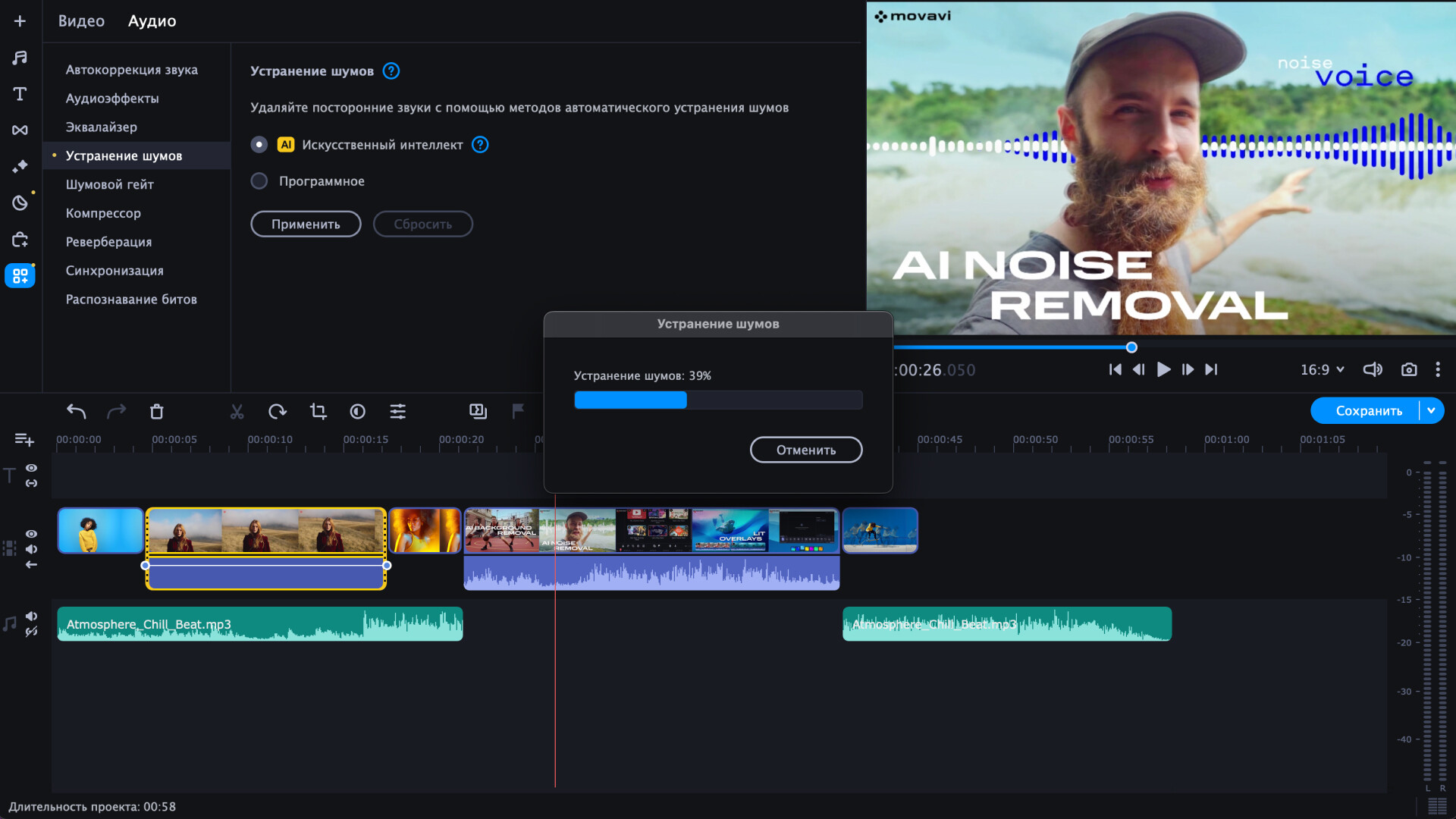
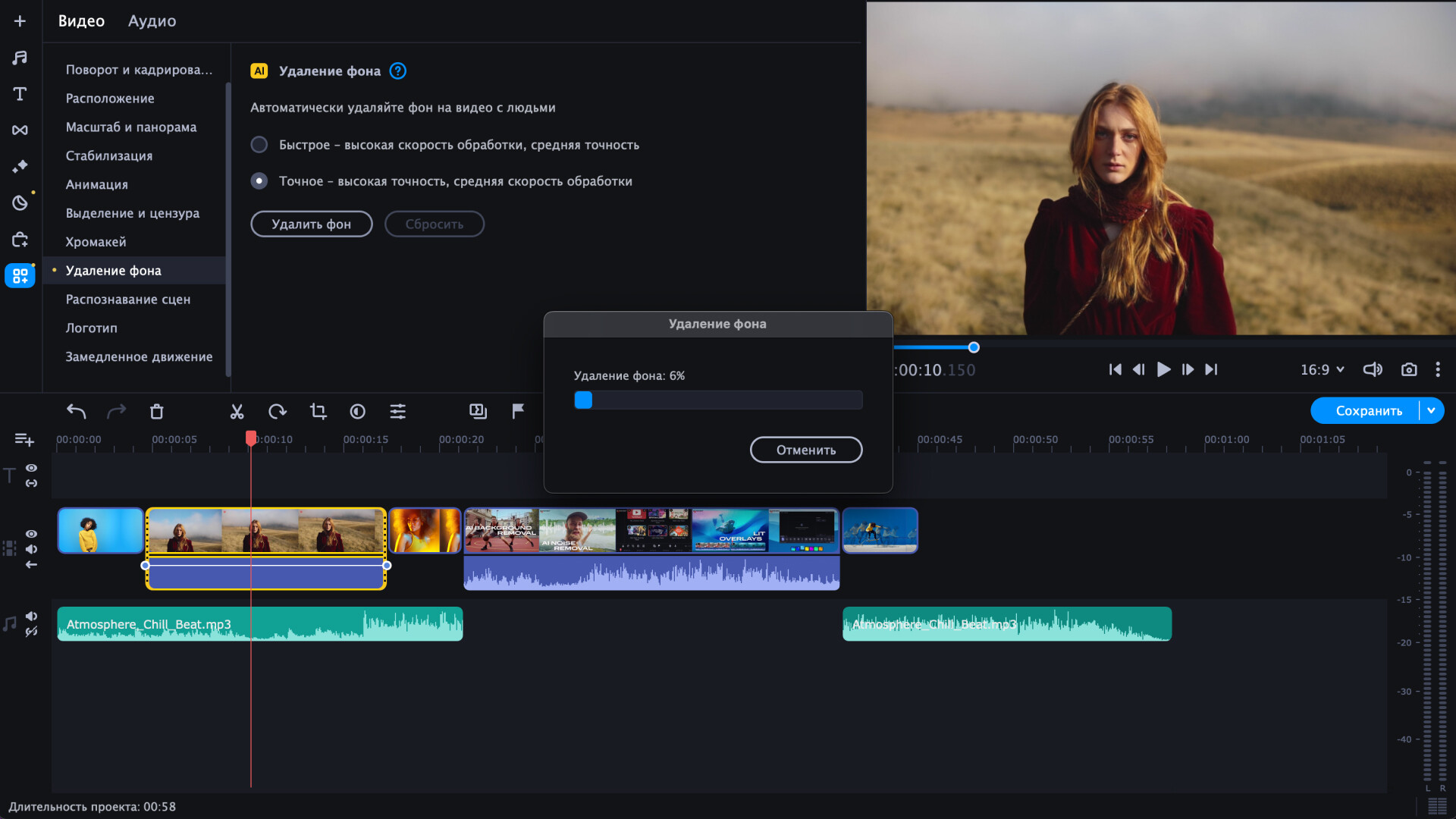
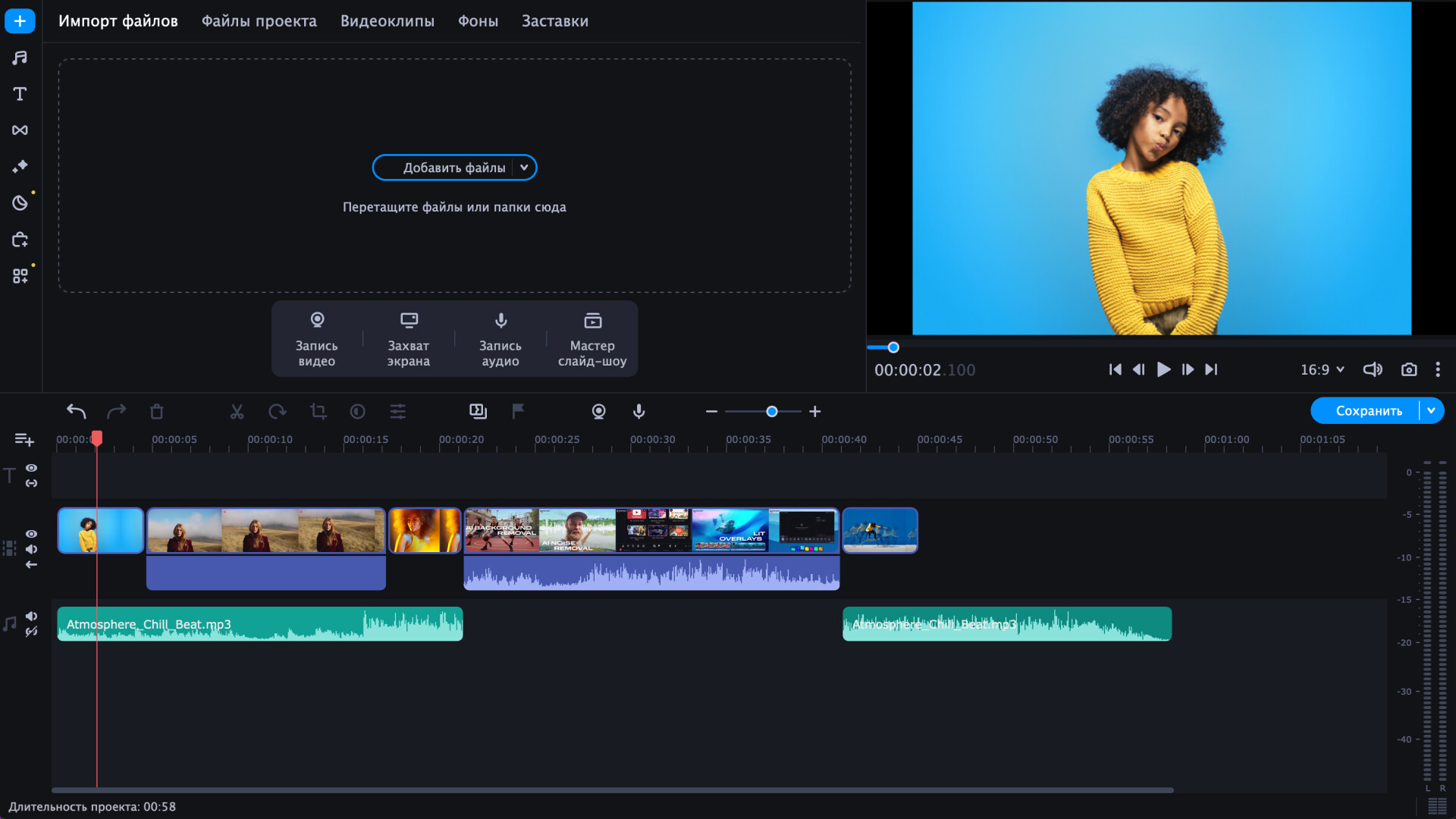
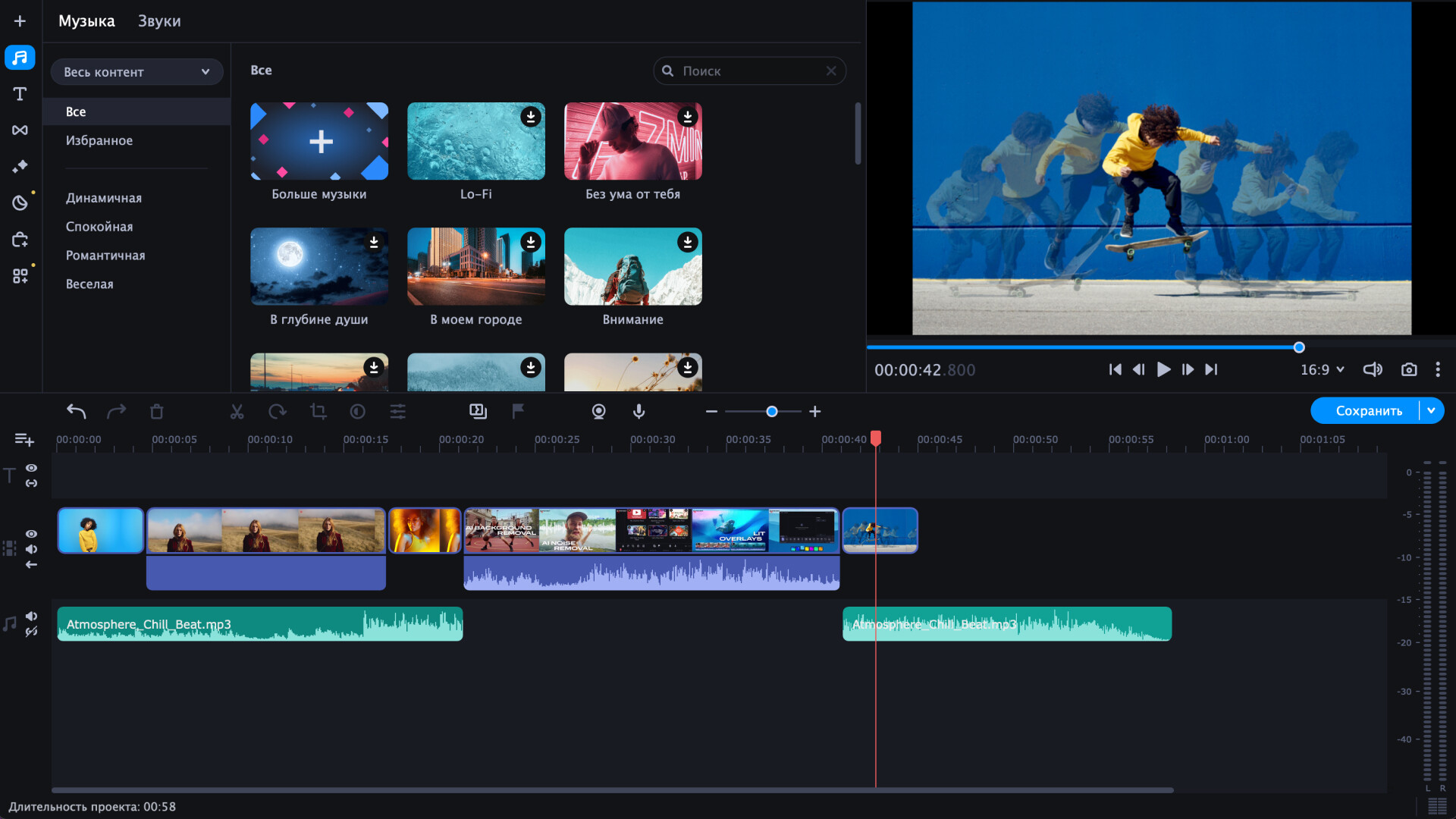
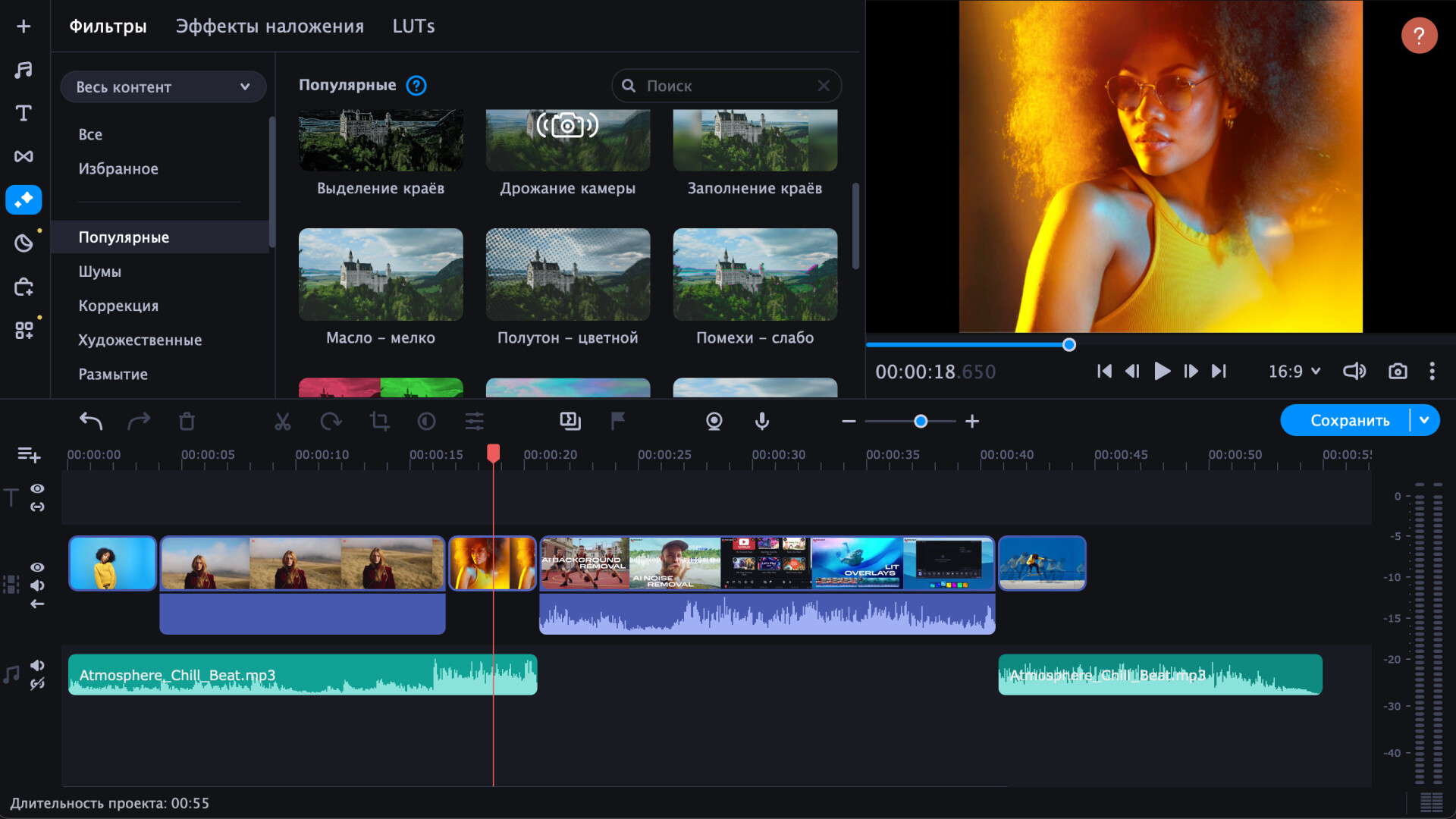
Buy Movavi Video Editor 2023 cheap — offline account
What you get
You get login access to a Steam account that already owns Movavi Video Editor 2023, so the app is in the library and ready to install the moment you sign in. There is no key to redeem and no separate Movavi license step before you reach the editing workspace. After payment the credentials arrive automatically, you add the account to your Steam client, and you download the editor over your own connection at full speed. Note that this is software, not a game — it is a desktop video editor you install and run like any other creative application. This is a Movavi Video Editor 2023 offline account, giving you the full toolset rather than a trial or a watered-down build.
The feature set is complete: the timeline editing core with cutting, zooming, reversing, and color adjustment, plus the 2023 additions like AI-powered object tracking, AI background removal without a green screen, and an AI denoiser that strips out background voices and noise. You also get the effects libraries — titles, stickers, transitions, intros and outros, trendy frames, and the audio library with music and sound effects — along with webcam overlay and direct upload features. Project files and exports stay on your own machine, so your work is yours and stays put between sessions. For anyone searching for a Movavi Video Editor 2023 account for sale at a reasonable price, this is the direct way in.
How a Movavi Video Editor 2023 offline account works
The method follows Steam's own documented offline flow, the same way you would run any installed desktop app distributed through Steam. You log into the account we send, let the editor finish installing, then set Steam to Offline Mode from the top-left menu. After that the client stops checking in for the session and you launch Movavi Video Editor 2023 locally, working on your projects without a live connection. This Movavi Video Editor 2023 offline mode setup is what lets several customers share one licensed account without conflicting, since nobody needs to be online at the same moment.
In practice you treat the download as a one-time job and the offline switch as a one-time setting. Once you are offline the app runs uninterrupted, so a long editing session or a heavy export never pauses for a server check. If you need an update or a reinstall later, you briefly go back online, refresh, then flip to offline again. We include short written steps with every order, so a first-time buyer can complete the whole Movavi Video Editor 2023 steam account setup in a few minutes. No extra tools or patches are needed, and the editor behaves exactly like a normally installed copy once it is set up.
Cheaper than a Steam key
A standard Steam key or store purchase of Movavi Video Editor 2023 runs around $48.33, and that price holds steady outside of occasional sales. On bonege the offline account is a flat $9.99, which is about a 79% saving on the same software and feature set. Buyers often look for a Movavi Video Editor 2023 cheap key or the cheapest price they can find, and an offline account is simply a lower-cost route to the same desktop app. You pay for shared access instead of a personal license, which is why the price sits far below retail.
The trade-off is stated plainly: this is the cheap, offline-use way in, not a personal license you fully own. If your goal is to edit and export your videos with the full toolset without paying full Steam price, this beats chasing a discounted key that may still cost several times as much. The $9.99 figure is the price, and the ~$48.33 Steam figure is shown only so you can see the gap. There are no coupons and no surprise add-ons at checkout, just the flat price.
Is it safe?
We are upfront about what this is. You are buying access to a shared, offline Steam account, so you do not own the license and you do not receive the account's email or full control over it. What you do get is dependable access to use Movavi Video Editor 2023, plus a free replacement if that access ever stops working for reasons on our side. Delivery is automated and the instructions are clear, so the handoff is clean and you are not left guessing.
Crypto payment keeps your side private — no card number and no billing address — and there is no region lock no matter where you live. We do not claim this is an official Movavi promotion or a first-party deal, because it is not; it is a shared offline account, described exactly as that. Because the app runs locally once installed, your project files and rendered videos live on your own computer, not on the shared account. If anything goes wrong with access, contact support and we replace it — that guarantee is why the low price is still a dependable purchase.
About Movavi Video Editor 2023
Movavi Video Editor 2023 is a desktop video-editing application aimed at creators who want polished results without a steep learning curve, and it leans heavily on automation to get there. It is popular with gamers making Let's Plays, walkthroughs, and review clips, but the toolset works for any kind of footage you want to cut, score, and share. The 2023 release pushes AI features front and center: object tracking that pins titles, stickers, or masks to moving subjects, background removal that no longer needs a solid color behind you, and a denoiser that automatically clears barking dogs, stray voices, and other unwanted sound. It carries a Very Positive rating, reflecting how approachable people find it.
Beyond the AI tools, the editor covers the full montage workflow — cutting, zooming, reversing, color correction, and custom intros and outros — plus webcam overlays so you can show your reactions over the action. There is a built-in library of music and sound effects, including hits like gunshots, crashes, and applause, alongside trendy frames and effect packs designed for social platforms. A faster launch and direct upload to TikTok make the turnaround from edit to post quick, and the automated mode can assemble a themed video with music and transitions in a few clicks. As an offline account it is a low-cost way to use the whole toolset without paying full Steam price.
// pros
- Save ~79% — $9.99 instead of ~$48.33 on Steam
- Instant, automated delivery after crypto payment
- Full desktop editing toolset including AI features, used offline
- Crypto payment — no card and no region lock, worldwide
- Free replacement if access ever stops
// good to know
- · Software for offline desktop use only — not a game and no online features
- · You run it in Steam Offline Mode on a shared account, not your own personal license
Playing Movavi Video Editor 2023 offline
Pay with crypto
Checkout in USDT, BTC, ETH or LTC — no card needed.
Get the login
We deliver the account that owns the game, automatically, in minutes.
Play offline
Sign in, switch Steam to Offline Mode with our guide, and enjoy the full game.
Movavi Video Editor 2023 — questions
Can you use Movavi Video Editor 2023 offline?
Yes. You log in, install the app, set Steam to Offline Mode, and edit and export your videos locally with no connection required during use.
How much is Movavi Video Editor 2023 on bonege?
It is a flat $9.99 one-time, versus roughly $48.33 on Steam — about a 79% saving for the same software.
How fast is delivery?
Delivery is instant and automated. The account credentials are sent right after your crypto payment is confirmed, so you can start downloading within minutes.
How do I pay?
Payment is crypto only — USDT (TRC20), BTC, ETH, or LTC. No cards, and no region lock anywhere in the world.
What's the difference vs a Steam key?
A key is a personal license you activate yourself. This is shared access to an account that already owns the app, used in Offline Mode — which is why it costs $9.99 instead of ~$48.33.
Is it safe?
It is a shared offline account, described honestly. You get dependable access to the app plus a free replacement if access ever stops on our side. Your projects stay on your own PC.



