 offline access
Buy Microsoft Flight Simulator 2024 Steam Offline Account
A Microsoft Flight Simulator 2024 Steam offline account from bonege costs $9.99 instead of the usual ~$68 on Steam — about 85% less. It is a ready Steam account that already owns the sim: you log in, set Steam to Offline Mode, and fly after the install completes. Delivery is instant and automated, you pay in crypto, and it works worldwide with no region lock.
Key facts
- Price on bonege
- $9.99 — one-time
- Full Steam price
- ~$68 (save ~85%)
- What it is
- Steam account that already owns MSFS 2024
- How you play
- Steam Offline Mode — core sim flies after install
- Delivery
- Instant & automated
- Payment
- Crypto — USDT (TRC20), BTC, ETH, LTC
- Region
- Worldwide, no region lock
- Guarantee
- Free replacement if access stops
What you get
- Steam account that already owns the game
- Step-by-step offline-mode guide
- Instant automated delivery after payment
- Replacement guarantee if access stops
Screenshots
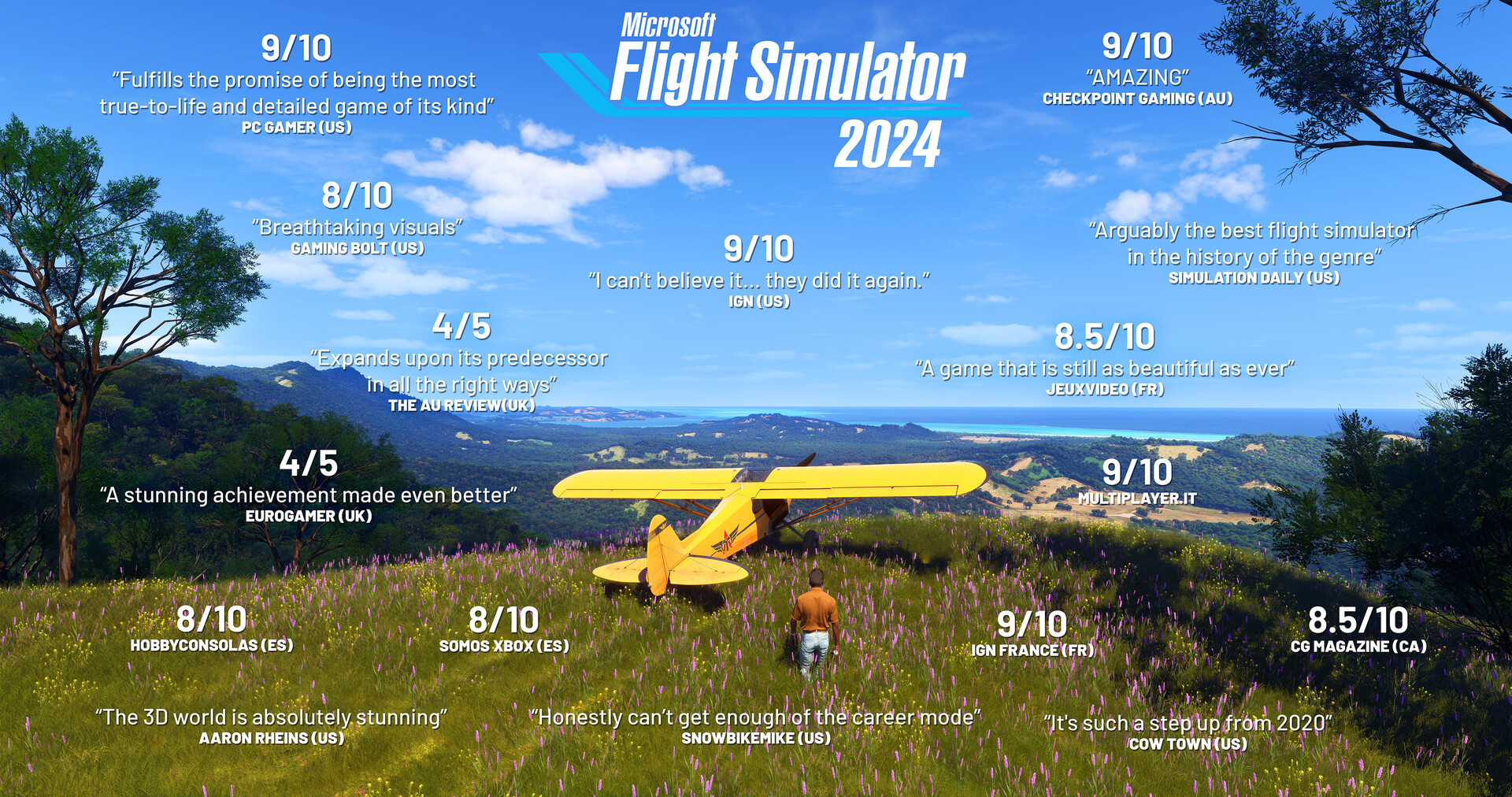





Buy Microsoft Flight Simulator 2024 cheap — offline account
What you get
You get login access to a Steam account that already owns Microsoft Flight Simulator 2024, delivered the moment your crypto payment is confirmed. There is no key to redeem and no gift invite to accept — you sign in with the credentials we send, set the client to Offline Mode, and the sim is already in the library ready to install. You get the full base simulator: the global aircraft fleet, the Career mode, the activities and challenges, the flight planner, and the detailed digital recreation of the planet that the game is built around.
This is the cheapest direct way to get into MSFS 2024 on PC. Instead of paying the full ~$68 Steam asks, you pay a flat $9.99, a saving of roughly 85%. Because everything is automated, the microsoft flight simulator 2024 account reaches your inbox within minutes at any hour, and the price stays the same no matter when you buy. If access ever stops, our free replacement guarantee has you covered, so that one-time $9.99 is all you actually spend to keep flying.
How a Microsoft Flight Simulator 2024 offline account works
The microsoft flight simulator 2024 offline mode setup is straightforward, but worth understanding because of how this sim is built. You log in to Steam with the account we provide, then let the game download and run its initial setup while connected — MSFS 2024 streams a large amount of world and scenery data, so the first launch needs a connection to pull everything down. Once the core content is installed, you can open the Steam menu, choose "Go Offline," and fly the simulator without staying connected.
Here is the honest part: the core sim, your aircraft and offline flights work in Offline Mode after that initial setup, but the game's live, streamed elements do depend on a connection. Real-time weather, the on-demand high-detail scenery and photogrammetry streaming, and the online modes such as the Challenge League and head-to-head races all need you to be online to function. When you fly offline you still get a complete flyable simulator with your fleet and the world data already cached — you just lose the live-streamed extras until you reconnect. Keep your own personal Steam account for your own library and use this microsoft flight simulator 2024 steam account when you want to fly.
Cheaper than a Steam key
People search for a microsoft flight simulator 2024 cheap key or the microsoft flight simulator 2024 cheapest price because ~$68 is a serious outlay for a premium simulator. An offline account answers that at $9.99 — far below what a genuine key for a current Microsoft title costs. Cheap keys for new releases are often regional gifts that won't activate in your country or listings that never deliver, and a sim of this size is exactly the kind of title where a dud key is most frustrating. An offline account avoids both issues: there is no code to redeem and no region to match.
It also takes the usual key gambles off the table. No already-used activation code, no regional lock, and no marketplace seller to chase. You pay the flat microsoft flight simulator 2024 price of $9.99, get instant access, and start setting up the sim. For someone who mainly wants to fly the offline simulator and explore the world, an offline account delivers the same playable MSFS 2024 at a fraction of full price — which is what shoppers hunting the cheapest price are really after.
Is it safe?
Yes, with the right expectations. You are buying access to a shared offline account, not your own profile, so we ask you to play in Steam Offline Mode and to leave the account's email, password and login settings alone. Those simple rules keep the account stable for you and for everyone else using the service. We are clear that this is an offline account — not a key, not a gift, and not an "official" reseller arrangement — so you know exactly what you are buying before you pay.
Every microsoft flight simulator 2024 account for sale here is backed by a free replacement guarantee: if access ever stops working, contact support and we set you up with a fresh login at no extra cost. Paying in crypto means you never hand over card or bank details, keeping your own information out of the transaction. Since the sim's core flying runs in Offline Mode, your offline sessions don't rely on online matchmaking — you install once, cache the world data, and fly.
About Microsoft Flight Simulator 2024
Microsoft Flight Simulator 2024 is the most detailed entry in the long-running simulation series, built around an enormous digital twin of planet Earth. Its standout feature is a structured aviation Career: you start somewhere of your choosing, build experience and reputation, and earn certifications that unlock authentic activities such as Medevac, remote cargo runs, aerial firefighting, and search and rescue, all the way up to flying as an airline passenger transport pilot. Alongside the career there are dozens of activities — rally races, precision landings, low-altitude runs, and the famous Red Bull and Reno air races — plus a World Photographer mode for capturing landmarks and vistas around the globe.
Under the hood it is a serious simulation. An enhanced physics system supports over 10,000 rigid-body surfaces and soft-body materials like cloth and ropes, with improved ground and water handling for added realism. Aircraft model accurate electrical, pneumatic, fuel and hydraulic systems, payload and passenger handling, and avionics including the Universal UNS-1 FMS and Primus Epic 2, while preflight inspections and walkaround checks deepen the immersion. A powerful flight planner handles IFR and VFR routes, charts, fuel and payload, and ETOPS planning. With a Very Positive rating, it is a deep simulator — buy the account once at $9.99, complete the initial setup online, then switch to Offline Mode and fly the core sim whenever you like.
// pros
- Save about 85% — $9.99 instead of the full ~$68 Steam price
- Instant, automated delivery at any hour
- Core simulator and your fleet fly in Steam Offline Mode after install
- Pay in crypto — no card needed, no region lock, works worldwide
- Free replacement guarantee if access ever stops
// good to know
- · Live weather, streamed high-detail scenery and online modes (Challenge League, races) need an internet connection and aren't part of the offline experience
- · You play in Steam Offline Mode on a shared account, not on your own personal profile
Playing Microsoft Flight Simulator 2024 offline
Pay with crypto
Checkout in USDT, BTC, ETH or LTC — no card needed.
Get the login
We deliver the account that owns the game, automatically, in minutes.
Play offline
Sign in, switch Steam to Offline Mode with our guide, and enjoy the full game.
Microsoft Flight Simulator 2024 — questions
Can you play Microsoft Flight Simulator 2024 offline?
Yes, the core sim and your aircraft fly in Steam Offline Mode after the initial online setup downloads the world data. Live weather, streamed scenery and the online modes still need a connection.
How much is Microsoft Flight Simulator 2024 on bonege?
It is $9.99 as a one-time payment, versus around $68 at full price on Steam — a saving of roughly 85%.
How fast is delivery?
Delivery is instant and automated. Once your crypto payment is confirmed, the account login is sent to you, usually within minutes at any hour.
How do I pay?
Payment is in crypto — USDT (TRC20), BTC, ETH or LTC. There is no card option and no region lock.
What's the difference vs a Steam key?
There is no code to redeem. You get an account that already owns the sim, so there is nothing to activate and no regional key to match — you just log in, install, and fly.
Is it safe?
Yes, as long as you play in Offline Mode and don't change the account's login settings. It's an offline account backed by a free replacement guarantee if access ever stops.



