 offline access
Buy Microsoft Flight Simulator (2020) 40th Anniversary Edition Steam Offline Account
Microsoft Flight Simulator (2020) 40th Anniversary Edition on a Steam offline account is $9.99 on bonege, versus ~$69.99 at full Steam price — about 86% less. You log into a ready Steam account that already owns the game, install it, and fly. Be aware of the honest caveat: the sim is data-heavy and some features stream scenery, live weather, and live traffic over the internet. The core sim is flyable in Offline Mode after install, but those live features need a connection. Delivery is instant, payment is crypto, no region lock.
Key facts
- Price on bonege
- $9.99 — one-time
- Full Steam price
- ~$69.99 (save ~86%)
- What it is
- Shared Steam offline account that already owns the game
- How you play
- Install while online, then fly the core sim in Steam Offline Mode
- Online features
- Streamed scenery, live weather & live traffic need a connection
- Delivery
- Instant & automated
- Payment
- Crypto — USDT (TRC20), BTC, ETH, LTC
- Region
- Worldwide, no region lock
- Guarantee
- Free replacement if access stops
What you get
- Steam account that already owns the game
- Step-by-step offline-mode guide
- Instant automated delivery after payment
- Replacement guarantee if access stops
Screenshots
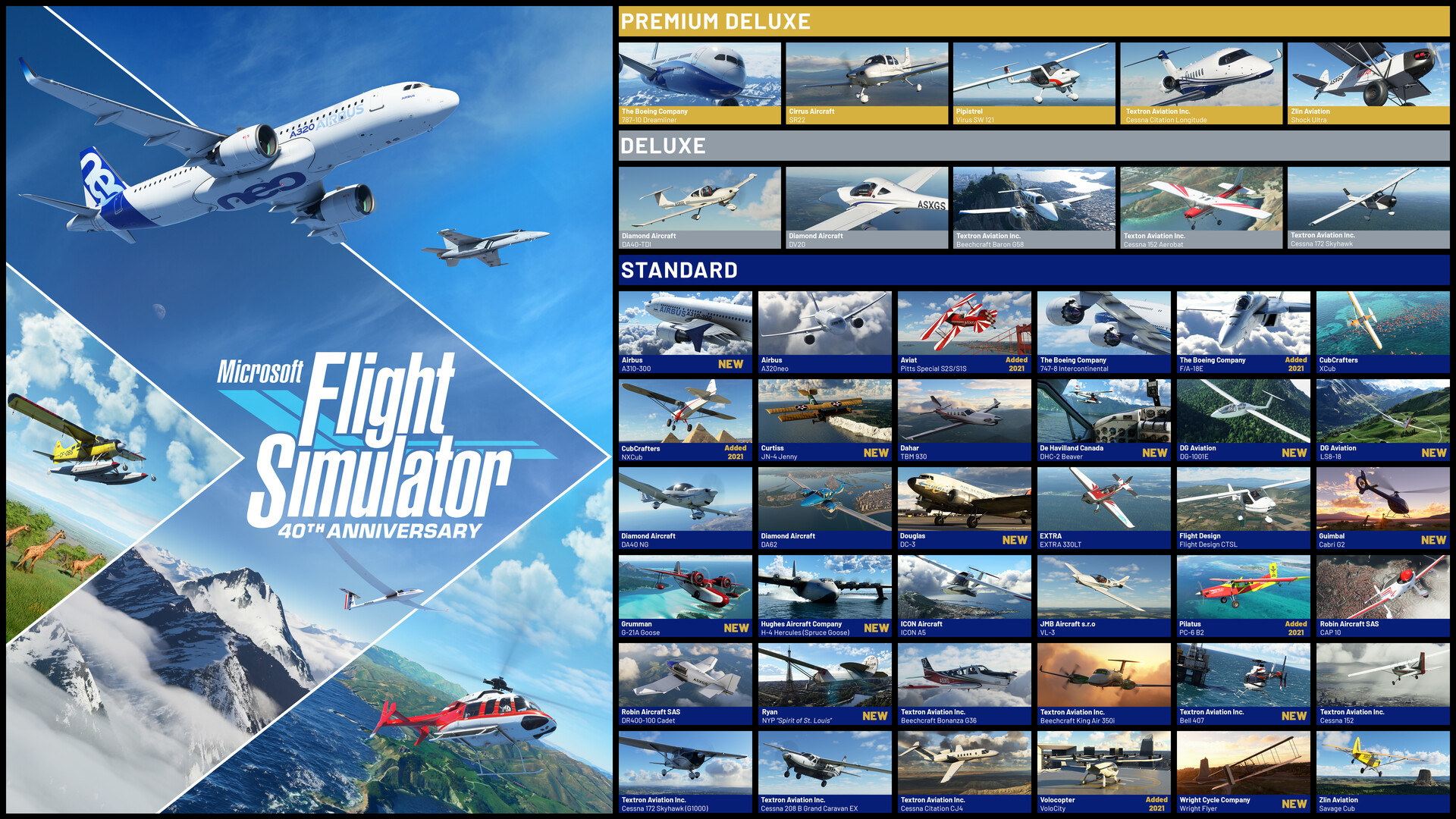





Buy Microsoft Flight Simulator (2020) 40th Anniversary Edition cheap — offline account
What you get
You get login access to a Steam offline account that already owns Microsoft Flight Simulator (2020) 40th Anniversary Edition. After payment the credentials arrive automatically. You sign in on the Steam client, install the game, and you are ready to fly — 37 aircraft, gliders and helicopters, 25 handcrafted airports, and a planet built from over 1.5 billion buildings.
This is not a Steam key, not a gift, and not a subscription. Nothing needs to be redeemed on your own profile; the game is already attached to the account you receive, at a flat $9.99. One honest note specific to this title: Flight Simulator is huge and partly built around streaming the world. Plan for a large download during install, and expect a connection to be needed for the streamed-world and live features described below.
How a Microsoft Flight Simulator 2020 offline account works
You log into the Steam client with the microsoft flight simulator (2020) 40th anniversary edition account details we send, install the game (this needs internet for the large download and asset packages), then choose Steam > Go Offline to fly. In Offline Mode the Steam client no longer checks in with Steam's servers, so your local sessions stay stable.
After install, the core simulator flies offline: take any of the included aircraft up, practice with the interactive checklist system, use the day-and-night engine, and enjoy the detailed aerodynamic modeling with over 1000 control surfaces per plane. What is not available offline are the features that pull data live — high-detail streamed photogrammetry scenery beyond cached areas, real-time live weather, and live air traffic. Those need an internet connection by design, regardless of how you bought the game. This is a property of the sim, not of the offline account.
Cheaper than a Steam key
A standard Steam key or store purchase of the 40th Anniversary Edition runs about $69.99. On bonege the offline account is $9.99 — roughly 86% less. People searching for the microsoft flight simulator (2020) 40th anniversary edition cheapest price or a microsoft flight simulator (2020) 40th anniversary edition cheap key want the lowest legitimate cost of entry, and the offline account beats a normal key by a wide margin.
The difference is ownership. A key activates the sim on your own profile; an offline account gives you access to a shared account that already owns it, at a fraction of the price. You fly the same aircraft and the same world either way, paying $9.99 instead of full retail. If your aim is to get into the cockpit cheaply rather than collect the game on your personal library, the offline account is the most economical route.
Is it safe?
Yes, with sensible expectations. You receive working login details for an account that owns the sim, and you fly in Offline Mode after install. We never ask for your own Steam password, and your personal library is never at risk. If access to the account ever stops, we provide a free replacement.
Crypto checkout keeps the purchase quick and private — no card, no billing region, no bank in between. Install while online, then fly the core sim offline, and remember that the live, streamed features need a connection. Follow the short setup notes we include and everything stays smooth.
About Microsoft Flight Simulator (2020) 40th Anniversary Edition
Microsoft Flight Simulator (2020) 40th Anniversary Edition is the celebratory release of a franchise that has served aviators for forty years. It puts the whole planet at your fingertips — over 1.5 billion buildings, two trillion trees, mountains, rivers and roads — and pairs that scale with highly detailed, accurate aircraft from light planes to wide-body jets, gliders, and helicopters.
The Anniversary Edition adds content that spans aviation history: a true-to-life Airbus A310 airliner, two helicopters with 14 heliports, two gliders with 15 glider airports, four classic commercial aircraft, and seven famous historical planes including the Hughes H-4 Hercules, the Spruce Goose. Every aircraft has a detailed, realistic cockpit, and a state-of-the-art physics engine with over 1000 control surfaces per plane delivers a genuinely realistic feel. The checklist system scales from full manual to full assist, so beginners and veteran pilots both have a way in. With a Very Positive player rating, it is one of the most respected sims on PC — and on bonege you can fly it on an offline account for $9.99, keeping in mind the live, streamed features need a connection.
// pros
- About 86% cheaper than a Steam key — $9.99 vs ~$69.99
- Instant, automated delivery after payment
- Core sim flyable in Steam Offline Mode after install
- Pay with crypto — no card, no region lock, worldwide
- Free replacement if access ever stops
// good to know
- · Large download at install; streamed scenery, live weather and live traffic need an internet connection
- · You play in Steam Offline Mode on a shared account, not on your own profile
Playing Microsoft Flight Simulator (2020) 40th Anniversary Edition offline
Pay with crypto
Checkout in USDT, BTC, ETH or LTC — no card needed.
Get the login
We deliver the account that owns the game, automatically, in minutes.
Play offline
Sign in, switch Steam to Offline Mode with our guide, and enjoy the full game.
Microsoft Flight Simulator (2020) 40th Anniversary Edition — questions
Can you play Microsoft Flight Simulator 2020 offline?
The core sim is flyable in Steam Offline Mode after you install it online. Streamed photogrammetry scenery, live weather, and live traffic need an internet connection by the sim's own design.
How much is Microsoft Flight Simulator 2020 40th Anniversary Edition on bonege?
$9.99 as a one-time payment, compared to roughly $69.99 at full Steam price — about 86% less.
How fast is delivery?
Instant and automated. The account login details are sent right after your crypto payment is confirmed. Expect a large game download during install.
How do I pay?
With cryptocurrency — USDT (TRC20), BTC, ETH, or LTC. No cards and no regional restrictions.
What's the difference vs a Steam key?
A key activates the sim on your own profile. An offline account is a shared Steam account that already owns it; you log in, install, and fly the core sim offline for $9.99 instead of full price.
Is it safe?
Yes. You get working login details, fly in Offline Mode, and never share your own password. If access stops, you get a free replacement.



