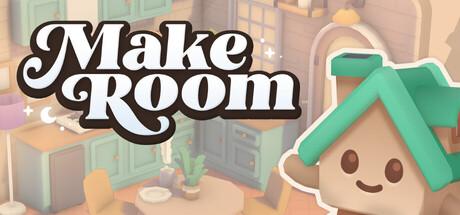
 offline access
Buy MakeRoom Steam Offline Account
This is a MakeRoom Steam offline account that already owns the game. You log in, switch Steam to Offline Mode, and build rooms, gardens, and camper vans straight away. The price is $9.99, one-time. Delivery is instant and automated, payment is in crypto, and it works worldwide with no region lock and a free replacement if access ever stops.
Key facts
- Price on bonege
- $9.99 — one-time
- What it is
- Shared Steam account that already owns MakeRoom
- How you play
- Steam Offline Mode — full single-player design sandbox
- Delivery
- Instant & automated
- Payment
- Crypto — USDT (TRC20), BTC, ETH, LTC
- Region
- Worldwide, no region lock
- Guarantee
- Free replacement if access stops
What you get
- Steam account that already owns the game
- Step-by-step offline-mode guide
- Instant automated delivery after payment
- Replacement guarantee if access stops
Buy MakeRoom cheap — offline account
What you get
You get login access to a shared Steam account that already owns MakeRoom. It is not a key, not a gift link, and not a subscription. There is nothing to redeem or activate. Once you receive the credentials, you sign in on your own PC, set Steam to Offline Mode, and the game is already sitting in the library ready to install and launch. The one-time price is $9.99 and that covers everything described here.
Inside MakeRoom you get the complete creative toolset: a library of 1,100+ objects to place, the ability to design your own furniture from scratch, and three space types to build out — interior rooms, outdoor gardens, and cozy camper vans. The gentle design requests that guide you through each build are included too, so you have both the freeform sandbox and the light structured challenges that come with the full game.
Because this is an offline account, you treat it as a delivery vehicle for the game rather than a profile you customize. You play MakeRoom locally, your saves stay on your machine, and you keep building for as long as you want. If access to the account ever stops working, you contact support and we issue a free replacement so you are not left without the game you paid for.
How a MakeRoom offline account works
The flow is short and repeatable. After checkout you receive the account login by automated delivery. You open the Steam client, sign in with those details, and then go to the Steam menu and choose Go Offline. Steam restarts in Offline Mode, where it no longer needs to phone home for every launch, and you can run MakeRoom from your library as a single-player game.
Offline Mode is a built-in Steam feature, not a workaround. It exists so people can play their installed single-player titles without a constant connection. MakeRoom is a calm, solo building game with no competitive or multiplayer component, which is exactly the kind of title that fits this model. You install it once while connected, then drop into Offline Mode and design rooms, gardens, and camper vans at your own pace.
A few practical notes keep things smooth. Install MakeRoom and let it finish updating before you switch to Offline Mode, since updates need a connection. Keep the login details we send you, because that same makeroom offline account is what you use every time you want to play. Treat the credentials as private and do not change the account's core settings — that keeps the makeroom shared account stable for ongoing use.
Why buy a MakeRoom offline account
The reason people pick a makeroom steam offline account over other routes is convenience and payment freedom. You do not need a credit card, a PayPal balance, or a regional store account. You pay with crypto, the delivery is automated, and the game lands in your hands within minutes rather than after a manual back-and-forth. For anyone who wants MakeRoom without the usual checkout friction, that is the whole appeal.
It also sidesteps region headaches. MakeRoom is delivered through an account that already owns it, so there is no region lock to fight, no store-country mismatch, and no key that refuses to activate where you live. no matter if you are in the US, the UK, Canada, Australia, or across the EU, the same makeroom account works the same way. You get a clean cheap makeroom steam route to a relaxing build-and-decorate game.
And the value is simple to state. MakeRoom on bonege is $9.99, one-time, for full offline access to the single-player game. There is no recurring fee, no add-on you have to buy to make it work, and no expiry on the account access. You buy makeroom steam account once, you keep playing, and if anything goes wrong with the login the free replacement keeps you covered.
Is it safe?
We are upfront about what this is: a shared offline account, not your own personal Steam profile and not an official resale of a key. We tell you that plainly so there are no surprises. The safe way to use it is exactly as intended — log in, switch to Offline Mode, play MakeRoom, and leave the account's settings untouched. Used that way, the makeroom offline mode experience is stable and low-maintenance.
To keep your purchase protected, do not change the password, email, or other security details on the account, and do not try to use it for online features it is not meant for. MakeRoom is a single-player building game, so there is nothing online you would miss by staying in Offline Mode. Keeping the account as delivered is what lets multiple things stay reliable on our side and yours.
If access ever stops — for any reason — that is what the free replacement guarantee is for. You reach out to support, and we sort out a working account so you keep your game. We do not make false claims about being official or about online multiplayer that this product does not include. What we promise is honest: instant delivery, crypto payment, worldwide access, offline single-player play, and a replacement if the login fails.
About MakeRoom
MakeRoom is a gentle design and decoration game from the Casual, Indie, and Simulation corner of Steam. Instead of stress, scores, or timers, it hands you a deep library of 1,100+ objects and asks you to make spaces feel like home. You arrange furniture, layer in plants and details, and shape rooms, gardens, and camper vans until they look exactly how you pictured them. It is the kind of game you put on to unwind rather than to grind.
What sets it apart is the freedom to build furniture from scratch, not just place pre-made pieces. That turns it from a simple decorator into a small creative studio, where the look of a space is genuinely yours. The optional design requests give you a soft sense of direction when you want a prompt, and you can ignore them and free-build whenever you would rather just play with the catalog.
If you like cozy, low-pressure creative games, MakeRoom is an easy fit. There is no failure state to worry about and no clock pushing you along — just objects, surfaces, and your own taste. Buying the makeroom steam account this way gets you straight into that sandbox: install it, drop into Offline Mode, and start filling rooms, gardens, and camper vans with whatever you want.
// pros
- $9.99 one-time for full offline access to MakeRoom
- Instant, automated delivery — playable within minutes
- Full single-player build sandbox in Steam Offline Mode
- Crypto payment — no credit card needed
- Worldwide, no region lock, plus free replacement if access stops
// good to know
- · Single-player / offline only — no online or multiplayer features
- · You play in Steam Offline Mode on a shared account, not your own personal profile
Playing MakeRoom offline
Pay with crypto
Checkout in USDT, BTC, ETH or LTC — no card needed.
Get the login
We deliver the account that owns the game, automatically, in minutes.
Play offline
Sign in, switch Steam to Offline Mode with our guide, and enjoy the full game.
MakeRoom — questions
Can you play MakeRoom offline?
Yes. You log into the account, switch Steam to Offline Mode, and play the full single-player MakeRoom locally. It is a solo building game, so Offline Mode covers everything.
How much is MakeRoom on bonege?
MakeRoom is $9.99, one-time, for offline access to the game. There is no subscription and no recurring fee.
How fast is delivery?
Delivery is instant and automated. After payment confirms, you receive the account login within minutes and can start installing right away.
How do I pay?
Payment is in crypto — USDT (TRC20), BTC, ETH, or LTC. No credit card or regional store account is required.
What's the difference vs a Steam key?
A key is something you redeem on your own account. This is a shared account that already owns MakeRoom — nothing to redeem. You log in, go to Offline Mode, and play.
Is it safe?
It is a shared offline account, and we say so clearly. Use it in Offline Mode, do not change its settings, and if access ever stops you get a free replacement.



