 offline access
Buy Lumberhill Steam Offline Account
A Lumberhill Steam offline account costs $9.99 on bonege, versus the regular Steam price of about $14.99 — roughly 33% less. You receive login details for a shared Steam account that already owns Lumberhill, switch Steam to Offline Mode, and play the chopping-and-stacking chaos solo or in local co-op on one PC. Delivery is instant and automated, payment is in crypto (USDT, BTC, ETH, LTC), it works worldwide with no region lock, and access is backed by a free replacement guarantee.
Key facts
- Price on bonege
- $9.99 — one-time
- Full Steam price
- ~$14.99 (save ~33%)
- What it is
- Shared Steam account that already owns Lumberhill
- How you play
- Steam Offline Mode — solo or local co-op on one PC
- Delivery
- Instant & automated
- Payment
- Crypto — USDT (TRC20), BTC, ETH, LTC
- Region
- Worldwide, no region lock
- Guarantee
- Free replacement if access stops
What you get
- Steam account that already owns the game
- Step-by-step offline-mode guide
- Instant automated delivery after payment
- Replacement guarantee if access stops
Buy Lumberhill cheap — offline account
What you get
You get login credentials for a Steam account that already owns Lumberhill, so the game is sitting in the library ready to install. There is nothing to redeem, no key to type into a box, and no waiting for a gift invite to be accepted. Once the details land in your inbox, you sign in, download Lumberhill, set Steam to Offline Mode, and start cutting, hauling and stacking logs against the clock. This is the route people search for when they look up a Lumberhill offline account or a Lumberhill shared account, and it is exactly what you receive here.
The price is a flat $9.99, paid once, against the usual Steam price of around $14.99 — about 33% less. For a chaotic physics party game that lives or dies on goofy moments, that lower entry point matters, especially if you mainly want it for local couch sessions rather than a full-price store purchase. You are buying access to play the complete game on this account, not a trial, not a demo, and not a time-limited rental.
Because the account already holds the license, every map, mode and update that ships with the base game is available the moment the download finishes. You install Lumberhill the same way you would any Steam title, and the whole single-player and local co-op experience is yours to dig into. If you have been comparing where to buy Lumberhill Steam account options at a cheap price, this is the straightforward, no-key version of that.
How a Lumberhill offline account works
After payment clears, the account login arrives automatically — usually within minutes. You open the Steam client, sign in with the details provided, and let Lumberhill download. Once it is installed, you click your Steam name in the top corner and choose Go Offline. Steam then runs in Offline Mode, which keeps your session stable for single-player and local play without needing a constant connection or fighting over who is signed in where.
Offline Mode is the key to how a Lumberhill shared account stays usable. You play the campaign-style tasks, the timed challenges, and local co-op with friends on the same machine using extra controllers — Lumberhill is built around frantic shared screens, so a single PC with a few gamepads is the natural setup. Lumberhill offline mode means the fun happens on your hardware, in front of your TV or monitor, exactly how a party game is meant to be played.
A few practical habits keep things smooth. Use the account as delivered, keep Steam in Offline Mode while you play, and avoid changing the account's email or password, since that would lock the shared access for everyone. If anything ever interrupts your access to the game, you contact support and get a free replacement — that guarantee is part of what you pay for, not an upsell.
Cheaper than a Steam key
At $9.99 versus roughly $14.99 on Steam, a Lumberhill offline account lands about 33% below the standard price. A Steam key, by contrast, is usually sold at or near full price and is tied to your own account, your own region, and a payment method that often means a card. Here you skip all three frictions: no card required, no regional pricing games, and no marketplace markup pushing the cost back up.
The other difference is what happens at checkout. A key sometimes needs region matching, can be flagged or revoked by some resellers, and still leaves you paying close to retail. A cheap Lumberhill Steam offline account gives you the playable game directly, at a lower flat rate, paid in crypto, delivered instantly. For a casual indie title you mostly want for quick local sessions, paying the cheapest price for Lumberhill access rather than full retail simply makes more sense.
To be clear about what this is not: it is not a gift, not a subscription, and not a personal license added to your own Steam profile. It is shared offline access to an account that owns the game. That trade-off is why it costs less than buying outright, and for solo and couch-co-op play it does everything you need.
Is it safe?
This is a shared offline account, and we describe it plainly rather than dressing it up. You sign in, switch to Offline Mode, and play — you are not getting ownership of a Steam account and you should not treat it as your main profile. Keep your personal saves, friends list and other purchases on your own Steam account, and use this one purely for running Lumberhill offline. That separation keeps your own library completely untouched.
The single most important rule is to leave the account credentials exactly as delivered. Do not change the email, password, or any security settings — those are what keep the shared access working for everyone who uses it. As long as you sign in, play in Offline Mode, and leave the login alone, the account behaves reliably session after session.
If access to Lumberhill ever stops for any reason, the free replacement guarantee covers you: contact support and you get working access again. We are not claiming this is an official store purchase or a personal license — it is an affordable offline route to playing the game, and being upfront about that is the whole point.
About Lumberhill
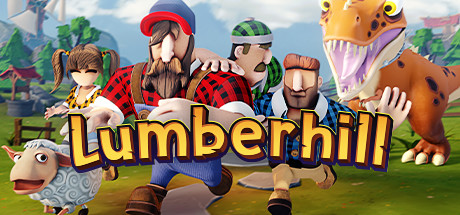
Lumberhill is a chaotic party game where lumberjacks scramble to finish jobs while nature does everything it can to stop them. You race the clock chopping trees, hauling logs, building, and putting out fires, all while the physics turns simple tasks into slapstick disasters. It sits across the Action, Adventure, Casual, Indie and Simulation tags on Steam, but at heart it is a fast, silly, hands-on game about wrangling chaos with friends.
The appeal is the controlled mess. Trees fall the wrong way, sparks become wildfires, and a routine delivery turns into a frantic relay as the timer ticks down. Each task has a clear goal but a deliberately unruly path to get there, which is what makes both successes and spectacular failures funny. It is the kind of game that produces stories — the run where everything went perfectly, and the run where one stray log set the whole forest alight.
Played on a Lumberhill offline account, it shines in local co-op on a single screen, where the comedy and the shouting happen in the same room. It also holds up solo if you want to take on the tasks at your own pace and master the timing. Either way, you get the full chopping, hauling and firefighting chaos in Offline Mode, ready to play the moment the download finishes.
// pros
- About 33% cheaper than Steam — $9.99 instead of ~$14.99
- Instant, automated delivery — login arrives in minutes
- Full game in Steam Offline Mode — solo and local co-op
- Pay in crypto (USDT, BTC, ETH, LTC) — no card needed, no region lock
- Free replacement guarantee if access ever stops
// good to know
- · Local and single-player only — no online multiplayer through this account
- · You play in Steam Offline Mode on a shared account, not on your own Steam profile
Playing Lumberhill offline
Pay with crypto
Checkout in USDT, BTC, ETH or LTC — no card needed.
Get the login
We deliver the account that owns the game, automatically, in minutes.
Play offline
Sign in, switch Steam to Offline Mode with our guide, and enjoy the full game.
Lumberhill — questions
Can you play Lumberhill offline?
Yes. You sign into the shared account, set Steam to Offline Mode, and play Lumberhill solo or in local co-op on one PC with extra controllers. The full single-player and couch experience runs offline.
How much is Lumberhill on bonege?
It's $9.99 as a one-time payment, versus about $14.99 at the regular Steam price — roughly 33% less for a Lumberhill offline account.
How fast is delivery?
Delivery is instant and automated. After your crypto payment clears, the account login is sent to you automatically, usually within minutes.
How do I pay?
Payment is in crypto only — USDT (TRC20), BTC, ETH, or LTC. No card is required and there's no region lock, so it works worldwide.
What's the difference vs a Steam key?
A key is tied to your own account and region and usually costs near full price. This is shared offline access to an account that already owns Lumberhill — cheaper, paid in crypto, and delivered instantly, but played in Offline Mode rather than added to your own profile.
Is it safe?
Yes, when used as intended: sign in, play in Offline Mode, and don't change the email or password. Keep your own purchases on your personal Steam account. If access ever stops, the free replacement guarantee covers you.



