 offline access
Buy Kindergarten 2 Steam Offline Account
A Kindergarten 2 Steam offline account is a ready-made Steam account that already owns the game. You pay $9.99 once instead of the $14.99 full Steam price — a 33% saving. You log in, switch Steam to Offline Mode, and play the full single-player story. Delivery is instant and automated, payment is crypto only, and it works worldwide with no region lock.
Key facts
- Price on bonege
- $9.99 — one-time
- Full Steam price
- ~$14.99 (save ~33%)
- What it is
- Shared Steam account that already owns Kindergarten 2
- How you play
- Steam Offline Mode — full single-player story
- Delivery
- Instant & automated
- Payment
- Crypto — USDT (TRC20), BTC, ETH, LTC
- Region
- Worldwide, no region lock
- Guarantee
- Free replacement if access stops
What you get
- Steam account that already owns the game
- Step-by-step offline-mode guide
- Instant automated delivery after payment
- Replacement guarantee if access stops
Buy Kindergarten 2 cheap — offline account
What you get
You get login details for a Steam account that already owns Kindergarten 2. The game is sitting in the library, fully installed and ready, so there is no key to redeem and no waiting for a region to unlock. After payment clears you receive the credentials automatically, sign in to Steam, set the client to Offline Mode, and start the second day at the strangest school in town. The price is a flat $9.99 — a one-time payment, not a subscription or a rental that expires next month.
This is a shared offline account, not a Steam key and not a gift. The difference matters: a key activates on your own account and ties the game to you, while this account is already activated and shared with you for offline play. You skip the redemption step entirely. For a short, story-driven indie title like Kindergarten 2, that distinction is exactly why a cheap Kindergarten 2 Steam account makes sense — you are paying for access to the campaign, not for ownership transfer.
Because the full Steam price is $14.99 and bonege charges $9.99, you save roughly 33% on the same content. Every chapter, every classmate, and every grisly little secret of the school is included. Nothing is stripped out, locked behind extra purchases here, or trimmed down. What you download is the complete Kindergarten 2 experience as it ships on Steam, accessed through an offline account instead of a separate license on your own profile.
How a Kindergarten 2 offline account works
The flow is short. You buy, you receive the Kindergarten 2 offline account credentials by automated delivery, and you log in to the Steam desktop client with them. Steam may ask for a Guard confirmation on first sign-in; once you are in, open the Steam menu and choose Go Offline. From that point the client no longer needs a live connection to the account, and you can launch Kindergarten 2 straight from the library and play the full single-player story whenever you want.
Offline Mode exists in Steam for exactly this kind of use. Kindergarten 2 is a single-player puzzle-adventure, so nothing about it depends on being online — there is no multiplayer lobby, no live service, no daily check-in. You explore the school, talk to the kids, solve the day's grim mysteries, and chase the different endings entirely on your machine. Once the game is installed and the client is set to offline, you can keep playing through the campaign without staying connected.
A few honest notes on behaviour. You are playing on a shared account, so you do not change its password, email, or other security settings, and you keep the client in Offline Mode rather than using it as your personal profile. Cloud saves and Steam achievements are not the point of an offline account — the point is getting the full Kindergarten 2 story for $9.99. If access ever stops working, you do not troubleshoot alone: the free replacement guarantee covers you.
Cheaper than a Steam key
On Steam, Kindergarten 2 sells for about $14.99 outside of sales. A standalone Steam key from a marketplace usually tracks that same retail price, and you still have to redeem it and wait. The bonege offline account is a flat $9.99 — roughly 33% less — and it skips redemption entirely because the game is already owned on the account. For a player who just wants to finish the campaign, that is the cheapest practical route to Kindergarten 2.
Payment is the other big difference. A key purchase typically routes through a card processor with its own checks, declines, and regional pricing quirks. bonege takes crypto only — USDT (TRC20), BTC, ETH, or LTC — so there is no card on file, no billing region to match, and no bank sitting in the middle. You send the payment, the system confirms it, and the Kindergarten 2 account lands in your inbox. No region lock applies, so the same $9.99 holds no matter if you are buying from the US, UK, Canada, Australia, or the EU.
Add up the parts and the value is straightforward: the cheapest Kindergarten 2 Steam price we list, instant automated delivery instead of a manual key hand-off, crypto checkout with no card, and a replacement guarantee behind it. You are trading the formal license on your own profile for a faster, cheaper, offline route to the same game — a reasonable swap for a short indie title you mostly want to play once and see all the endings of.
Is it safe?
Let's be plain about what this is: a shared offline Steam account, not an official sale, not a gift, and not a license registered to your own profile. We do not pretend otherwise. You play Kindergarten 2 in Steam's Offline Mode on an account we provide, and that arrangement is exactly what the flat $9.99 buys. Going in with that understanding is the most important part of using one of these accounts well.
To keep things smooth, follow two simple rules. First, stay in Offline Mode while you play — that is how the account is meant to be used and it keeps the experience stable. Second, do not alter the account's credentials or security settings; treat it as borrowed access for the campaign, not a profile to make your own. Stick to those and the great majority of buyers play through Kindergarten 2 start to finish without any trouble at all.
If access does stop for any reason, the free replacement guarantee is the safety net. Reach out and we sort out a working account so you can get back to the game — you are not left stranded after paying. Combined with instant automated delivery, that means the worst case is a short wait for a replacement, not a lost $9.99. For a low-cost, single-player indie game, that is a fair and honest deal.
About Kindergarten 2
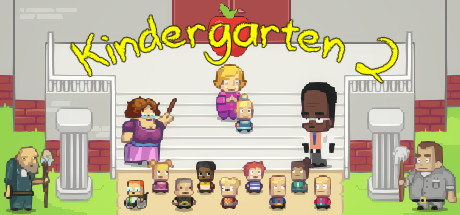
Kindergarten 2 picks up the day after the first game, dropping you into a brand-new school on a Tuesday with fresh faces and even darker ways to get into trouble. It is a single-player puzzle-adventure with a wickedly dark sense of humour: behind the crayon-bright art and cheerful classroom is a tangle of murder, conspiracy, and very questionable adults. Your job is to figure out how the day's events fit together and steer toward the ending you want.
The loop is built around repeating the school day. Each run lets you learn a little more, unlock new options, and use what you discovered to push a storyline further the next time around. The new school adds new characters to befriend or betray, new puzzles that branch in nasty directions, and multiple distinct mission paths to untangle. Tagged on Steam as an Adventure and Indie title, it rewards curiosity, experimentation, and a willingness to watch things go horribly wrong before they go right.
It is a comparatively short, replay-driven game rather than a sprawling epic, which is part of why an offline account at $9.99 suits it so well — you get the full story and all the routes for less than the standard $14.99. If you enjoyed the original Kindergarten or you like point-and-click style adventures with pitch-black comedy and branching outcomes, the sequel expands the formula with a bigger cast and meaner secrets to dig up across its many endings.
// pros
- Save ~33% — $9.99 instead of the ~$14.99 full Steam price
- Instant, automated delivery after payment clears
- Full single-player campaign and all endings, played in Offline Mode
- Crypto payment (USDT, BTC, ETH, LTC) — no card, no region lock
- Free replacement guarantee if access ever stops
// good to know
- · Single-player / offline only — no online features or multiplayer
- · You play in Steam Offline Mode on a shared account, not on your own profile
Playing Kindergarten 2 offline
Pay with crypto
Checkout in USDT, BTC, ETH or LTC — no card needed.
Get the login
We deliver the account that owns the game, automatically, in minutes.
Play offline
Sign in, switch Steam to Offline Mode with our guide, and enjoy the full game.
Kindergarten 2 — questions
Can you play Kindergarten 2 offline?
Yes. You log in to Steam with the account we provide, switch the client to Offline Mode, and play the full single-player story. Kindergarten 2 has no multiplayer, so nothing needs a live connection once it is installed.
How much is Kindergarten 2 on bonege?
It's a flat $9.99 one-time, versus roughly $14.99 at full Steam price — about a 33% saving on the same game.
How fast is delivery?
Instant and automated. As soon as your crypto payment is confirmed, the Kindergarten 2 offline account credentials are delivered to you so you can log in and play right away.
How do I pay?
Crypto only — USDT (TRC20), BTC, ETH, or LTC. There's no card payment and no region lock, so the $9.99 price is the same worldwide.
What's the difference vs a Steam key?
A key activates Kindergarten 2 on your own account and ties the license to you. This is a shared account that already owns the game — you skip redemption and play in Offline Mode for less.
Is it safe?
It's a shared offline account, and we say so plainly. Stay in Offline Mode and don't change the account's settings. If access ever stops, the free replacement guarantee covers you.



