 offline access
Buy Internet Cafe Simulator Steam Offline Account
This is a ready-to-use Internet Cafe Simulator Steam offline account that already owns the game. You log in, switch Steam to Offline Mode, and play the full single-player career. The price is $9.99 one-time. Delivery is instant and automated, you pay with crypto (USDT, BTC, ETH, LTC), and there is no region lock anywhere in the world.
Key facts
- Price on bonege
- $9.99 — one-time
- What it is
- Steam offline account that owns Internet Cafe Simulator
- How you play
- Steam Offline Mode — full single-player career
- Delivery
- Instant & automated
- Payment
- Crypto — USDT (TRC20), BTC, ETH, LTC
- Region
- Worldwide, no region lock
- Guarantee
- Free replacement if access stops
What you get
- Steam account that already owns the game
- Step-by-step offline-mode guide
- Instant automated delivery after payment
- Replacement guarantee if access stops
Buy Internet Cafe Simulator cheap — offline account
What you get
You get login access to a Steam account that already owns Internet Cafe Simulator. The moment your payment confirms, our system sends the credentials automatically, so there is no waiting and no manual back-and-forth. Once you have the details, you sign in to Steam, set the client to Offline Mode, and the game runs from your own PC like any other installed title. This is an offline account, not a Steam key, not a gift, and not a subscription. Nothing needs to be activated or redeemed on your personal Steam profile.
Everything that ships with the base game is included: the full internet cafe management career, the shop and PC upgrade systems, the staff and customer mechanics, and the day-to-day business decisions that the game is built around. Because the account already holds a real Steam license, you are not borrowing a trial or a limited demo. You launch Internet Cafe Simulator directly through Steam and play the single-player content from start to finish at your own pace.
The $9.99 price is a flat one-time charge. There is no monthly fee, no card on file, and nothing that renews later. You pay once with crypto, receive the account, and that access is yours to use offline. If the account ever stops working for you, our free replacement guarantee covers it, so you are not left stuck after the sale.
How an Internet Cafe Simulator offline account works
The flow is simple. After checkout you receive the account login automatically. You enter those credentials into the Steam desktop client, let Steam recognise the account, then open the Steam menu and choose Go Offline. From that point Steam stops talking to its servers for that session and runs your installed games locally. Internet Cafe Simulator is a single-player business sim, so Offline Mode is exactly the environment it is designed to run in. You build and grow your cafe without needing a live connection.
Offline Mode also keeps things tidy for a shared account. Because several customers may use the same library over time, playing offline means you are not competing for an online session and you are not changing the account's online state. You download Internet Cafe Simulator once, switch to offline, and play. Your save progress for the career stays on your machine, so you can keep expanding your cafe, hiring staff, and upgrading rigs across as many sessions as you like.
A quick note so expectations are clear: this is meant for offline single-player use. You should keep Steam in Offline Mode for this account rather than treating it as your personal always-online profile. That is the normal way a shared offline account is used, and it is the reason the price stays low and the delivery stays instant.
Why buy the offline account
The main reason people choose this over other options is convenience combined with payment freedom. Delivery is fully automated, so you can buy at any hour and get the Internet Cafe Simulator account in minutes rather than waiting on support. Payment is crypto only, which means no card details, no bank checks, and no chargeback paperwork. If you prefer paying with USDT, BTC, ETH, or LTC, the whole purchase fits how you already move money online.
There is also no region lock. A lot of storefronts and key sellers restrict where you can buy or activate, but a worldwide offline account sidesteps that entirely. no matter if you are in the US, UK, Canada, Australia, or anywhere in the EU, you receive the same account and the same $9.99 flat price. You are not gambling on a regional key that might refuse to activate on your store version, because nothing is being activated against your own profile in the first place.
Finally, the offline account is a ready-made product. You are not building anything, configuring anything, or hunting for a working code. The account already owns the game, the library entry is already there, and your job is just to log in and play. For a relaxed management sim like Internet Cafe Simulator, that low-friction setup matches the casual, build-at-your-own-pace nature of the game itself.
Is it safe?
We are upfront about what this is: a shared Steam offline account, used in Offline Mode for single-player play. We do not claim it is an official store purchase tied to your personal profile, and we do not promise online multiplayer on it. Being honest about the model is part of how we keep things working long term, both for you and for us. You know exactly what you are paying $9.99 for before you buy.
To use the Internet Cafe Simulator account safely, the practical advice is straightforward: log in, set Steam to Offline Mode, and keep the account in that state for your sessions. Avoid changing the account email or password, since those credentials are shared, and treat the account as a play-only library rather than a profile to customise. Following that pattern keeps your access stable and avoids disruption.
Every sale is backed by our free replacement guarantee. If access to the account stops at any point, contact us and we will replace it. That safety net is the whole point of buying from a store instead of a random listing. You are not left with a dead account and no recourse, which is the risk that makes cheap one-off offers elsewhere a gamble.
About Internet Cafe Simulator
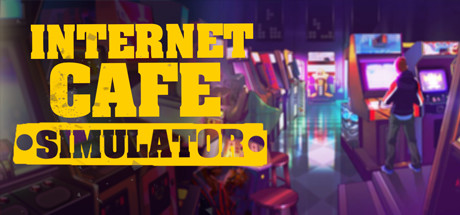
Internet Cafe Simulator puts you in charge of opening and running your own internet cafe and turning it into the best in town. It is a business simulation game with adventure and indie roots, so the focus is on hands-on management rather than reflex-heavy action. You start small and gradually grow the operation through smart spending, layout planning, and keeping your customers happy enough to keep coming back.
Day to day, you handle the things a real cafe owner would: buying and upgrading PCs, stocking the shop, setting prices, hiring staff, and reacting to the situations that pop up as your reputation grows. The loop of earning money, reinvesting it into better hardware, and watching your cafe fill up gives the game its steady sense of progress. There are quieter management moments alongside more colourful events that keep the routine from going flat.
Because it leans on a calm, accumulate-and-upgrade rhythm, Internet Cafe Simulator works well as a single-player title you dip into across many sessions, which is exactly what an offline account is suited for. You can take your time building the cafe, experiment with how you run the business, and chase that goal of owning the best internet café around without any online requirement getting in the way.
// pros
- Flat $9.99 one-time price with no subscription or renewal
- Instant, automated delivery right after payment
- Play the full single-player cafe career in Steam Offline Mode
- Crypto payment — no card needed (USDT, BTC, ETH, LTC)
- Worldwide access with no region lock and a free replacement guarantee
// good to know
- · Single-player / offline only — no online multiplayer on this account
- · You play in Steam Offline Mode on a shared account, not your own personal profile
Playing Internet Cafe Simulator offline
Pay with crypto
Checkout in USDT, BTC, ETH or LTC — no card needed.
Get the login
We deliver the account that owns the game, automatically, in minutes.
Play offline
Sign in, switch Steam to Offline Mode with our guide, and enjoy the full game.
Internet Cafe Simulator — questions
Can you play Internet Cafe Simulator offline?
Yes. You log in to the account, switch Steam to Offline Mode, and play the full single-player cafe management career locally on your PC. No live connection is needed.
How much is Internet Cafe Simulator on bonege?
It is a flat $9.99 one-time charge for the offline account. There is no monthly fee and nothing renews later.
How fast is delivery?
Delivery is instant and automated. As soon as your crypto payment confirms, the account login is sent to you, usually within minutes.
How do I pay?
Payment is crypto only — USDT (TRC20), BTC, ETH, or LTC. No cards and no bank details are required.
What's the difference vs a Steam key?
A key is activated on your own Steam account. This is a shared offline account that already owns the game — you log in and play in Offline Mode, with no key to redeem on your profile.
Is it safe?
It is a shared offline account, used in Offline Mode for single-player play. Keep it in Offline Mode and don't change the credentials. Every purchase includes a free replacement guarantee if access stops.



