 offline access
Buy Gaming Cafe Simulator Steam Offline Account
This is a shared Steam offline account that already owns Gaming Cafe Simulator. You pay $9.99 once instead of the full $13.99 Steam price — a 29% saving. After purchase you log in, switch Steam to Offline Mode, and play the full single-player game. Delivery is instant and automated, payment is crypto, and it works worldwide with no region lock.
Key facts
- Price on bonege
- $9.99 — one-time
- Full Steam price
- ~$13.99 (save ~29%)
- What it is
- Shared Steam offline account that owns Gaming Cafe Simulator
- How you play
- Steam Offline Mode — full single-player management sim
- Delivery
- Instant & automated
- Payment
- Crypto — USDT (TRC20), BTC, ETH, LTC
- Region
- Worldwide, no region lock
- Guarantee
- Free replacement if access stops
What you get
- Steam account that already owns the game
- Step-by-step offline-mode guide
- Instant automated delivery after payment
- Replacement guarantee if access stops
Buy Gaming Cafe Simulator cheap — offline account
What you get
You get login access to a shared Steam account that already owns Gaming Cafe Simulator. You don't buy a key, a gift link, or a subscription — you receive the credentials for an account where the game is already in the library and ready to launch. After your crypto payment clears, the details are sent to you automatically, so there's nothing to redeem, activate, or wait for. You sign in, set Steam to Offline Mode, and the game appears in your library exactly as it would on any normal account.
The price is $9.99, a flat one-time payment. The full Steam price for Gaming Cafe Simulator is around $13.99, so you save roughly 29% on the same game. There are no monthly fees, no upsells, and no hidden charges — what you pay is what you get. The account stays available for your single-player playthrough, and if access ever stops working we replace it free of charge. This is the cheapest way to get into the game without paying the full Steam tag for content you'll mostly play solo anyway.
What you're paying for is convenience and price: a ready-made account, instant handover, and the full base game unlocked. You can build your café, manage rentals, sell merch, and expand the business across the entire campaign without any of the game being locked behind a paywall or trial. Everything that ships in the standard edition is on the account when you receive it.
How a Gaming Cafe Simulator offline account works
The setup is simple. You install the Steam client (if you don't already have it), log in with the credentials we send you, and let the small download finish. Once Gaming Cafe Simulator is installed, you switch Steam to Offline Mode from the top-left Steam menu. From that point on the game runs locally on your PC — you can play your café-management save again and again without staying connected to Steam's servers or worrying about who else is using the account.
Offline Mode exists specifically so that single-player games keep running without a live connection, and Gaming Cafe Simulator is built around solo play. That makes it a clean fit for this kind of shared offline account: the whole experience of reviving a closed-down café, buying PCs and consoles, hiring staff, and growing your gaming hub happens on your machine, in your own session. Your progress is saved locally, so you can quit and come back whenever you like and pick up where you left off.
One thing to be clear about: this is the gaming cafe simulator offline account, not your personal Steam account. You play in Offline Mode rather than adding the game to a profile you own. For a single-player sim like this that distinction rarely matters in practice — you still get the complete game, full progression, and unlimited replays of your café build. You just keep Steam in Offline Mode while you play and treat the account as a dedicated game library for this title.
Cheaper than a Steam key
A Steam key for Gaming Cafe Simulator gets added to your own account and ties the game to it permanently, but you pay full price — around $13.99 — and you usually pay by card, which means region checks and sometimes regional pricing that works against you. A shared offline account from bonege costs $9.99 flat, paid in crypto, with no region lock at all. For a game you're going to play on your own, the offline account does the same job for less.
The trade-off is straightforward. A key lives on your profile forever and can use online features; an offline account is cheaper, instant, and crypto-friendly but is meant for offline single-player use. If you mainly want to sit down and run your café — designing the layout, balancing the books, upgrading hardware — the offline route saves you about 29% and skips the card-payment hassle entirely. For Gaming Cafe Simulator specifically, which has no real reason to be online, that's an easy call.
It's also worth saying what this isn't: it isn't a pirated copy, a cracked build, or a sketchy generator. It's a real Steam account that legitimately owns the game, shared for offline play. You get the genuine game files straight from Steam, full update access while the account is active, and the same gameplay anyone with a key would get — just at the cheaper offline-account price.
Is it safe?
We don't make legal or 'official partner' claims — this is honestly described as a shared offline account, and we keep it that way. What we do promise is that the account works on delivery and that you get a free replacement if access ever stops. Because you play in Offline Mode, your session runs locally without constant logins, which keeps the experience stable for a single-player title like Gaming Cafe Simulator. You don't put your own payment details or personal Steam profile at risk, because you're using the account we provide, not linking anything to your own.
Payment is in crypto only — USDT (TRC20), BTC, ETH, or LTC — so there's no card data to leak and no chargeback exposure on your side. The handover is automated, meaning you're not waiting on a human or sharing details over chat. If anything goes wrong with access during normal offline use, contact us and we'll sort out a replacement. The model is designed to be low-risk for a single-player playthrough: you buy, you download, you play offline, and we stand behind the access.
About Gaming Cafe Simulator
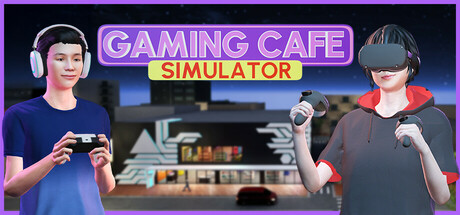
Gaming Cafe Simulator puts you in charge of reviving a shut-down gaming café and turning it into a thriving hub. You start with an empty, run-down space and gradually bring it back to life — cleaning it up, installing gaming PCs and consoles, and renting out stations to customers who come in to play. The core loop is part business management, part hands-on setup: you decide what hardware to buy, how to arrange the floor, and how to price your rentals to keep both customers and your bank balance happy.
Beyond the rentals, the simulation lets you broaden the business. You can sell gaming merch, add an in-house café for snacks and drinks, and expand your venue as profits grow, layering new revenue streams on top of the basic PC-rental model. It's a relaxed but steadily deepening management sim — the kind of game where you keep tweaking and upgrading because there's always one more improvement that could pull in more customers. The Simulation genre fans who enjoy building something from nothing will recognise the satisfying progression here.
Because everything in the game is single-player and offline-friendly, it's an ideal candidate for an offline account. You get the full management experience — the café revival, the upgrades, the expansion — all running in Steam Offline Mode on your own PC. Whether you want a few hours of casual building or a long-term project to grow into the ultimate gaming hub, the complete game is on the account from the moment you receive it.
// pros
- Save about 29% — $9.99 instead of the full ~$13.99 Steam price
- Instant, automated delivery — credentials sent right after payment
- Full single-player campaign playable in Steam Offline Mode
- Pay with crypto (USDT, BTC, ETH, LTC) — no card, no region lock
- Free replacement if access ever stops working
// good to know
- · Single-player / offline only — not for online or multiplayer features
- · You play in Steam Offline Mode on a shared account, not your own profile
Playing Gaming Cafe Simulator offline
Pay with crypto
Checkout in USDT, BTC, ETH or LTC — no card needed.
Get the login
We deliver the account that owns the game, automatically, in minutes.
Play offline
Sign in, switch Steam to Offline Mode with our guide, and enjoy the full game.
Gaming Cafe Simulator — questions
Can you play Gaming Cafe Simulator offline?
Yes. After logging into the shared account and installing the game, you switch Steam to Offline Mode and play the full single-player management sim locally on your PC.
How much is Gaming Cafe Simulator on bonege?
It's $9.99 as a one-time payment, versus the full Steam price of about $13.99 — a saving of roughly 29%.
How fast is delivery?
Instant and automated. Once your crypto payment is confirmed, the account credentials are sent to you right away — there's nothing to redeem or wait for.
How do I pay?
With crypto only — USDT (TRC20), BTC, ETH, or LTC. No cards are needed and there's no region lock.
What's the difference vs a Steam key?
A key adds the game to your own profile at full price; this is a cheaper shared account you log into and play in Offline Mode. Same game, lower cost, crypto payment.
Is it safe?
It's an honestly described shared offline account. You play in Offline Mode without risking your own profile or card data, and we provide a free replacement if access stops.



