 offline access
Buy Fruit Ninja VR Steam Offline Account
This is a Fruit Ninja VR Steam offline account — a shared account that already owns the game, yours for $9.99 instead of the regular $14.99 (save 33%). You log in, switch Steam to Offline Mode, put on your headset and slice fruit in single-player VR. Delivery is instant and automated, payment is crypto only (USDT, BTC, ETH, LTC), and it works worldwide with no region lock and a free replacement guarantee.
Key facts
- Price on bonege
- $9.99 — one-time
- Full Steam price
- ~$14.99 (save ~33%)
- What it is
- Shared Steam offline account that already owns Fruit Ninja VR
- How you play
- Steam Offline Mode — single-player VR in your headset
- Delivery
- Instant & automated
- Payment
- Crypto — USDT (TRC20), BTC, ETH, LTC
- Region
- Worldwide, no region lock
- Guarantee
- Free replacement if access stops
What you get
- Steam account that already owns the game
- Step-by-step offline-mode guide
- Instant automated delivery after payment
- Replacement guarantee if access stops
Buy Fruit Ninja VR cheap — offline account
What you get
You get login access to a Steam account that already owns Fruit Ninja VR, delivered for a flat $9.99. This is not a key you redeem, not a subscription, and not a gift transfer. The game is already installed in the account's library, so once you sign in there is nothing to activate or wait on — you point Steam at the title, let it download, set the headset up and start slicing. The whole point of this format is speed and a low fixed price: $9.99 instead of the $14.99 Steam asks, which works out to roughly 33% off the standard cost.
Fruit Ninja VR is a virtual reality version of the arcade fruit-slicing game, so what you are buying access to is the full single-player VR experience: Classic, Zen and Arcade-style slicing with both hands, bombs to avoid, combos to chain and pomegranates to shatter, all rebuilt for room-scale and seated headset play. Because everything in Fruit Ninja VR runs locally, the entire game is fully playable in Offline Mode. You do not lose any content by playing this way — there is no online campaign to miss, just the same fruit, blades and high-score chasing you would get buying it at full price.
Your purchase also includes our standard support: clear login instructions delivered with the account, and a free replacement if access to that account ever stops working. You are paying once, with crypto, for ready-to-play access — no card on file, no recurring charge, no regional restriction on where you can use it.
How a Fruit Ninja VR offline account works
The mechanism is simple. After checkout you receive the credentials for a shared Steam account that owns Fruit Ninja VR. You add those credentials to the Steam client on your PC, sign in, and then switch Steam into Offline Mode from the Steam menu. Offline Mode tells the client to run installed games without staying connected to Steam's online services, which is exactly what a single-player VR title like this needs. With your SteamVR headset connected — Oculus/Meta, Valve Index, HTC Vive or any SteamVR-compatible device — you launch the game and play.
Switching to Offline Mode is the recommended way to use a fruit ninja vr offline account, and it is built into Steam itself: you sign in once while online so Steam caches the session, then choose Steam menu and Go Offline. From then on the game launches without needing to phone home, and because it is a shared account you simply play the single-player content rather than treating it as your personal profile. This is what people mean when they search for fruit ninja vr offline mode or a fruit ninja vr shared account — one ready account, one game, played offline.
If you ever reinstall or move to another PC, the same login works again. The account is the product, so keep the credentials we send you. Should anything stop working on the access side, the replacement guarantee covers you — message support and you get a working account back.
Cheaper than a Steam key
A Steam key or a full-price store purchase for Fruit Ninja VR costs around $14.99. Through bonege the offline account is a flat $9.99, so you pay roughly a third less for the same game, played in the same headset, with the same fruit-slicing modes. That is the core appeal for anyone searching for a cheap fruit ninja vr steam option or the fruit ninja vr cheapest price: you keep the gameplay and drop the cost.
The trade-off is straightforward and worth stating plainly. With a key you own a copy on your own Steam profile and can play online features tied to your identity; with an offline account you are accessing a shared, pre-owned copy and playing the single-player VR content in Offline Mode. For a game like Fruit Ninja VR that has no meaningful online campaign — it is about your own high scores and slicing technique — that distinction costs you nothing in actual play. You slice the same fruit, chase the same combos, and pay less doing it.
If your goal is simply to play Fruit Ninja VR in your headset without paying full retail, the offline account is the most direct route. You skip the wait, skip the card, and pay $9.99 in crypto for instant access to a copy that is already set up and ready to go.
Is it safe?
Let's be honest about what this is: a shared offline account, not your personal Steam profile and not an official resale of a key. We don't claim otherwise. What we do guarantee is that the account works on delivery and that you get a free replacement if access ever stops. That replacement promise is the practical safety net — if a login goes bad, you are not left with nothing.
To keep things smooth, play the way the format is designed for: sign in, switch to Offline Mode, and use the account for Fruit Ninja VR's single-player VR content. Don't change the account's password, email or other settings, since it is shared and altering it breaks access for everyone and voids the replacement. Treat it as borrowed access to a game rather than an account you own outright, and the experience stays clean. Payment is crypto, so there is no card data exposed on your side, and nothing recurring — you pay once and that is it.
There is no region lock, so it does not matter no matter if you are in the US, UK, Canada, Australia or the EU. The account behaves the same worldwide, and the only thing you need locally is a SteamVR-compatible headset and the Steam client.
About Fruit Ninja VR
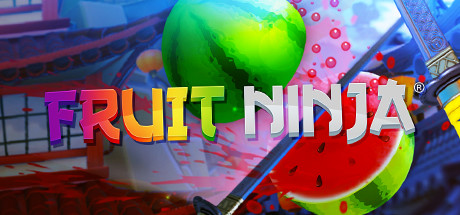
Fruit Ninja VR brings the classic fruit-slicing arcade game into virtual reality. Instead of swiping a touchscreen, you hold a blade in each hand and physically slash watermelons, pineapples, bananas and other fruit out of the air as they fly up in front of you. The bombs are still there too — clip one and your run ends, so the tension between slicing fast and slicing carefully carries straight over from the original into a full-body VR setting.
The headset version turns the game into something more active and physical than the mobile original ever was. Reaching across your play space to catch a stray pomegranate, chaining big multi-fruit combos with both hands, and ducking the bombs makes it a natural fit for casual VR sessions and a fun way to show the headset off to friends. It carries the Action, Casual, Simulation and Sports tags on Steam, which sums it up well: easy to pick up, lightly athletic, and built around beating your own scores rather than long campaigns.
Because it is built for room-scale and seated VR alike, Fruit Ninja VR works on most SteamVR setups and runs entirely on your machine — which is precisely why it suits an offline account so well. Everything you need to enjoy it lives locally, so you get the complete game in Offline Mode, slicing fruit in your own space for a flat $9.99.
// pros
- $9.99 instead of $14.99 — save about 33%
- Instant, automated delivery after payment
- Full single-player VR game playable in Offline Mode
- Pay with crypto — no card, no region lock
- Free replacement guarantee if access stops
// good to know
- · Single-player / offline VR only — no online features
- · You play in Steam Offline Mode on a shared account, not your own profile
Playing Fruit Ninja VR offline
Pay with crypto
Checkout in USDT, BTC, ETH or LTC — no card needed.
Get the login
We deliver the account that owns the game, automatically, in minutes.
Play offline
Sign in, switch Steam to Offline Mode with our guide, and enjoy the full game.
Fruit Ninja VR — questions
Can you play Fruit Ninja VR offline?
Yes. Fruit Ninja VR runs locally, so after you sign in you switch Steam to Offline Mode and play the full single-player VR game in your headset with no online connection needed.
How much is Fruit Ninja VR on bonege?
It's a flat $9.99 as a Steam offline account, versus the regular Steam price of about $14.99 — roughly 33% off.
How fast is delivery?
Instant and automated. As soon as your crypto payment confirms, the account login details are delivered so you can sign in and start playing right away.
How do I pay?
Crypto only — USDT (TRC20), BTC, ETH or LTC. There's no card payment and no region lock, so it works worldwide.
What's the difference vs a Steam key?
A key adds the game to your own profile; this is a shared, pre-owned account you play in Offline Mode. For a single-player VR game like Fruit Ninja VR it plays the same and costs less — $9.99 vs ~$14.99.
Is it safe?
It's an offline shared account, delivered working and backed by a free replacement if access ever stops. Use Offline Mode, don't change the account settings, and pay in crypto with no card exposed.



