 offline access
Buy Flora's Fruit Farm Steam Offline Account
This is a Flora's Fruit Farm Steam offline account for a flat $3.99. You sign in, switch Steam to Offline Mode, and play the full casual farming game on your own PC. Delivery is instant and automated, you pay with crypto, and there's no region lock. If access ever stops, you get a free replacement.
Key facts
- Price on bonege
- $3.99 — one-time
- What it is
- A shared Steam account that already owns Flora's Fruit Farm
- How you play
- Steam Offline Mode — single-player, on your own PC
- Delivery
- Instant & automated
- Payment
- Crypto — USDT (TRC20), BTC, ETH, LTC
- Region
- Worldwide, no region lock
- Guarantee
- Free replacement if access stops
What you get
- Steam account that already owns the game
- Step-by-step offline-mode guide
- Instant automated delivery after payment
- Replacement guarantee if access stops
Buy Flora's Fruit Farm cheap — offline account
What you get
You get login access to a Steam account that already owns Flora's Fruit Farm. The moment your $3.99 crypto payment is confirmed, our system sends you the account credentials automatically. There's no waiting for a human, no email back-and-forth, and no activation code to type into your own library. You log in, Steam recognizes that the title is owned, and the game is ready to download and run. This is the casual fruit-farming sim by Daydream Software, and the account gives you the complete experience exactly as it appears on the store page.
To be clear about what this is and isn't: this is a shared offline account, not a Steam key, not a gift, and not a subscription. You are not adding the game to your personal Steam profile. Instead, you play from the account we provide, with Steam set to Offline Mode. That distinction matters because Flora's Fruit Farm is a single-player game with no online component, so an offline account covers the full game from the first orchard to the last harvest. Nothing about the gameplay is cut down or limited by the offline setup.
Everything you need arrives in one delivery: the account login, a short set of instructions for switching Steam into Offline Mode, and our support contact in case anything goes sideways. You don't need a credit card, you don't need to be in a specific country, and you don't need to share any personal details beyond a crypto payment. The whole point is to get you into Clementine Valley quickly and cheaply, with as few steps between paying and planting as possible.
How a Flora's Fruit Farm offline account works
The flow is simple. After payment, you install the Steam client if you don't already have it, then log in with the credentials we send you. The first time, Steam needs to be online so it can verify ownership and let you download Flora's Fruit Farm. Once the game files are on your machine, you open the Steam menu and select 'Go Offline'. From that point on, Steam runs in Offline Mode and you can launch the game whenever you like without staying connected to the account in real time.
Offline Mode is a built-in Steam feature, not a workaround. It exists precisely so people can play their single-player library without an active internet session. For a game like Flora's Fruit Farm, that's a perfect fit: you're tending fruit trees, managing harvests, and working through the story of reviving the valley, none of which touches a server. Your progress and save files live on your own PC, so your farm grows on your hardware regardless of what the account is doing elsewhere.
Because this is a shared offline account, the one habit to keep is staying in Offline Mode while you play. That keeps your session clean and avoids interrupting other people who use the same account for their own offline copies. It takes one click in the Steam menu and you only set it once. If you ever need to update the game or reinstall, you briefly go back online, do the download, then flip back to Offline Mode and carry on. Our instructions walk you through each of these steps in plain language.
Why buy it here
Flora's Fruit Farm is already an inexpensive title, so the value here isn't a discount — it's how you buy and how fast you get it. The flat $3.99 is a one-time payment, and there's no hunting for a regional store, no account region mismatch, and no card required. You pay in crypto, the system delivers automatically, and you're in the game minutes later. For a quick, low-commitment casual game, that frictionless path is the appeal.
Crypto payment is a genuine advantage for a lot of buyers. Some people don't have a card that works on Steam's storefront, some are in regions where pricing or access is awkward, and some simply prefer paying with USDT, BTC, ETH, or LTC. None of that requires you to share banking details or pass a card check. The transaction is fast, the confirmation triggers delivery on its own, and your access to Flora's Fruit Farm doesn't depend on which country you happen to be sitting in.
On top of that, you're not buying blind. The account is backed by a free replacement guarantee, so if access stops working we sort you out rather than leaving you with a dead login. That safety net matters for a shared offline account, because it means the small price you pay still comes with real support behind it. You get a ready-to-play account, instant handover, and a clear way to reach us — which is more than you'd get from most cheap, no-name listings.
Is it safe?
We'll be straight with you about what this is, because honesty is the only way this works long term. This is a shared offline Steam account, not an official key or a copy tied to your personal profile. You play in Steam's Offline Mode, which is a normal feature of the client, and you keep your gameplay local. There's no claim of being 'official' or part of any Steam program — it's a practical, cheaper way to play a single-player game like Flora's Fruit Farm.
The single most important thing you can do is stay in Offline Mode while playing. That keeps your session from clashing with anyone else who uses the account for their own offline copy, and it keeps everything stable on your end. We don't ask you to change the account's password, email, or security settings — doing so would break it for others and void your access. Just log in, download once, switch to Offline Mode, and enjoy the game. It really is that low-maintenance.
If anything ever goes wrong — a login that won't take, an access issue, a download that won't start — you contact us and we provide a free replacement. Because Flora's Fruit Farm is a calm, offline, single-player experience, there's very little that can interfere with your actual playtime once the game is installed. You're not relying on matchmaking, servers, or live features, so once your farm is set up on your PC, it stays there and stays playable.
About Flora's Fruit Farm
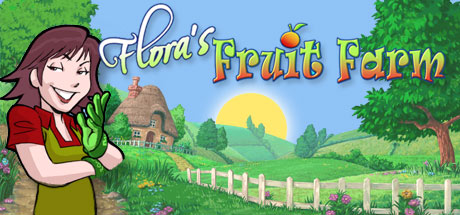
Flora's Fruit Farm takes you to Clementine Valley, a place that was once famous across the world for its incredible fruit trees, all carefully looked after by a man named Old Jim. Over time, Jim lost his grip on the orchards and the valley's reputation faded, leaving the once-celebrated groves in need of someone willing to bring them back to life. That's where you come in, stepping into a hands-on farming role to restore the valley to its former glory.
As a casual sim, the game keeps things approachable. You plant and tend fruit trees, watch them grow, and work through the seasons of harvesting and selling what you produce. The loop is gentle and rewarding rather than punishing, which is exactly what the casual genre tag promises. It's the kind of game you can pick up for short sessions, make steady progress, and put down without stress — a comfortable, low-pressure way to spend time on a quiet evening.
Because it's built entirely around single-player progression, Flora's Fruit Farm is an ideal match for an offline account. There's no multiplayer to miss out on and no online features to lose by playing in Offline Mode. You get the whole story of reviving Clementine Valley, the full farming systems, and all the satisfaction of turning a neglected orchard back into a thriving fruit farm — all from the account we hand you, all on your own PC, for a flat $3.99.
// pros
- Flat $3.99 one-time price — no card needed
- Instant, automated delivery after crypto payment
- Full single-player game playable in Steam Offline Mode
- Worldwide access with no region lock
- Free replacement guarantee if access stops
// good to know
- · Single-player / offline only — no online multiplayer
- · You play in Steam Offline Mode on a shared account, not your own personal account
Playing Flora's Fruit Farm offline
Pay with crypto
Checkout in USDT, BTC, ETH or LTC — no card needed.
Get the login
We deliver the account that owns the game, automatically, in minutes.
Play offline
Sign in, switch Steam to Offline Mode with our guide, and enjoy the full game.
Flora's Fruit Farm — questions
Can you play Flora's Fruit Farm offline?
Yes. You log in once to download the game, then switch Steam to Offline Mode and play the full single-player game on your own PC. It has no online features, so Offline Mode covers everything.
How much is Flora's Fruit Farm on bonege?
It's a flat $3.99, paid once. That gets you a ready-to-play Steam offline account that already owns the game, delivered instantly.
How fast is delivery?
Instant. Delivery is fully automated — as soon as your crypto payment is confirmed, the account login is sent to you, so you can be playing within minutes.
How do I pay?
With crypto only — USDT (TRC20), BTC, ETH, or LTC. No credit card is required and there's no region restriction on the purchase.
What's the difference vs a Steam key?
A key activates on your own account; this is a shared offline account that already owns the game. You play from the account we provide in Steam Offline Mode rather than adding the game to your personal profile.
Is it safe?
It's a shared offline account, and we say so plainly. Stay in Offline Mode while playing and don't change the account settings. If access ever stops, you get a free replacement.



