 offline access
Buy Family Feud III: Dream Home Steam Offline Account
A Family Feud III: Dream Home Steam offline account is a ready Steam account that already owns the game, priced at a flat $9.99. You log in, switch Steam to Offline Mode, and play the full party trivia title solo or with friends on the same PC. Delivery is instant and automated, payment is crypto only (USDT, BTC, ETH, LTC), and it works worldwide with no region lock.
Key facts
- Price on bonege
- $9.99 — one-time
- What it is
- Steam offline / shared account that owns Family Feud III: Dream Home
- How you play
- Steam Offline Mode — solo and local play
- Delivery
- Instant & automated
- Payment
- Crypto — USDT (TRC20), BTC, ETH, LTC
- Region
- Worldwide, no region lock
- Guarantee
- Free replacement if access stops
What you get
- Steam account that already owns the game
- Step-by-step offline-mode guide
- Instant automated delivery after payment
- Replacement guarantee if access stops
Screenshots
Buy Family Feud III: Dream Home cheap — offline account
What you get
You get login access to a Steam account that already owns Family Feud III: Dream Home, delivered the moment your crypto payment confirms. There is no waiting on a seller, no lengthy chat, and no activation code to redeem somewhere later. The account is shared and built for offline use, so you sign in once, switch Steam to Offline Mode, and the game is sitting in the library ready to launch. The whole flow is automated, which is why a Family Feud III: Dream Home offline account lands with you within seconds of checkout. The price is a flat $9.99, paid in crypto, with no card and no billing form to fill out.
This is not a Steam key, a gift, or a subscription, and we say so plainly. You are buying offline access to a Family Feud III: Dream Home steam account that already owns the game, not a license that activates on your own profile. The survey-board gameplay is all there, with the Dream Home spin that ties your round wins to building out a house. You can play solo against the board or pass the controller around for local play with the family. If access ever stops, we send a free replacement, so a single Family Feud III: Dream Home account for sale turns into a dependable buy rather than a one-shot risk.
How a Family Feud III: Dream Home offline account works
After payment you receive the account credentials and a short set of steps. You install the Steam client, log in with the details we send, and let Steam verify the account once while connected. As soon as Family Feud III: Dream Home appears in the library, you flip Steam into Offline Mode from the menu, and from there the game runs without staying online. That is the intended Family Feud III: Dream Home offline mode setup, and it keeps the seat stable for couch play. The trivia rounds and the home-building progression run locally, so Offline Mode is a clean fit.
Because it is a shared offline account, the rule is simple: play offline and leave the password and email as delivered. That protects the access for you and keeps the account healthy over time. The Dream Home twist gives the trivia a goal — answer well, earn upgrades, and watch the house come together. Online multiplayer is not part of this offline setup, so plan it as a solo and local experience. You are playing on our account in Offline Mode rather than your own profile, and that trade-off is what makes the flat $9.99 price work.
Cheaper than chasing a Steam key
Looking for a cheap Family Feud III: Dream Home steam key usually means combing through grey marketplaces, using a card you would rather not, and hoping the key activates in your region. An offline account removes that uncertainty: the game is already owned, so there is nothing to redeem and nothing to bounce back invalid. You pay $9.99 in crypto, get instant access, and start playing right away. No region lock blocks you and no payment processor asks for your card details. For a party game you want working tonight, that dependability is the real value.
The other advantage is speed and privacy. Crypto payment keeps banks out of it, avoids chargeback hassle, and leaves no personal billing data behind. Delivery is fully automated, so the Family Feud III: Dream Home offline account arrives without you needing to message anyone. If you have been after the cheapest reliable way to get Family Feud III: Dream Home on PC without an online-only catch, an offline account fits exactly. It is a flat, honest price for a working seat on the game, not a gamble on whether a code redeems.
Is it safe?
It is safe when used as intended: log in, set Offline Mode, play the rounds solo or locally, and leave the credentials untouched. We are honest that this is a shared offline account, not your own Steam profile and not an official resale, so there is no false claim of ownership. That transparency is the point — you know exactly what you are buying before you pay. Casual single-player and local titles like Family Feud III: Dream Home run cleanly this way because nothing in the game requires a live connection.
If access ever stops working, our guarantee covers a free replacement, so one hiccup never costs you the game. We do not ask for your card, your address, or personal data beyond what crypto requires, keeping your footprint small. Keep your own Steam friends and online activity on your personal account, and use this one purely for Family Feud III: Dream Home in Offline Mode. Handled that way, a Family Feud III: Dream Home steam account is a low-risk, low-cost route to the game without overpaying.
About Family Feud III: Dream Home
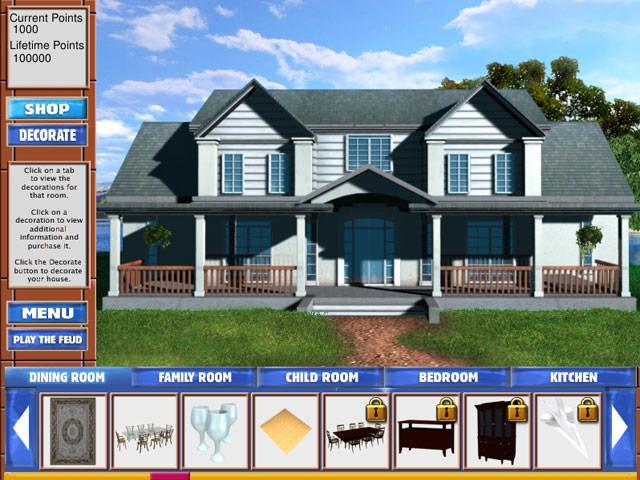
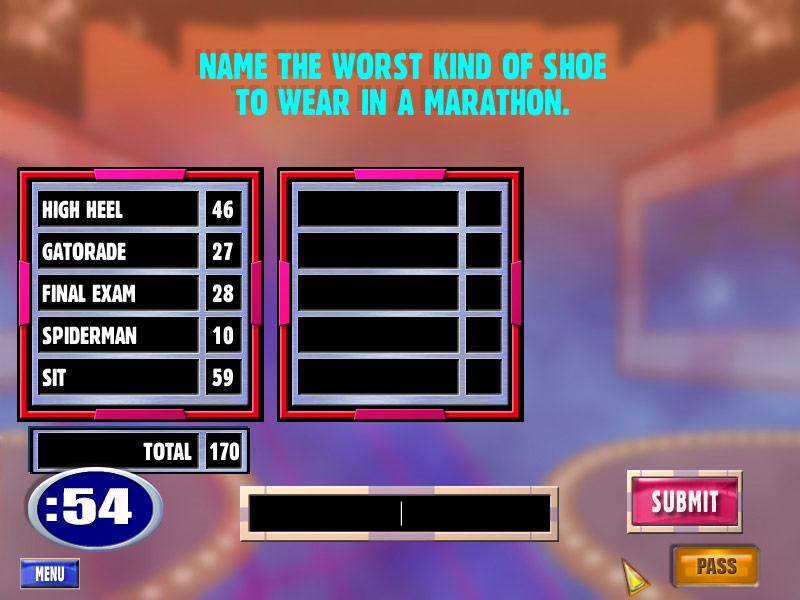
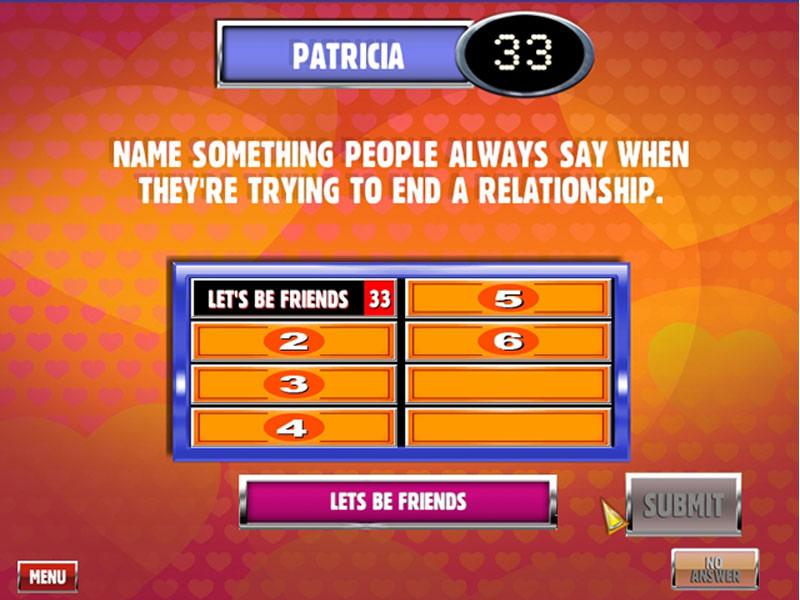
Family Feud III: Dream Home keeps the survey-board format of the show and adds a goal that gives every round a reason to matter. As in the series, a question goes up, the most popular answers are hidden, and you guess the responses a hundred surveyed people gave most often. The Dream Home angle ties your scores to building and furnishing a house, so winning rounds unlocks rooms and upgrades over time. That progression hook turns a quick trivia session into something you want to keep playing.
The appeal is the same easy entry the series is known for — anyone can pick it up, from kids to grandparents, with no rules to learn. You can play solo and chase the dream home on your own, or hand the controller around for local play that gets loud and competitive. The questions stay grounded in everyday topics, so the fun is in guessing the crowd rather than reciting trivia. Rated Very Positive by players, it is a solid game-night choice, and an offline account makes it a simple $9.99 buy for the full experience.
// pros
- Flat $9.99 price, paid in crypto
- Instant, automated delivery after payment
- Full Family Feud III: Dream Home playable solo or local in Offline Mode
- No card needed and no region lock — works worldwide
- Free replacement if access ever stops
// good to know
- · Solo and local play only — online multiplayer is not included
- · You play in Steam Offline Mode on a shared account, not on your own profile
Playing Family Feud III: Dream Home offline
Pay with crypto
Checkout in USDT, BTC, ETH or LTC — no card needed.
Get the login
We deliver the account that owns the game, automatically, in minutes.
Play offline
Sign in, switch Steam to Offline Mode with our guide, and enjoy the full game.
Family Feud III: Dream Home — questions
Can you play Family Feud III: Dream Home offline?
Yes. You log into the account, set Steam to Offline Mode, and play Family Feud III: Dream Home solo or with people on the same PC, no connection required.
How much is Family Feud III: Dream Home on bonege?
It is a flat $9.99, paid one time in crypto. There is no subscription and no card needed.
How fast is delivery?
Delivery is instant and automated. The account details arrive right after your crypto payment confirms.
How do I pay?
Payment is crypto only — USDT (TRC20), BTC, ETH, or LTC. There is no card option, which keeps it fast and private.
What's the difference vs a Steam key?
A key activates on your own account and can fail or be region-locked. This is an offline account that already owns Family Feud III: Dream Home, so there is nothing to redeem — just log in and play in Offline Mode.
Is it safe?
Yes, when used as intended: log in, play offline, and don't change the credentials. It's a shared offline account, and if access stops we send a free replacement.



