 offline access
Buy Disc Golf Valley VR Steam Offline Account
A Disc Golf Valley VR offline account costs $9.99 on bonege instead of ~$19.99 on Steam — that's 50% off. You get login details for a Steam account that already owns the game, switch Steam to Offline Mode, and play the full VR experience on your headset. Delivery is instant and automated, payment is crypto only (USDT, BTC, ETH, LTC), and it works worldwide with no region lock.
Key facts
- Price on bonege
- $9.99 — one-time
- Full Steam price
- ~$19.99 (save ~50%)
- What it is
- Shared Steam account that already owns Disc Golf Valley VR
- How you play
- Steam Offline Mode — solo VR play on your own headset
- Delivery
- Instant & automated
- Payment
- Crypto — USDT (TRC20), BTC, ETH, LTC
- Region
- Worldwide, no region lock
- Guarantee
- Free replacement if access stops
What you get
- Steam account that already owns the game
- Step-by-step offline-mode guide
- Instant automated delivery after payment
- Replacement guarantee if access stops
Buy Disc Golf Valley VR cheap — offline account
What you get
You get login credentials for a Steam account that already owns Disc Golf Valley VR. The moment your crypto payment confirms, our system sends you the account details automatically — no waiting on a human, no manual approval. You sign in to Steam with those details, set the client to Offline Mode, put on your VR headset, and start throwing discs across the game's courses. Everything that ships with the title is on the account: the full course roster, the practice areas, the disc bag, and the progression you build up as you play. There is no separate download to chase and no key to redeem first.
This is a shared offline account, not a Steam key, not a gift, and not a subscription. The distinction matters because it changes how you pay and how fast you get access. A key has to be sourced from a specific region and can be locked or revoked at activation; a gift depends on a sender and a friend window. With a Disc Golf Valley VR offline account you skip all of that — the game is already installed in the library, so the only step left is logging in. At $9.99 versus the usual ~$19.99 on Steam, you save roughly 50% on a title that is otherwise full price almost year-round.
Because Disc Golf Valley VR is a single-player VR experience, an offline account fits it perfectly. You are not relying on lobbies, matchmaking, or live servers to enjoy it. You load a course, line up your throw, and chase a better round — and none of that needs an internet connection once the game is installed and Steam is in Offline Mode.
How a Disc Golf Valley VR offline account works
The flow is short. After checkout you receive the account username and password. Open Steam, log in with the credentials we send, and let the client finish syncing once while online — this confirms the library and downloads Disc Golf Valley VR if it isn't cached yet. From there, go to the Steam menu and choose 'Go Offline'. Steam restarts into Offline Mode, and you can launch the game with your headset connected as normal. That's the whole setup: log in once, install, switch to Offline Mode, and play.
Offline Mode is the part that keeps everything stable. Once Steam is offline, it stops checking session activity, so your VR rounds aren't interrupted by the account being used elsewhere. You don't change the password, you don't link the account to your own email, and you treat it as a play-only account dedicated to Disc Golf Valley VR. Keep your headset drivers and SteamVR set up the way you normally would — the offline account doesn't change any of your hardware configuration, it only provides ownership of the game itself.
If access ever stops working — say the session gets disrupted or a login no longer goes through — you contact us and we issue a free replacement. That guarantee is part of the price. The model is simple by design: one payment, instant credentials, offline play, and a safety net if something breaks down the line. There's no recurring charge and nothing to renew.
Cheaper than a Steam key
On Steam, Disc Golf Valley VR sits at around $19.99 most of the time. On bonege the offline account is a flat $9.99, so you pay roughly half. Unlike a discounted key that vanishes after a sale ends, this price is the standard rate here, and it doesn't depend on a regional store or a temporary promotion. You also avoid the usual key risks — there's no activation region to match, no chance of a code being already used, and no gift sender to coordinate with.
The savings come from the shared-account model itself rather than from a flash sale, which is why the cheap Disc Golf Valley VR steam price stays consistent. If you've been waiting for the title to drop to a lower number before buying, the offline account already gets you there without watching the Steam wishlist for a discount. For a casual VR sports game you'll dip into for a quick round here and there, paying $9.99 instead of ~$19.99 is an easy call — you're getting the same full game, just through a different, cheaper route.
Is it safe?
Let's be direct about what this is. It is a shared offline Steam account — not an official key, not a personal account you own outright, and not something tied to your own Steam profile. You play Disc Golf Valley VR in Offline Mode on credentials we provide. We don't claim it's 'official' or pretend it's a gift, because it isn't. What we do guarantee is that the account owns the game and that you get a free replacement if access stops.
To keep things smooth, follow a couple of practical habits. Don't change the account's password or email — those credentials are shared, and altering them breaks access for the model. Play in Offline Mode rather than staying online, which keeps your VR sessions undisturbed. Treat the account as dedicated to this one game and don't mix it with purchases of your own. Payment is crypto only, so there's no card data to leak in the first place, and because there's no region lock you can buy and play from anywhere in the world.
If you ever hit a problem, support is one message away and replacements are free as part of the deal. The honest trade-off is that you don't own the account and you play offline — and for a single-player VR title like this one, that's exactly the use case it's built for.
About Disc Golf Valley VR
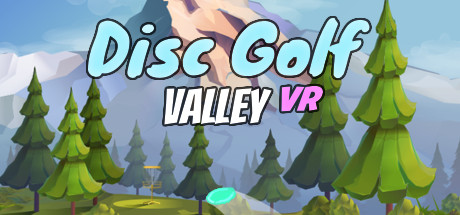
Disc Golf Valley VR brings the disc golf experience to virtual reality, putting you on some of the prettiest and most demanding courses the sport has to offer. You step up to each tee, pick a disc from your bag, and physically wind up and throw — the VR controls translate your arm motion into the flight of the disc, so getting a clean release and the right angle is on you, not a menu. The valley setting gives you wide, scenic fairways with elevation changes, trees, and baskets tucked into spots that reward a careful approach.
It's a Casual, Simulation, and Sports title, and it leans into the relaxed, repeatable loop that makes disc golf addictive: play a hole, read the terrain, adjust your throw, and try to shave strokes off your round. As an Early Access release it focuses on the core throwing mechanics and course play, which is exactly what suits offline solo sessions — you load up, practice your form, and work through courses at your own pace. There are no servers to depend on and no online match to join; it's you, your headset, and the next basket.
If you like sports games you can pick up for ten minutes or sink an hour into, and you have a VR headset, Disc Golf Valley VR is an easy fit. The offline account on bonege gets you the full game for $9.99, so you can be out on the course practicing your drives shortly after your crypto payment clears, with no key to redeem and no region to worry about.
// pros
- Save ~50% — $9.99 vs ~$19.99 on Steam
- Instant, automated delivery after payment
- Full VR game playable solo in Offline Mode
- Crypto payment — no card needed, no region lock
- Free replacement if access ever stops
// good to know
- · Single-player / offline VR only — no online multiplayer
- · You play in Steam Offline Mode on a shared account, not your own
Playing Disc Golf Valley VR offline
Pay with crypto
Checkout in USDT, BTC, ETH or LTC — no card needed.
Get the login
We deliver the account that owns the game, automatically, in minutes.
Play offline
Sign in, switch Steam to Offline Mode with our guide, and enjoy the full game.
Disc Golf Valley VR — questions
Can you play Disc Golf Valley VR offline?
Yes. You log in once, install the game, then switch Steam to Offline Mode and play the full VR experience on your headset with no internet connection required.
How much is Disc Golf Valley VR on bonege?
$9.99 as a one-time payment, versus around $19.99 on Steam — roughly 50% off.
How fast is delivery?
Instant and automated. As soon as your crypto payment confirms, the account credentials are sent to you automatically.
How do I pay?
Crypto only — USDT (TRC20), BTC, ETH, or LTC. No cards, and no region lock, so you can buy from anywhere.
What's the difference vs a Steam key?
A key is a code you redeem and can be region-locked or already used. This is a shared offline account that already owns the game — you just log in, set Offline Mode, and play.
Is it safe?
It's a shared offline account, so play in Offline Mode and don't change the password or email. The game is owned on the account, and if access ever stops you get a free replacement.



