 offline access
Buy Chroma Lab Steam Offline Account
A Chroma Lab Steam offline account is a ready-made Steam account that already owns Chroma Lab, the VR particle physics sandbox. You pay $4.99 once, sign in, switch Steam to Offline Mode, and play in VR. Delivery is instant and automated, payment is crypto (USDT, BTC, ETH, LTC), and it works worldwide with no region lock and a free replacement guarantee.
Key facts
- Price on bonege
- $4.99 — one-time
- What it is
- Shared Steam offline account that already owns Chroma Lab
- How you play
- Steam Offline Mode — VR sandbox, no online needed
- Delivery
- Instant & automated
- Payment
- Crypto — USDT (TRC20), BTC, ETH, LTC
- Region
- Worldwide, no region lock
- Guarantee
- Free replacement if access stops
What you get
- Steam account that already owns the game
- Step-by-step offline-mode guide
- Instant automated delivery after payment
- Replacement guarantee if access stops
Buy Chroma Lab cheap — offline account
What you get
You get login access to a ready-made Steam account that already owns Chroma Lab. After payment you receive the account credentials by instant automated delivery, sign in to the Steam client on your PC, set Steam to Offline Mode, and launch Chroma Lab in VR. There is no key to redeem, no gift invite to wait for, and no separate subscription to keep paying for. The game is already in the library, so the path from purchase to playing your first particle simulation is short and direct.
This is a VR title, so you need a working VR setup connected to your PC — a headset such as an Oculus/Meta, HTC Vive, Valve Index, or a Windows Mixed Reality device with SteamVR installed. Chroma Lab itself is a sandbox, not a campaign, which means there is no progress to lose or sync online: everything you build, sculpt, and experiment with happens locally in your session. For $4.99 paid once, you get the account and full offline access to the title, plus a free replacement if access ever stops working.
How a Chroma Lab offline account works
The Chroma Lab offline account model is simple. You sign in to Steam with the credentials we send, let the client finish authorizing on your machine, and then switch Steam into Offline Mode from the Steam menu. In Offline Mode the client stops checking in with Steam's servers for that session, which lets you run Chroma Lab without competing for the account online. You then put on your headset, start the game, and the VR sandbox loads with full access to its tools.
Because this is a shared account rather than your own personal one, the intended way to play is always through Offline Mode. You do not change the password, the email, or any account settings, and you do not use it for online features. For a creative sandbox like Chroma Lab this is a natural fit — the whole experience is about playing with hundreds of thousands of particles in your own space, which needs nothing more than your local PC and VR rig. Once the account is set up and offline, you can come back and load it whenever you want to experiment again, with no extra steps and no recurring charge.
Why buy through bonege
Buying a Chroma Lab offline account through bonege is built around three honest advantages: speed, payment freedom, and reach. Delivery is instant and automated, so you are not waiting on a human to hand over anything — once your crypto payment confirms, the account details are released to you straight away. That matters for an impulse-friendly $4.99 indie title where you just want to be in VR and playing, not stuck in a checkout queue.
Payment is crypto only — USDT (TRC20), BTC, ETH, and LTC — which means no card details, no bank declines, and no card-based region restrictions. The account also works worldwide with no region lock, so it does not matter where you live: the offline access behaves the same. And if access ever stops working, the free replacement guarantee covers you, so a one-time $4.99 purchase does not turn into a dead end. These are concrete, real benefits of the offline-account approach rather than promises about features the product does not have.
Is it safe?
It is safe to use as intended. You play Chroma Lab in Steam Offline Mode on a shared account, you keep all the account settings as they are, and you never touch online multiplayer — which Chroma Lab does not need anyway, since it is a solo VR sandbox. Keeping the account in Offline Mode while you play is the key habit: it keeps your session clean and avoids conflicts with other sessions on the same shared account.
We are upfront about what this is: a shared offline account, not your own personal account, not an official key, and not a Steam gift. We do not claim it is a subscription or that it unlocks online play. If you want a permanent personal copy tied to your own Steam profile with full online access, an official key is the route for that. For getting into Chroma Lab quickly and cheaply to enjoy the VR sandbox offline, the shared offline account does the job, and the replacement guarantee is there if the access you bought ever stops.
About Chroma Lab
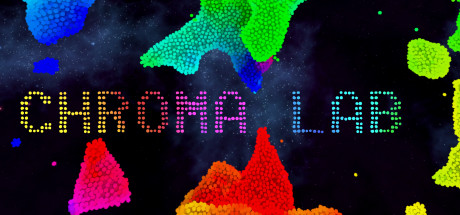
Chroma Lab is a VR particle physics sandbox where you surround yourself with hundreds of thousands of colorful particles. The particles behave like a fluid — they stick together, flow, and react to how you move and interact with them, so the space around you becomes a living, splashing, shifting canvas of color. It sits in the Casual, Indie, and Simulation space, leaning fully into experimentation rather than goals, scores, or levels.
The appeal is tactile and immediate. Reaching out to push, sculpt, and stir a fluid made of tiny glowing points is the kind of thing VR does better than any flat screen, and Chroma Lab is designed entirely around that sensation. There is no story to follow and no win condition — you set up the conditions you want and watch the simulation respond. That makes it a relaxing, low-pressure VR experience to drop into for a few minutes or lose an hour in, and an easy recommendation for anyone who wants something visual and hands-on to show off their headset. Played through an offline account in Steam Offline Mode, every bit of that simulation runs locally on your own machine, exactly as the sandbox is meant to be enjoyed.
// pros
- Just $4.99 for a ready-made account that already owns Chroma Lab
- Instant, automated delivery — play as soon as crypto payment confirms
- Full VR sandbox playable offline in Steam Offline Mode
- Crypto payment (USDT, BTC, ETH, LTC) — no card, no region restrictions
- Free replacement guarantee if access ever stops
// good to know
- · Solo VR sandbox only — no online multiplayer
- · You play on a shared account in Offline Mode, not on your own personal Steam account
Playing Chroma Lab offline
Pay with crypto
Checkout in USDT, BTC, ETH or LTC — no card needed.
Get the login
We deliver the account that owns the game, automatically, in minutes.
Play offline
Sign in, switch Steam to Offline Mode with our guide, and enjoy the full game.
Chroma Lab — questions
Can you play Chroma Lab offline?
Yes. You sign in to the account, switch Steam to Offline Mode, and play the Chroma Lab VR sandbox locally on your PC. It is a solo title, so no online connection is needed once it is set up.
How much is Chroma Lab on bonege?
It is $4.99, paid once. That is a one-time price for the offline account that already owns the game — there is no subscription and no recurring fee.
How fast is delivery?
Delivery is instant and automated. As soon as your crypto payment confirms, the account credentials are released to you so you can sign in and play.
How do I pay?
Payment is crypto only: USDT (TRC20), BTC, ETH, or LTC. There are no card payments, which also means no card-based region blocks.
What's the difference vs a Steam key?
A key adds the game permanently to your own Steam account with full online access. This is a shared offline account you sign into and play in Offline Mode — faster and cheaper to get into, but not tied to your own profile.
Is it safe?
Yes, when used as intended: play in Steam Offline Mode, don't change account settings, and skip online features. It is a shared offline account, not an official key or gift, and a free replacement is provided if access stops.



