 offline access
Buy Bus Simulator 21 Next Stop Steam Offline Account
A Bus Simulator 21 Next Stop Steam offline account is a ready Steam account that already owns the game — the bus-driving sim with 30 licensed buses. You pay a flat $9.99, sign in, switch Steam to Offline Mode and play the single-player career and sandbox across both maps. Delivery is instant and automated, payment is crypto with no card, and it works worldwide with no region lock. If access ever stops, you get a free replacement.
Key facts
- Price on bonege
- $9.99 — one-time
- What it is
- Steam account that already owns Bus Simulator 21 Next Stop
- How you play
- Steam Offline Mode — single-player career & sandbox
- Delivery
- Instant & automated
- Payment
- Crypto — USDT (TRC20), BTC, ETH, LTC
- Region
- Worldwide, no region lock
- Guarantee
- Free replacement if access stops
What you get
- Steam account that already owns the game
- Step-by-step offline-mode guide
- Instant automated delivery after payment
- Replacement guarantee if access stops
Buy Bus Simulator 21 Next Stop cheap — offline account
What you get
You get login access to a Steam account that already owns Bus Simulator 21 Next Stop, ready to drive the moment payment clears. This is not a Steam key, not a gift and not a subscription — there is nothing to redeem or activate. You sign in with the credentials we send, set Steam to Offline Mode and the full game is already in the library. The price is a flat $9.99 for everyone, paid with crypto, with no card and no regional checkout to deal with. Because the license already lives on the account, you go straight from purchase to your first route.
The Bus Simulator 21 Next Stop offline account opens the complete single-player side of the game. That means the full fleet of around 30 officially licensed buses — including double-deckers and electric models — across both the US Angel Shores map and the revamped European Seaside Valley, plus the free map extension. You can run the career mode that blends sandbox freedom with an economic system, or dig into the management layer of timetables, route planning and buying and selling buses, all offline. Your progress and your company stay on the account and are waiting each time you sign back in. If you have been after a Bus Simulator 21 Next Stop account for sale or the cheapest clean route in, this is it.
How a Bus Simulator 21 Next Stop offline account works
The process is short and automated. After your crypto payment confirms, the system sends the account login to you right away — no human step, no waiting. You enter those details into the Steam client, let it sync once, then open the top-left menu and select Go Offline. From there Steam stops contacting its servers for this account, and you launch Bus Simulator 21 Next Stop from the library like any installed game. Most people are pulling out of the depot within a couple of minutes of paying.
Offline Mode is the right fit because the single-player career and sandbox are fully playable solo, with no connection required. You drive routes, manage your timetables, grow your bus company and explore both open-world maps at your own pace. Keep Steam in Offline Mode while you play to avoid session conflicts, and treat the account as play access rather than your personal profile. If your access is ever interrupted on our side, message support and we replace it free — that guarantee comes with every purchase.
Cheaper than chasing a Steam key
Getting a Bus Simulator 21 Next Stop key the usual way means finding a listing you trust, checking the region, and hoping it activates without trouble. Keys from random marketplaces can be dead, region-locked, or stuck behind a checkout that rejects your card. A Bus Simulator 21 Next Stop offline account avoids all of that: the license already sits on the account, so there is no code to validate and nothing to gamble on. You pay a flat $9.99 and you are in within minutes.
There is no card friction in this route either. Compared with chasing a Bus Simulator 21 Next Stop cheap key, the offline account is predictable — one flat price for everyone, crypto payment, and the same behaviour across the US, UK, Canada, Australia and the EU. No regional pricing surprises, no blocked checkout, no failed activation at the wrong moment. For a sim like this, paying once and signing straight in is the least fussy way to actually get behind the wheel.
Is it safe?
We keep the description honest: this is a shared offline account, not your own personal Steam profile. You play Bus Simulator 21 Next Stop in Steam Offline Mode, which keeps the session stable for single-player driving. We do not sell fake keys, we do not call this an official store purchase, and we do not promise features the product cannot deliver. That honesty is what keeps the model dependable over time.
Staying safe is about a few simple habits. Keep Steam in Offline Mode for this account, leave the login email and password unchanged, and use it only for offline single-player play. Treat it strictly as play access for the game. If your access ever drops for any reason on our end, contact support and we send a free replacement, so a one-time $9.99 purchase stays low-risk. The replacement promise is your safety net — just note that the co-op multiplayer mode is not part of an offline account.
About Bus Simulator 21 Next Stop
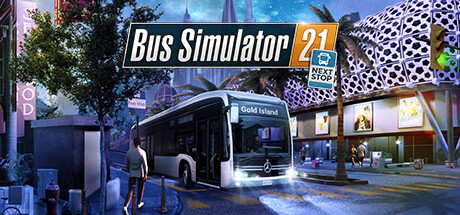
Bus Simulator 21 Next Stop offers the most comprehensive fleet in the history of the series, with around 30 officially licensed buses from manufacturers like Alexander Dennis, Blue Bird, BYD, IVECO BUS, MAN, Mercedes-Benz, Scania, Setra and Volvo. For the first time the line-up includes double-deckers and electric buses, giving you a real spread of vehicles to learn and master. You drive across two large, lively environments — the US map Angel Shores and a revamped European Seaside Valley, complete with map extensions — both built with a more open-world feel that encourages exploration. Different difficulty levels and play modes mean it adapts to relaxed cruisers and detail-focused managers alike.
The Next Stop update reshaped the game with many improvements and a brand-new career mode that combines the sandbox with the campaign's economic system. You can lean into deep management — creating detailed timetables, buying and selling buses, and planning efficient routes — or hand those duties to the auto-features and simply enjoy driving. Transport passengers safely and on time and you are rewarded at the end of each day, which gives every shift a clear goal. While the game also has a co-op multiplayer mode, an offline account covers the full single-player career and sandbox in Steam Offline Mode; online co-op is not included.
// pros
- Flat $9.99 one-time price, same for everyone
- Instant, automated delivery after payment
- Full single-player career and sandbox playable offline
- Pay with crypto — no card, no region lock
- Free replacement if access ever stops
// good to know
- · Single-player / offline only — online co-op not included
- · You play in Steam Offline Mode, not on your own account
Playing Bus Simulator 21 Next Stop offline
Pay with crypto
Checkout in USDT, BTC, ETH or LTC — no card needed.
Get the login
We deliver the account that owns the game, automatically, in minutes.
Play offline
Sign in, switch Steam to Offline Mode with our guide, and enjoy the full game.
Bus Simulator 21 Next Stop — questions
Can you play Bus Simulator 21 Next Stop offline?
Yes. You sign in, set Steam to Offline Mode and play the single-player career and sandbox across both maps. Solo play works fully without a connection.
How much is Bus Simulator 21 Next Stop on bonege?
It's a flat $9.99 as a Steam offline account. One payment, no card, no recurring fees.
How fast is delivery?
Instant and automated. As soon as your crypto payment confirms, the account login is sent to you — usually within a couple of minutes.
How do I pay?
With crypto only — USDT (TRC20), BTC, ETH or LTC. No credit or debit cards required.
What's the difference vs a Steam key?
A key must be redeemed and can fail or be region-locked. This is a ready account that already owns the game — nothing to redeem, you just sign in and play offline.
Is it safe?
It's a shared offline account used in Steam Offline Mode for single-player. Keep it in Offline Mode and don't change the credentials. If access stops, you get a free replacement. Online co-op is not included.



