 offline access
Buy Bunhouse Steam Offline Account
A Bunhouse Steam offline account is a ready-made Steam login that already owns Bunhouse, sold for a flat $9.99 instead of the ~$19.99 Steam price — roughly 50% less. You sign in, switch Steam to Offline Mode, and play the full bunny greenhouse game by yourself. Delivery is instant and automated, you pay with crypto, and it works worldwide with no region lock.
Key facts
- Price on bonege
- $9.99 — one-time
- Full Steam price
- ~$19.99 (save ~50%)
- What it is
- Shared Steam offline account that already owns Bunhouse
- How you play
- Steam Offline Mode — single-player only
- Delivery
- Instant & automated
- Payment
- Crypto — USDT (TRC20), BTC, ETH, LTC
- Region
- Worldwide, no region lock
- Guarantee
- Free replacement if access stops
What you get
- Steam account that already owns the game
- Step-by-step offline-mode guide
- Instant automated delivery after payment
- Replacement guarantee if access stops
Buy Bunhouse cheap — offline account
What you get
You get login details for a Steam account that already owns Bunhouse, delivered the moment your crypto payment confirms. There is no waiting room, no manual approval, and no email back-and-forth — the system hands you the credentials automatically. From there you sign in to the Steam client, find Bunhouse already sitting in the library, and start growing your greenhouse full of leafy plant buddies. Nothing needs to be activated or redeemed, because the purchase was already made on the account before it reached you.
This is a shared offline account, not a Steam key, a gift, or a subscription. That distinction matters: a key has to be activated on your own profile and can fail in a wrong region, while this account is pre-loaded and ready immediately. The flat $9.99 price covers everything you need to play Bunhouse on its own. Because Bunhouse is a small, relaxing simulation game rather than a competitive online title, an offline account fits it perfectly — you spend your time arranging pots, balancing watering and sunlight, and tidying up the place with fellow buns, none of which needs a live connection.
You also get a clear safety net. If access to the account ever stops working, you contact support and receive a free replacement. The cheapest Bunhouse Steam offer is only useful if it keeps running, so the replacement guarantee is part of the deal rather than an upsell. Buy a Bunhouse Steam account once and the cozy greenhouse is yours to potter around in whenever you want.
How a Bunhouse offline account works
The Bunhouse offline mode setup is straightforward. After you receive the account, you log in to the Steam desktop client with the username and password we send. Steam may run through its normal first-login checks, and once you are in you simply open the Steam menu and choose Go Offline. Steam then runs without phoning home, and Bunhouse launches from your library and plays normally — the same casual greenhouse sim, just disconnected from the network. This is the intended way to use a shared account, and it keeps your session stable.
Playing in Offline Mode is well suited to Bunhouse specifically. The whole game is about slow, hands-on care: watering thirsty plants, moving them toward or away from the sun, sweeping the floors, and pottering around a greenhouse with cute round bunnies. None of that depends on servers, leaderboards, or other players, so going offline costs you nothing in terms of content. You get the complete single-player experience the developers built, start to finish, at your own pace.
Because the account is shared, the rule to remember is simple: play in Offline Mode rather than treating it as your personal online profile. You are not buying a transferable license to your own Steam name; you are buying reliable offline access to Bunhouse on an account that already owns it. Keep Steam offline while you play and the bunny gardening runs smoothly every session, with no surprises and no extra steps once you are signed in.
Cheaper than a Steam key
On Steam, Bunhouse normally costs around $19.99. The bonege offline account is a flat $9.99, which is roughly 50% less for the same game. That price gap is the main reason people choose a shared offline account over a regular key reseller: you are getting access to Bunhouse for about half the usual outlay, with no card and no checkout friction. The full $19.99 figure is shown only so you can see exactly how much you save — the price you actually pay is $9.99, once.
A key from a marketplace can carry hidden problems that this account avoids. Keys can be region-locked, can arrive slowly when a seller fulfills by hand, and sometimes need to be activated within a narrow window. An offline account sidesteps all of that: it is pre-owned, delivered instantly, and unlocked worldwide. For a small indie title like Bunhouse, paying close to twenty dollars for a key when a $9.99 offline account exists rarely makes sense, especially if you mainly want to relax with the single-player greenhouse rather than collect a license on your own profile.
So the trade is easy to summarize: with a key you pay more for ownership on your own account; with this offline account you pay about half and play the same game in Offline Mode. If your goal is simply to play Bunhouse — and the cheapest Bunhouse Steam price you can find — the offline account wins on cost while still giving you the complete game.
Is it safe?
Let us be direct about what this is, because honesty is the only thing worth selling on. This is a shared offline Steam account, not an official Steam key and not a brand-new account in your name. We do not claim it is endorsed by Valve or by the Bunhouse developers, and we do not promise anything it cannot do. What we do promise is that it owns Bunhouse, that it is delivered instantly, and that it plays in Offline Mode exactly as described.
To keep your sessions trouble-free, the practical advice is the same every time: sign in, switch Steam to Offline Mode, and play. Staying offline keeps the account stable and avoids conflicts that can happen when a shared login is treated like a personal online profile. Because the account is shared, you should not change its password, email, or other settings — doing so breaks access for everyone using it and voids the replacement guarantee.
If something does go wrong and access stops, you are covered: contact support and we issue a free replacement so you can get back to your greenhouse. Crypto payment adds a layer of privacy too, since there is no card data to enter and nothing tied to your banking details. The honest summary is that an offline account is a low-risk, low-cost way to play a quiet single-player game like Bunhouse, as long as you use it the way it is meant to be used.
About Bunhouse
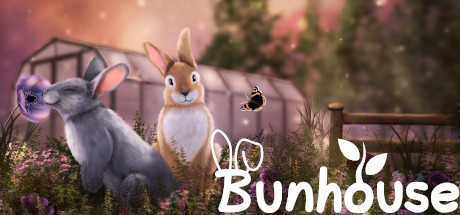
Bunhouse is a cute, gentle simulation game about running a greenhouse alongside a cast of round little bunnies. The core loop is plant care: you raise leafy plant buddies, balance their watering and sunlight, keep the space tidy, and watch your greenhouse fill up with greenery over time. It sits comfortably in the Casual, Indie, and Simulation genres, and it leans into a soft, low-pressure mood rather than challenge or competition — there are no enemies to fight and no timers breathing down your neck.
The appeal is its calm, hands-on rhythm. Moving pots into the light, watering thirsty plants, sweeping the floor, and arranging a cozy room of buns makes Bunhouse the kind of game you put on to unwind. It is short and sweet rather than sprawling, which is exactly why a flat $9.99 offline account suits it: you get a complete, charming little experience without paying full price for a relaxed afternoon project. Fans of wholesome management sims and tidy, plant-filled aesthetics tend to take to it quickly.
Because everything in Bunhouse is single-player and self-contained, it is an ideal candidate for an offline Steam account. The game asks nothing of online services, so playing it in Offline Mode delivers the full thing the developers intended — the same plants, the same buns, the same quiet greenhouse — at about half the typical Steam price.
// pros
- Flat $9.99 — about 50% off the ~$19.99 Steam price
- Instant, automated delivery the moment crypto payment confirms
- Full single-player Bunhouse greenhouse, playable in Offline Mode
- Pay with crypto — no card, no region lock, worldwide access
- Free replacement if account access ever stops
// good to know
- · Single-player / offline only — no online multiplayer
- · You play in Steam Offline Mode on a shared account, not your own profile
Playing Bunhouse offline
Pay with crypto
Checkout in USDT, BTC, ETH or LTC — no card needed.
Get the login
We deliver the account that owns the game, automatically, in minutes.
Play offline
Sign in, switch Steam to Offline Mode with our guide, and enjoy the full game.
Bunhouse — questions
Can you play Bunhouse offline?
Yes. You sign in to the account, switch Steam to Offline Mode, and play the full single-player greenhouse game. Bunhouse has no online features, so nothing is lost by going offline.
How much is Bunhouse on bonege?
It is a flat $9.99, one time, versus the ~$19.99 Steam price — roughly 50% off. The price you pay is $9.99; the full price is shown only so you can see the saving.
How fast is delivery?
Instant and automated. As soon as your crypto payment confirms, the account login details are delivered to you with no manual wait.
How do I pay?
With crypto only — USDT (TRC20), BTC, ETH, or LTC. There are no card payments, and there is no region lock.
What's the difference vs a Steam key?
A key activates on your own profile and can be region-locked or slow to arrive. This is a shared account that already owns Bunhouse, delivered instantly, that you play in Offline Mode for about half the price.
Is it safe?
It is a shared offline account, used as intended: sign in, go to Offline Mode, and play. Don't change the password or email. If access ever stops, you get a free replacement.



