 offline access
Buy Battle Simulator: Counter Stickman Steam Offline Account
This is a Battle Simulator: Counter Stickman Steam offline account that already owns the game, priced at a flat $2.99. You log in, switch Steam to Offline Mode, and play the full single-player stickman battle sandbox. Delivery is instant and automated, payment is crypto only (no card needed), and it works worldwide with no region lock. If access ever stops, you get a free replacement.
Key facts
- Price on bonege
- $2.99 — one-time
- What it is
- Steam offline account that already owns the game
- How you play
- Steam Offline Mode — single-player only
- Delivery
- Instant & automated
- Payment
- Crypto — USDT (TRC20), BTC, ETH, LTC
- Region
- Worldwide, no region lock
- Guarantee
- Free replacement if access stops
What you get
- Steam account that already owns the game
- Step-by-step offline-mode guide
- Instant automated delivery after payment
- Replacement guarantee if access stops
Buy Battle Simulator: Counter Stickman cheap — offline account
What you get
You get login access to a Battle Simulator: Counter Stickman offline account that already owns the game on Steam. There is nothing to redeem, no key to enter, and no gift invite to wait for. After payment clears, you receive the account credentials, sign in to the Steam client, and the title is already sitting in the library ready to download. This is a shared offline account, so the ownership stays on it permanently and you launch the game through Steam Offline Mode whenever you want to play.
The flat price is $2.99, paid one time. That covers the offline account access for this specific stickman battle title. Because the game is already attached to the account, you skip the usual steps of activating a product on your own profile. You install Steam if you do not already have it, log in with the details we send, let the game files download, and then flip the client into Offline Mode for play sessions. Everything you need to start a campaign of chaotic stickman warfare is included in that one purchase.
This is not a Steam key, not a subscription, and not a gift. It is a ready-made account that holds the game. That distinction matters: with a key you risk a region-locked or already-used code, while here the entitlement is already proven on the account before it reaches you. For a low-cost indie sandbox like this one, the offline account route is a quick, no-fuss way to get playing the same day you pay.
How a Battle Simulator: Counter Stickman offline account works
The mechanics are simple. After you buy, the system sends your Battle Simulator: Counter Stickman offline account login automatically. You open the Steam desktop client, enter the username and password, and the game appears in your library because the account already owns it. You download and install the files while the client is online for that initial setup, then you switch Steam into Offline Mode from the top-left menu. Once you are in Offline Mode, the game runs locally and you play the single-player content without needing a live connection tied to the account.
Offline Mode is the core of how this product is meant to be used. It lets the game run from your machine using the locally installed files, so your sessions do not depend on staying signed in to Steam's network the whole time. For a title built entirely around offline stickman battles and simulation sandboxing, this works cleanly: you set up your armies, send the terror enemy stickmen and your own fighters at each other, and replay scenarios as much as you like. Because it is a shared offline account, you treat it as a play vehicle for this game rather than as a personal profile you customize.
A few practical notes keep things smooth. Do the first download and install while connected, since the files need to come down once. Keep your own personal Steam library on a separate account if you have one, and use this offline account only for launching this title in Offline Mode. Following that simple separation is the normal way customers use a Battle Simulator: Counter Stickman shared account, and it keeps your access stable for the long single-player sessions the game is designed for.
Why an offline account
An offline account is the fastest way to get into Battle Simulator: Counter Stickman without juggling regional pricing, payment cards, or activation codes that may not work in your country. The game is already owned on the account, so there is no risk of a dead key or a code that someone else already claimed. You pay the flat $2.99, the credentials land in your inbox within moments, and you are downloading the game the same day. For an indie battle sandbox you just want to mess around with, that immediacy is the whole point.
Paying with crypto adds a layer of convenience the usual store does not offer here. We accept USDT (TRC20), BTC, ETH, and LTC, which means no card details, no bank declines on small international purchases, and no regional checkout headaches. Combined with worldwide availability and no region lock, this makes the offline account a practical pick no matter if you are in the US, the UK, Canada, Australia, or anywhere in the EU. You are not buying a key that might be blocked at activation; you are buying access to an account that already has the game running.
There is also the safety net. Every Battle Simulator: Counter Stickman offline account comes with a free replacement guarantee. If access stops working for any reason, we replace it so you are not left out of pocket. For a low-priced title, that kind of backing turns a cheap impulse buy into a reliable one, and it is part of why the offline account approach beats hunting around for the cheapest price on a loose code elsewhere.
Is it safe?
We are upfront about what this is: a shared offline Steam account, used in Offline Mode for single-player play. It is not an official storefront key, it is not a subscription, and we make no claim of being affiliated with the developer or with Steam. Being honest about the product is part of how we keep expectations clear, and it is the safest footing for both sides. You know exactly what you are paying $2.99 for and exactly how you are meant to play it.
To use the account safely, the simple rule is to keep it separate from any personal Steam account you own. Launch Battle Simulator: Counter Stickman from the offline account in Offline Mode, and do not mix it with your own purchases, friends list, or saved payment methods. Because it is a shared account, treating it as a dedicated game-launcher rather than a personal profile is what keeps your access steady. The game itself is offline single-player, so once it is installed you are not relying on a constant online session to enjoy it.
If anything goes wrong with access at any point, the free replacement guarantee has you covered. Reach out and we sort out a working account so you can keep playing. That guarantee, plus instant automated delivery and crypto payment that does not expose card details, is the practical reality of buying a Battle Simulator: Counter Stickman steam offline account here. No inflated promises, no fake reviews, just a clear product and a backup if you need it.
About Battle Simulator: Counter Stickman
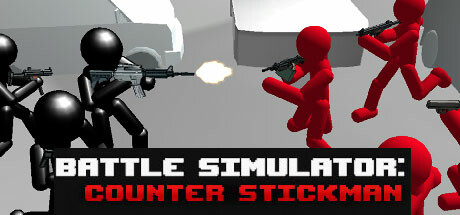
Battle Simulator: Counter Stickman is an indie simulation and strategy sandbox where you command stickman fighters against waves of enemy stickmen. The premise is direct: your stickmen have to strike back at the terror enemy stickmen, and you arrange the clash and watch the chaos unfold. It sits in the lighthearted battle-simulator tradition, where the fun comes from stacking up forces, testing matchups, and seeing how a brawl plays out rather than from a heavy narrative.
As a strategy and simulation title, it leans on experimentation. You position your side, pit them against the opposing stickmen, and tweak the setup to see different outcomes. Being an indie release, it keeps things focused and easy to pick up, which suits short play sessions where you just want to set up a fight and enjoy the mayhem. It runs entirely as single-player content, which is exactly why the offline account works so well for it: there is no multiplayer component you would miss by playing in Offline Mode.
If you enjoy physics-flavored battle sandboxes and stickman combat, this is a cheap, no-commitment way to try one. At a flat $2.99 with instant delivery, you can be downloading and throwing stickmen into battle within minutes of buying the offline account. It is a simple, replayable indie sim built for quick bursts of stickman warfare, and the offline-account format keeps the cost and the setup as low as the game itself.
// pros
- Flat $2.99 one-time price for offline account access
- Instant, automated delivery after payment
- Full single-player content playable in Steam Offline Mode
- Pay with crypto (USDT TRC20, BTC, ETH, LTC) — no card needed
- Worldwide access with no region lock and a free replacement guarantee
// good to know
- · Single-player / offline only — no online multiplayer
- · You play in Steam Offline Mode on a shared account, not your own personal account
Playing Battle Simulator: Counter Stickman offline
Pay with crypto
Checkout in USDT, BTC, ETH or LTC — no card needed.
Get the login
We deliver the account that owns the game, automatically, in minutes.
Play offline
Sign in, switch Steam to Offline Mode with our guide, and enjoy the full game.
Battle Simulator: Counter Stickman — questions
Can you play Battle Simulator: Counter Stickman offline?
Yes. The account already owns the game, so you log in, download it once, then switch Steam to Offline Mode and play the single-player stickman battle content locally.
How much is Battle Simulator: Counter Stickman on bonege?
It is a flat $2.99, paid one time, for offline account access to the game.
How fast is delivery?
Delivery is instant and automated. Once your crypto payment clears, the account login is sent to you right away so you can start downloading.
How do I pay?
Payment is crypto only — USDT (TRC20), BTC, ETH, or LTC. No card is required and there is no region lock.
What's the difference vs a Steam key?
A key is a code you redeem on your own account and can be region-locked or already used. This is a ready offline account that already owns the game — nothing to redeem, you just log in and play in Offline Mode.
Is it safe?
It is a shared offline account used in Offline Mode for single-player. Keep it separate from any personal Steam account, and if access ever stops, the free replacement guarantee covers you.



