 offline access
Buy Arms of God Steam Offline Account
An Arms of God Steam offline account is a ready-made Steam account that already owns Arms of God. It costs $9.99 on bonege versus about $11.50 on Steam, so you save roughly 13%. You log in, switch Steam to Offline Mode, and play the full roguelite autoshooter campaign solo. Delivery is instant and automated, payment is in crypto, and it works worldwide with no region lock.
Key facts
- Price on bonege
- $9.99 — one-time
- Full Steam price
- ~$11.50 (save ~13%)
- What it is
- Shared Steam offline account that owns Arms of God
- How you play
- Steam Offline Mode — single-player roguelite runs
- Delivery
- Instant & automated
- Payment
- Crypto — USDT (TRC20), BTC, ETH, LTC
- Region
- Worldwide, no region lock
- Guarantee
- Free replacement if access stops
What you get
- Steam account that already owns the game
- Step-by-step offline-mode guide
- Instant automated delivery after payment
- Replacement guarantee if access stops
Buy Arms of God cheap — offline account
What you get
You get login access to a shared Steam account that already owns Arms of God. After payment, the credentials land in your account automatically, usually within a couple of minutes. There is no waiting for a human to process the order, no activation code to redeem, and nothing to install beyond Steam itself. Once you sign in, the game is already sitting in the library, ready to download and launch. This is an Arms of God offline account, not a Steam key and not a gift — you are buying access to a copy that is already owned, not a license you activate on your own profile.
The price is $9.99 one-time, against roughly $11.50 if you bought Arms of God on Steam directly, which works out to about 13% off. For an Early Access roguelite that you want to try without paying full retail, that gap matters. You download the game once on the offline account, set Steam to Offline Mode, and the bullet-heaven arena runs are yours to play whenever you want. Because the title is single-player at its core, Offline Mode covers the entire experience — you are not missing online features by staying disconnected.
How an Arms of God offline account works
The process is short. You receive the Steam login for the shared account, sign in through the normal Steam client, and let Arms of God download. Once it is installed, you open the Steam menu and choose Go Offline. From that point Steam stops talking to its servers for that session, and you can launch Arms of God and play your roguelite runs without an active connection tied to anyone else. This is the intended way to use an offline account: download while online, then play in Offline Mode so your sessions stay self-contained.
Because this is a shared offline account, you should treat it as a play-only library rather than a personal profile. Do not change the password, the email, or the recovery details, and do not enable features that would lock the account to your device. Playing in Offline Mode is exactly what keeps things smooth — it avoids session conflicts and keeps your Arms of God runs uninterrupted. Your own saves and progression for the roguelite stay on the machine you play on, so the upgrades and unlocks you earn between runs carry over each time you launch the game locally.
If access ever stops working, you do not have to fight with it. Message support and you get a free replacement account that owns the same game. That guarantee is the backbone of how the offline model is meant to run: cheap, fast, and backed up if a specific account stops cooperating. The whole point of an Arms of God shared account is that you spend a few dollars, start playing within minutes, and have a safety net if anything goes wrong later.
Cheaper than a Steam key
A Steam key for Arms of God activates the game permanently on your own profile, and the standard Steam price sits around $11.50. An offline account takes a different route: instead of a license tied to you, you get login access to an account that already owns the game, for $9.99. That is roughly 13% less, and it is also why people search for the cheapest Arms of God price rather than another full-price key — the offline account is simply the lower-cost way to play the same single-player content.
The trade-off is honest and worth stating plainly. With a key, the game is yours forever on your account and you can play online if the game supports it. With this offline account, you play in Offline Mode on a shared account, and that covers the full Arms of God roguelite experience because the game is built around solo runs. If your only goal is to play the campaign and grind your builds without paying retail, the cheap Arms of God Steam offline account does that for less money and with instant access. If you specifically need ownership on your personal profile, a key is the better fit — but you will pay more for it.
Is it safe?
It is safe to use when you follow the offline rules, and we are upfront about what this is. You are buying access to a shared Steam account, so you are not the sole owner and you should not treat it like your main profile. Keep Steam in Offline Mode while you play Arms of God, leave the account credentials untouched, and avoid logging in elsewhere with your own details attached. Used this way, the account does its one job — running the game — without drama.
Payment is handled in crypto, which means no card details to enter and no chargeback paperwork on your side. We accept USDT (TRC20), BTC, ETH, and LTC, and the order completes the moment the payment confirms. There is no region lock, so an Arms of God offline account works the same no matter if you are in the US, the UK, Canada, Australia, or Europe. And if the account you received ever stops granting access, the free replacement guarantee covers you — you contact support and get another working account that owns Arms of God, so a single bad login never means losing what you paid for.
About Arms of God
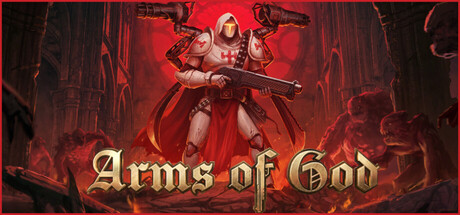
Arms of God is a roguelite bullet-heaven arena autoshooter with a heavy, Doom-inspired streak. You fight your way through hell while enemies swarm in from every direction, and your character fires automatically, so the real skill is positioning, dodging, and picking the right upgrades between waves. The gore is loud and unapologetic, the soundtrack leans into metal, and the combat is tuned to feel meaty — every kill and every level-up feeds the next run.
As an autoshooter, the loop sits in the same family as the modern wave-survivor games: you survive against escalating crowds, collect drops, and stack power-ups until your build either snowballs into something devastating or buckles under the pressure. Each run is short, repeatable, and slightly different, which is what makes the roguelite structure stick — you push a little further, unlock a little more, and start again. The Action, Casual, Indie, and RPG tags reflect that mix: accessible to jump into, but with enough progression depth to keep pulling you back.
The game is in Early Access, so it is still being built out with new content and balance over time. That makes the $9.99 offline account an easy way to get in now, play the current build of Arms of God in Offline Mode, and enjoy the metal-soaked arena carnage without committing full retail price. If you like fast, gory, score-chasing runs with a satisfying combat feel, this is squarely in that lane.
// pros
- Save ~13% — $9.99 vs about $11.50 on Steam
- Instant, automated delivery within minutes
- Full single-player roguelite playable in Offline Mode
- Crypto payment — no card, no region lock, worldwide
- Free replacement guarantee if access ever stops
// good to know
- · Single-player / offline only — no online multiplayer
- · You play in Steam Offline Mode on a shared account, not your own profile
Playing Arms of God offline
Pay with crypto
Checkout in USDT, BTC, ETH or LTC — no card needed.
Get the login
We deliver the account that owns the game, automatically, in minutes.
Play offline
Sign in, switch Steam to Offline Mode with our guide, and enjoy the full game.
Arms of God — questions
Can you play Arms of God offline?
Yes. You sign in, download the game, then switch Steam to Offline Mode and play the full roguelite autoshooter runs solo. Offline Mode covers the entire single-player experience.
How much is Arms of God on bonege?
$9.99 one-time, versus about $11.50 on Steam — roughly 13% off. It is the cheap Arms of God Steam offline account option.
How fast is delivery?
Instant and automated. The Arms of God offline account login lands in your account within a couple of minutes of payment confirming.
How do I pay?
Crypto only — USDT (TRC20), BTC, ETH, or LTC. No cards, and the order completes as soon as the payment confirms.
What's the difference vs a Steam key?
A key activates the game on your own profile permanently. This is a shared offline account that already owns Arms of God — you play in Offline Mode for less money, but you do not own it on your personal profile.
Is it safe?
Yes, when you keep Steam in Offline Mode and leave the account credentials unchanged. If access ever stops, you get a free replacement account that owns Arms of God.



