 offline access
Buy AquaSnap Window Manager Steam Offline Account
This is a shared Steam offline account that already owns AquaSnap Window Manager, the desktop window-snapping and organization tool. You pay $9.99 once instead of the ~$29.99 full Steam price (save ~67%). You log in, set Steam to Offline Mode, and run AquaSnap on your PC. Delivery is instant and automated, payment is crypto, and it works worldwide with no region lock.
Key facts
- Price on bonege
- $9.99 — one-time
- Full Steam price
- ~$29.99 (save ~67%)
- What it is
- Shared Steam offline account that owns AquaSnap Window Manager
- How you play
- Steam Offline Mode — log in, switch offline, run the app
- Delivery
- Instant & automated
- Payment
- Crypto — USDT (TRC20), BTC, ETH, LTC
- Region
- Worldwide, no region lock
- Guarantee
- Free replacement if access stops
What you get
- Steam account that already owns the game
- Step-by-step offline-mode guide
- Instant automated delivery after payment
- Replacement guarantee if access stops
Buy AquaSnap Window Manager cheap — offline account
What you get
You get login access to a Steam account that already owns AquaSnap Window Manager. AquaSnap is a desktop utility, not a game, so the value is in the full, unlocked tool: window snapping to screen edges and corners, drag-to-tile layouts, window stretching, and the ability to group and move multiple windows as one. Once you sign in to the account, the app is right there in the library, fully licensed and ready to install on your PC.
For $9.99 you pay once and keep using it — there is no monthly fee, no trial timer, and no nag screen reminding you to register. That matters with AquaSnap specifically, because the free version permanently shows a watermark and disables several of the better features. This account carries the paid edition, so the watermark is gone and the advanced snapping, window shaking to make a window stay on top, and the AquaGlance peeking tools are all active.
Because it is a cheap AquaSnap Window Manager Steam offline account, you skip the usual checkout: no card, no billing form, no regional pricing surprise. The account is delivered the moment your crypto payment confirms, and it is yours to use on your own machine in Steam Offline Mode for the single-PC, single-user workflow the tool is built for.
How an AquaSnap Window Manager offline account works
After purchase you receive the account credentials automatically. You install Steam on your PC if you do not already have it, sign in with the details we send, and let the AquaSnap Window Manager entry appear in your library. You install the app once, then go to the Steam menu and choose Go Offline. From that point Steam stays in Offline Mode and AquaSnap runs locally without needing a live Steam session tied to that account.
This is an AquaSnap Window Manager offline mode setup, so it is built around the app itself rather than any online service. AquaSnap is fully functional offline: snapping, tiling, window stretching, transparency on drag, and the desktop layout tools all run on your local machine and never required an internet connection to begin with. Offline Mode simply keeps the account stable while you use the licensed copy day to day.
Because this is a shared account, you treat it as the source of the license rather than as your personal Steam profile. You do not change the email, password, or any account settings, and you run it in Offline Mode rather than staying signed in online. Follow those two simple rules and AquaSnap behaves exactly like a normally purchased copy — installed, registered, and watermark-free on your desktop.
Cheaper than a Steam key
AquaSnap Window Manager lists for about $29.99 at full Steam price. On bonege the offline account is a flat $9.99, which is roughly 67% less. A traditional Steam key for a paid utility like this is rarely discounted heavily, and when it is, you still pay through a card processor with regional markups and sometimes activation limits. The offline-account route gets you the same working app for the AquaSnap Window Manager cheapest price we can offer.
There is also a practical difference in how you buy. A key purchase usually means entering card details, passing a regional price check, and hoping the key activates in your country. With this account there is no card and no region gate — you pay in crypto from anywhere and the AquaSnap Window Manager account arrives instantly. For anyone who just wants the unlocked window manager without the watermark and without overpaying, that is the appeal.
Keep the comparison honest: a key would give you ownership on your own Steam profile, while this gives you access through a shared account used in Offline Mode. For a single-PC desktop utility that you install once and run locally, that trade is straightforward — you save a meaningful amount and the tool works the same on your screen.
Is it safe?
This is a real shared Steam account that legitimately owns AquaSnap Window Manager, delivered to you to use in Offline Mode. We are upfront that it is not your own personal Steam profile and not an official resale key — it is an offline account, and we describe it exactly as it is. There are no fake claims of being official or a giveaway; you are buying convenient, cheap access to a paid desktop tool.
To keep the account stable, leave the credentials as they are and run Steam in Offline Mode after the first install. Do not attempt to change the login email or password, and do not rely on online Steam features with this account. AquaSnap does not need any of that — it is a local utility — so staying offline costs you nothing in functionality and keeps your copy running smoothly.
Every order is backed by a free replacement guarantee. If access to the account ever stops working for AquaSnap Window Manager, contact support and we will replace it. Combined with instant automated delivery and crypto payment, the process is designed so you can buy an AquaSnap Window Manager shared account with confidence and get the unlocked app on your desktop within minutes.
About AquaSnap Window Manager
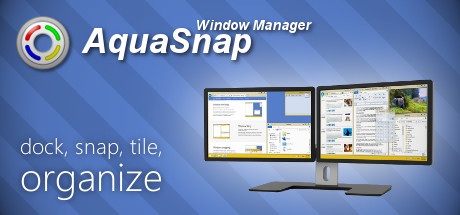
AquaSnap Window Manager is a Windows productivity utility for arranging and organizing applications on your desktop with very little effort. Its core idea is smart snapping: drag a window toward an edge or corner and it locks neatly into place, so you can tile two, three, or four apps across your monitor without manually resizing each one. On large or multi-monitor setups this turns a cluttered desktop into a clean, predictable layout in seconds.
Beyond basic snapping, the paid edition adds genuinely useful touches. You can stretch a window to fill the space between other windows, shake a window to pin it always-on-top, and group several windows together so they move and resize as a single unit. AquaGlance lets you peek through a window to see what is behind it, and the transparency-on-drag effect makes positioning precise. These are the features the free version restricts, and they are exactly what this account unlocks.
For developers, writers, traders, and anyone who keeps many windows open at once, AquaSnap is a quiet quality-of-life upgrade that you stop noticing only because it just works. Buying the AquaSnap Window Manager offline account here gives you that full toolset — watermark removed, advanced layouts enabled — for a flat $9.99, installed and ready on your own PC.
// pros
- Flat $9.99 instead of ~$29.99 full Steam price — save about 67%
- Instant, automated delivery the moment crypto payment confirms
- Full paid edition — watermark gone, advanced snapping and grouping unlocked, used in Offline Mode
- Crypto payment (USDT, BTC, ETH, LTC) — no card, no region lock, worldwide
- Free replacement guarantee if access ever stops
// good to know
- · Single-PC desktop utility for one user, intended for local Offline Mode use
- · You play in Steam Offline Mode on a shared account, not your own Steam profile
Playing AquaSnap Window Manager offline
Pay with crypto
Checkout in USDT, BTC, ETH or LTC — no card needed.
Get the login
We deliver the account that owns the game, automatically, in minutes.
Play offline
Sign in, switch Steam to Offline Mode with our guide, and enjoy the full game.
AquaSnap Window Manager — questions
Can you use AquaSnap Window Manager offline?
Yes. You sign in, install it, then set Steam to Offline Mode and run AquaSnap locally. It is a desktop utility that never needed an internet connection, so all snapping and layout features work fully offline.
How much is AquaSnap Window Manager on bonege?
It is a flat $9.99 one-time, versus the ~$29.99 full Steam price — roughly 67% less. No subscription and no extra fees.
How fast is delivery?
Instant and automated. The account credentials are sent as soon as your crypto payment confirms, usually within minutes.
How do I pay?
Crypto only — USDT (TRC20), BTC, ETH, or LTC. There is no card payment and no region lock, so you can buy from anywhere.
What's the difference vs a Steam key?
A key activates on your own Steam profile; this is a shared offline account that already owns AquaSnap, which you run in Offline Mode. It costs less and arrives instantly, but it is not your personal account.
Is it safe?
Yes, if you keep the credentials unchanged and use Steam Offline Mode. It is a real account that owns the paid app, and every order includes a free replacement guarantee if access stops.



